
The Leave Unit determines how employees apply for leave—whether in full days, half days, or by the hour—based on the company’s leave policy. Configuring the correct leave unit ensures accurate leave application and balance calculations.
Steps to Update Leave Unit:
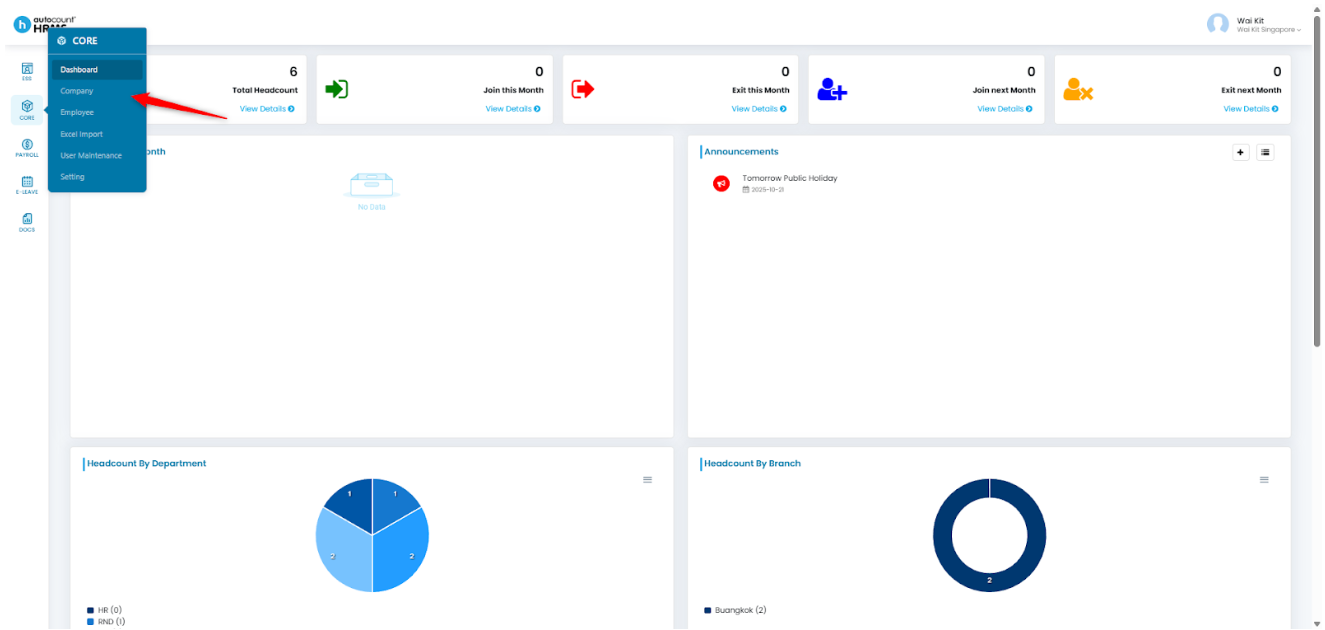
1. Go to Core > Company.
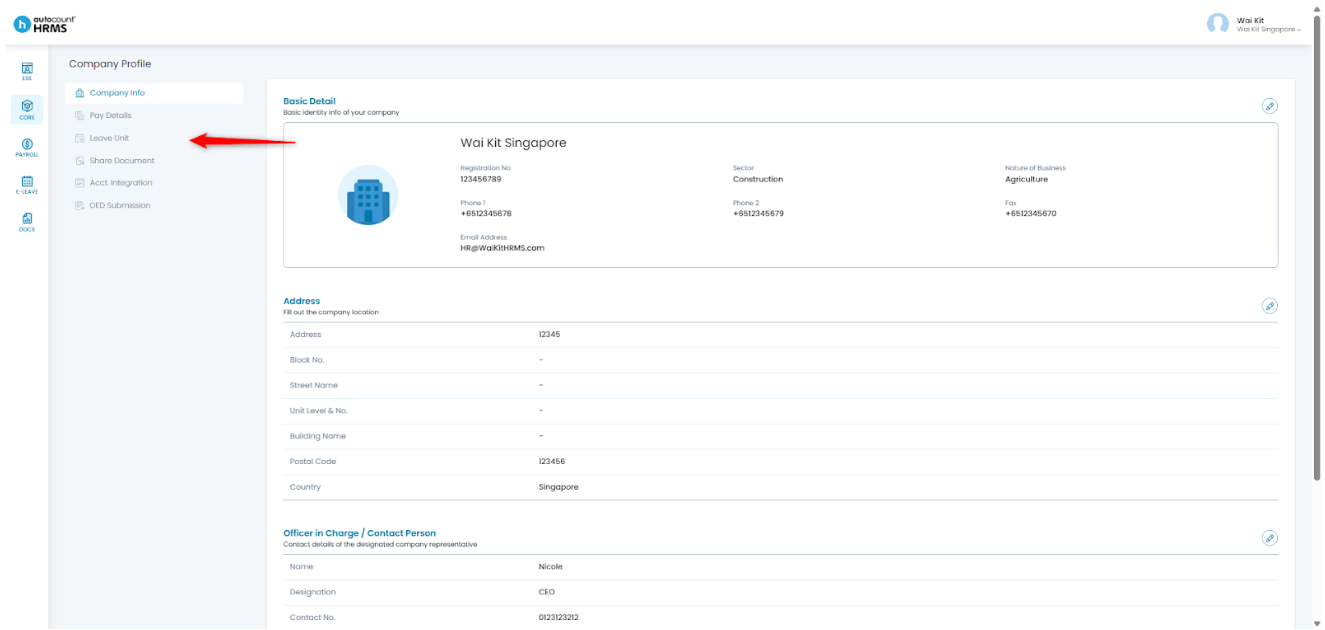
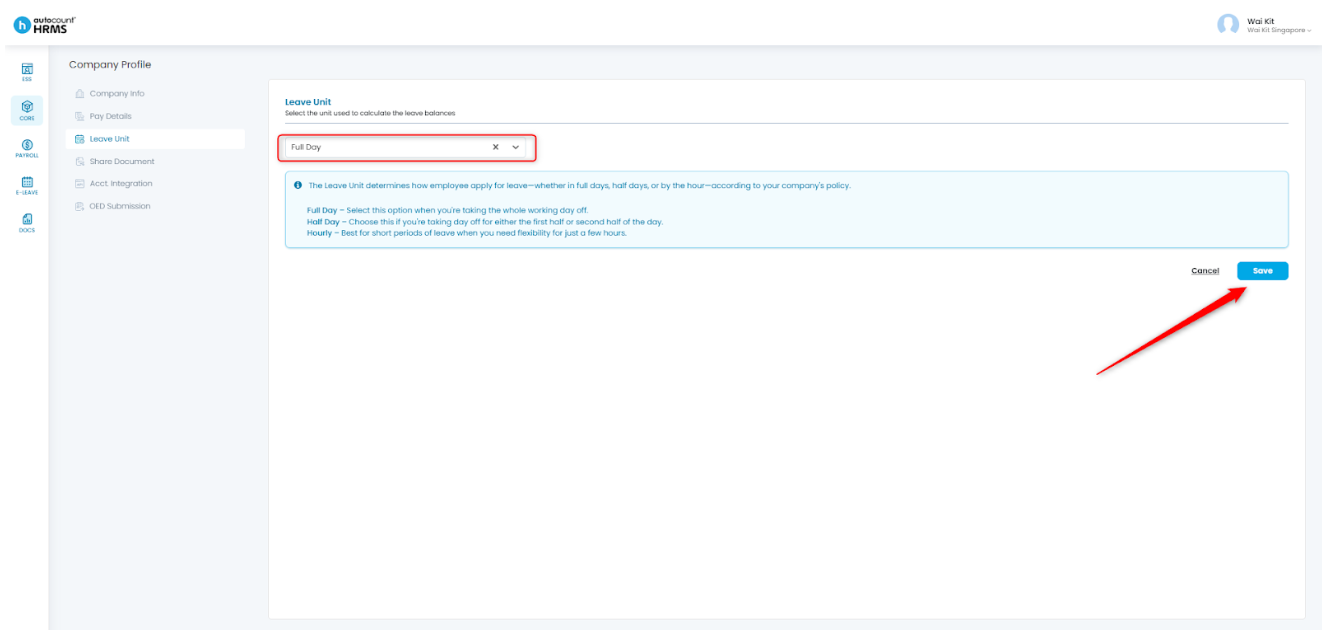
2. Under Company Profile, select Leave Unit.
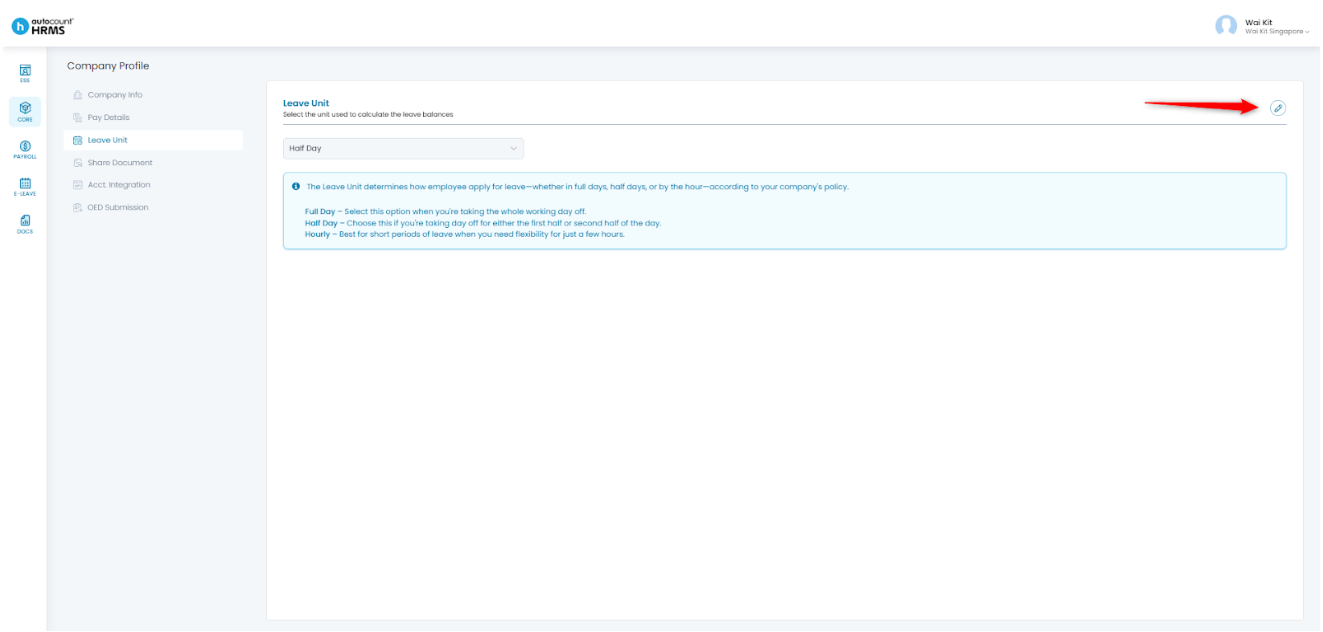
3. Click the pencil icon to edit.
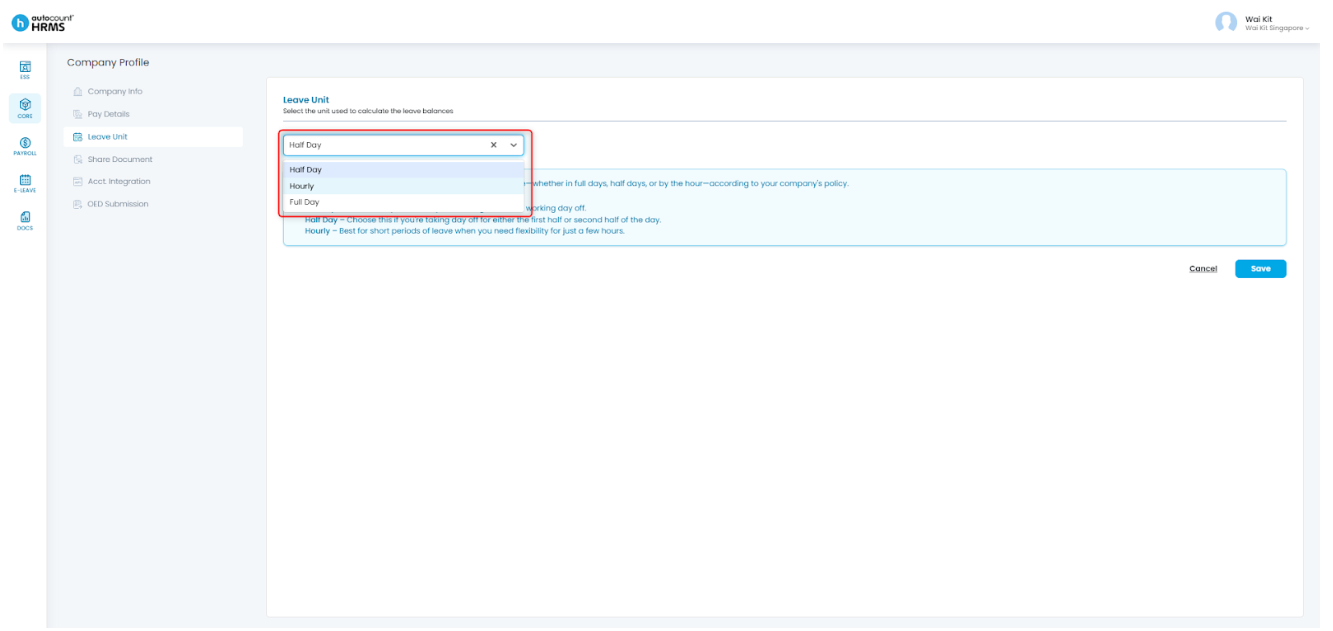
4. Choose your preferred Leave Unit type. There are three types of leave units available:
- Full Day – Employees can only apply for leave in full days. Hourly or half-day leave applications are not allowed.
- Half Day – Employees can apply for full-day or half-day leave, but not hourly leave.
- Hourly – Employees can apply for leave on an hourly basis.
Click Save to apply the changes.
Written by: Giam Wai Kit (20251112)
Modified by: Teah Rui Harn (20251201)
Reviewed by: Tek Ee Lin (20251202)