
If an employee is unable to submit a leave application themselves, you can apply for leave on their behalf through Leave Entry > Deduct Leave.
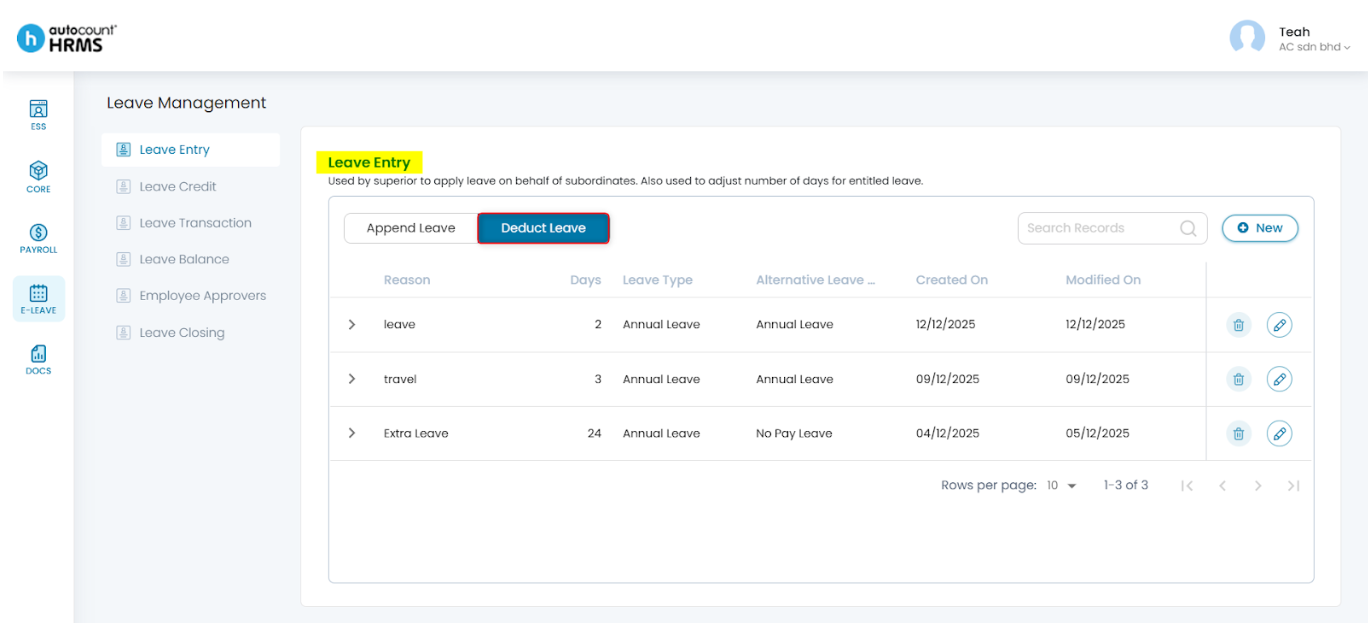
Steps to Apply Leave on Behalf of an Employee:
- Go to E-Leave > Management.
- Under Leave Management, select Leave Entry.
- Choose Deduct Leave, then click New.
- Enter the leave reason, leave type, leave date(s) and employee(s) involved.
- Click Save to apply the leave.
Refer to Leave Entry Deduct Leave section for detailed explanations.
Written by: Teah Rui Harn (20251231)
Reviewed by: Tek Ee Lin (20260112)