
This feature allows employers to distribute important documents—such as the Employee Handbook, company policies, memos, or announcements—to all employees directly through HRMS.
Shared documents will be accessible to employees in ESS (Employee Self-Service) under Documents > Company.
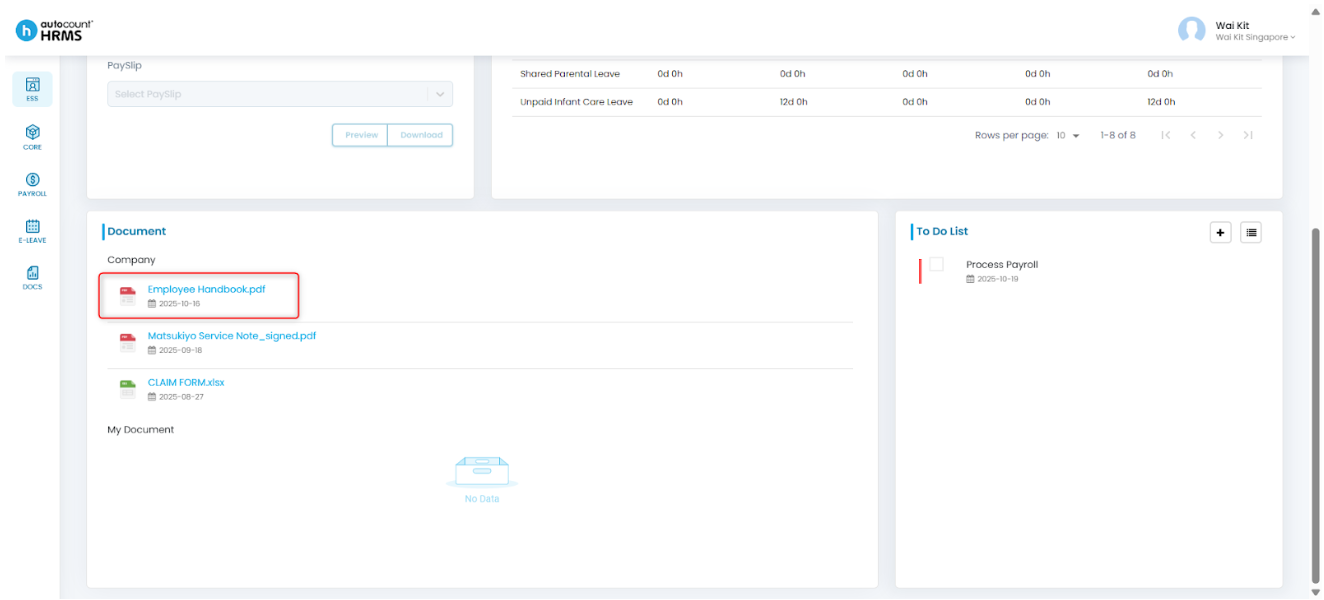
Steps to Share Documents:
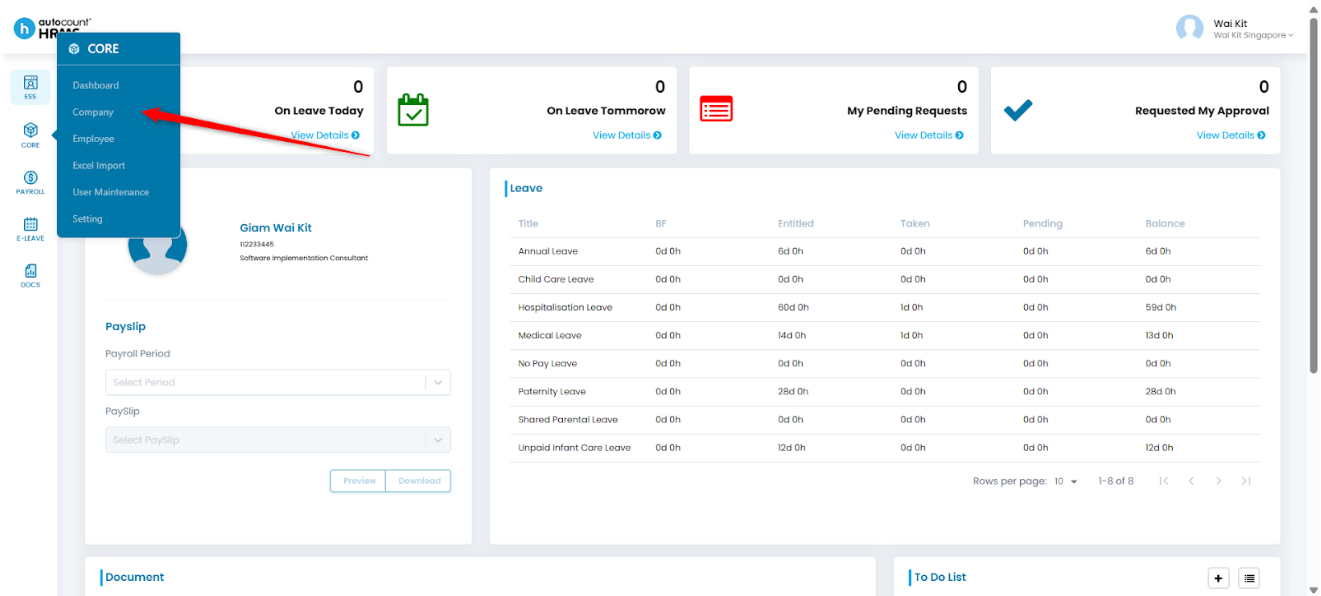
1. Go to Core > Company from the main menu.
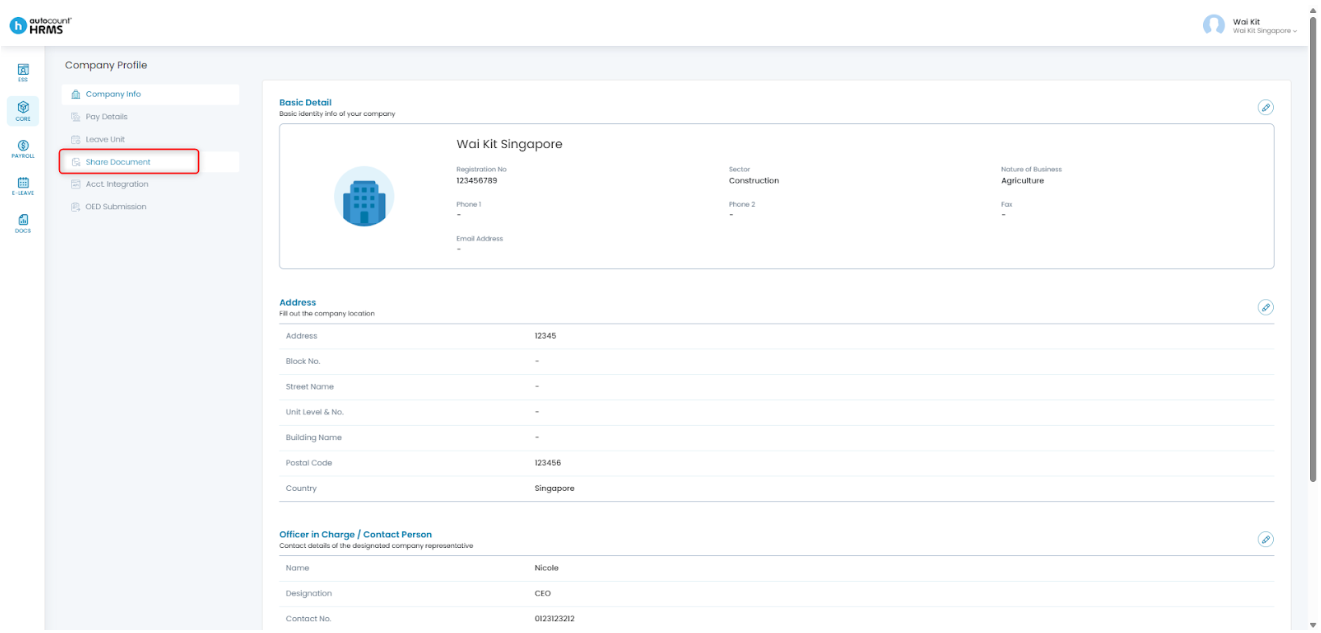
2. Under Company Profile, click Share Document.
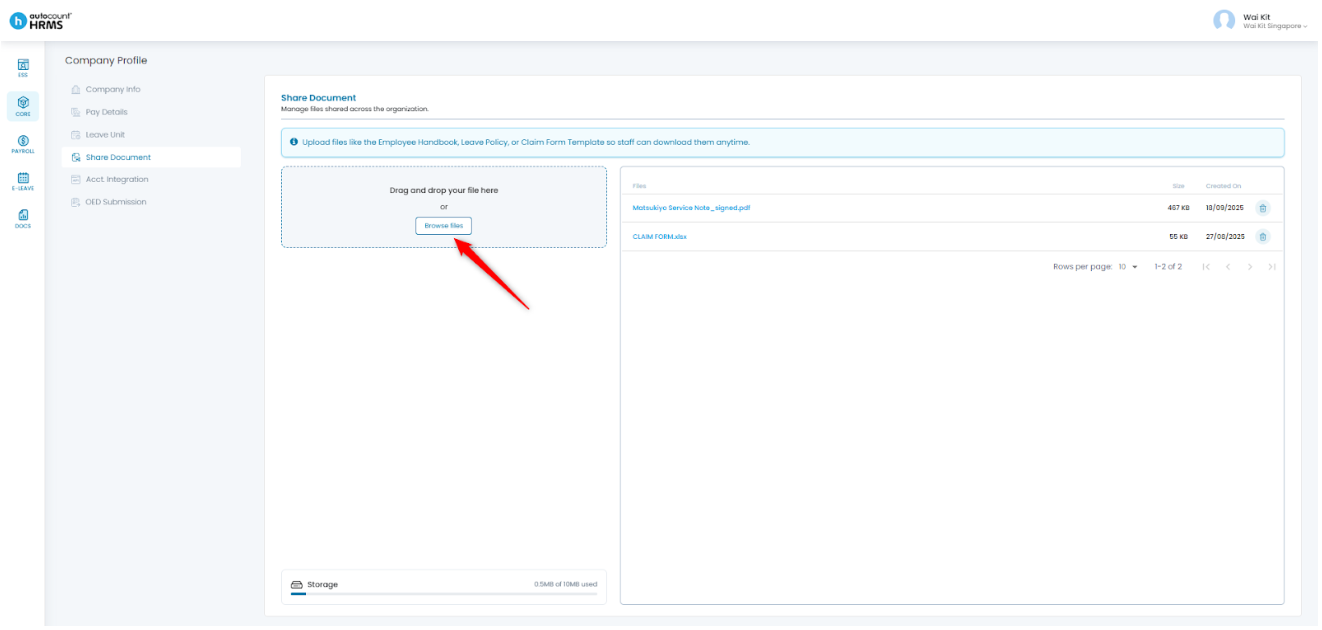
3. Drag and drop the document or attachment into the upload field or click Browse Files to manually select the file you wish to upload.
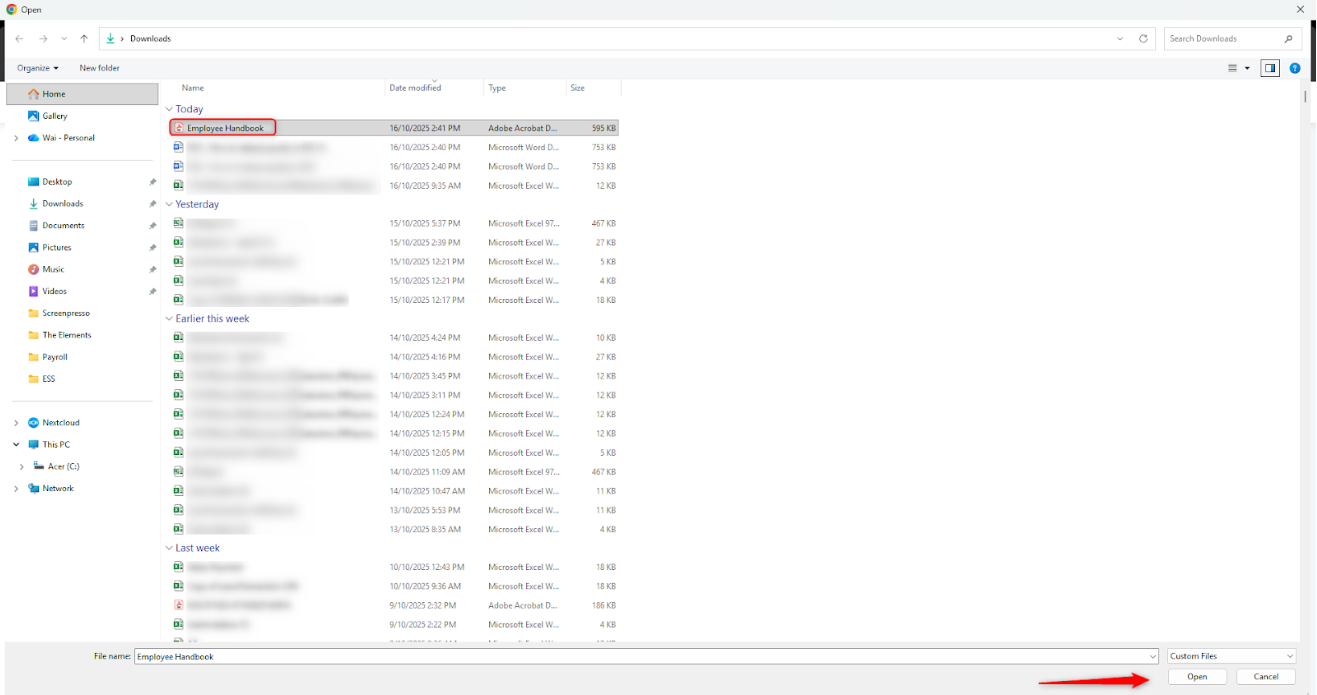
4. Select the file and click Open to add it to the upload list.
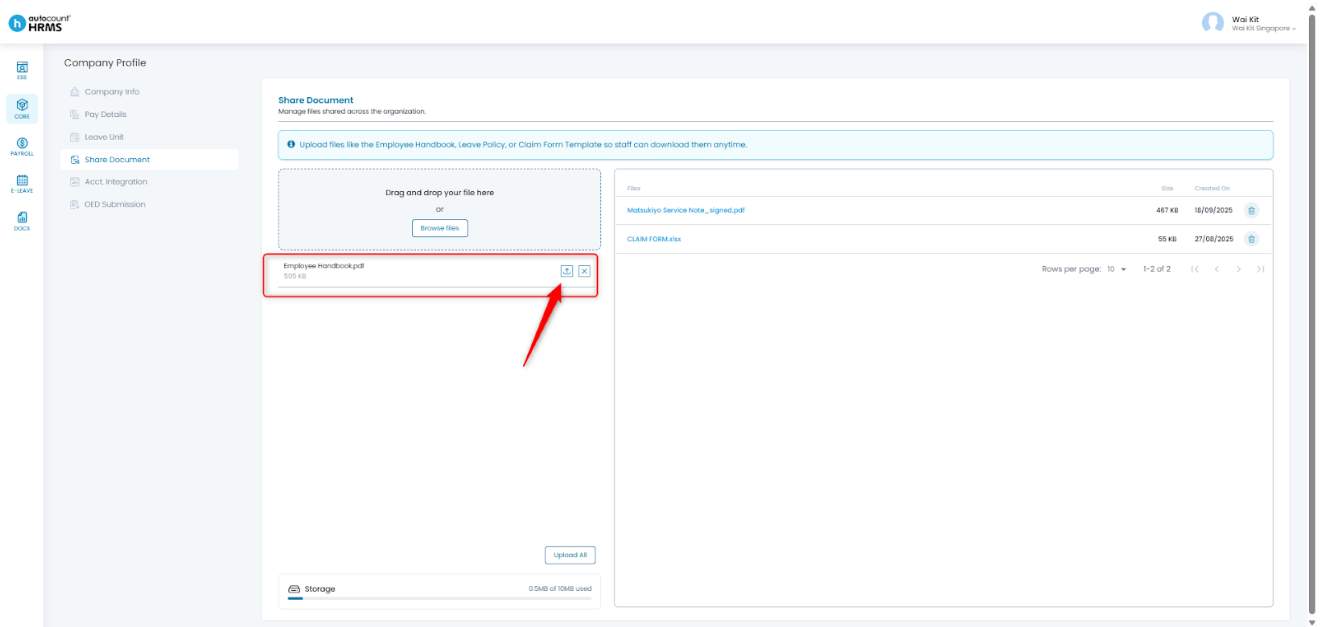
5. Once the file appears, click the Upload icon to upload it.
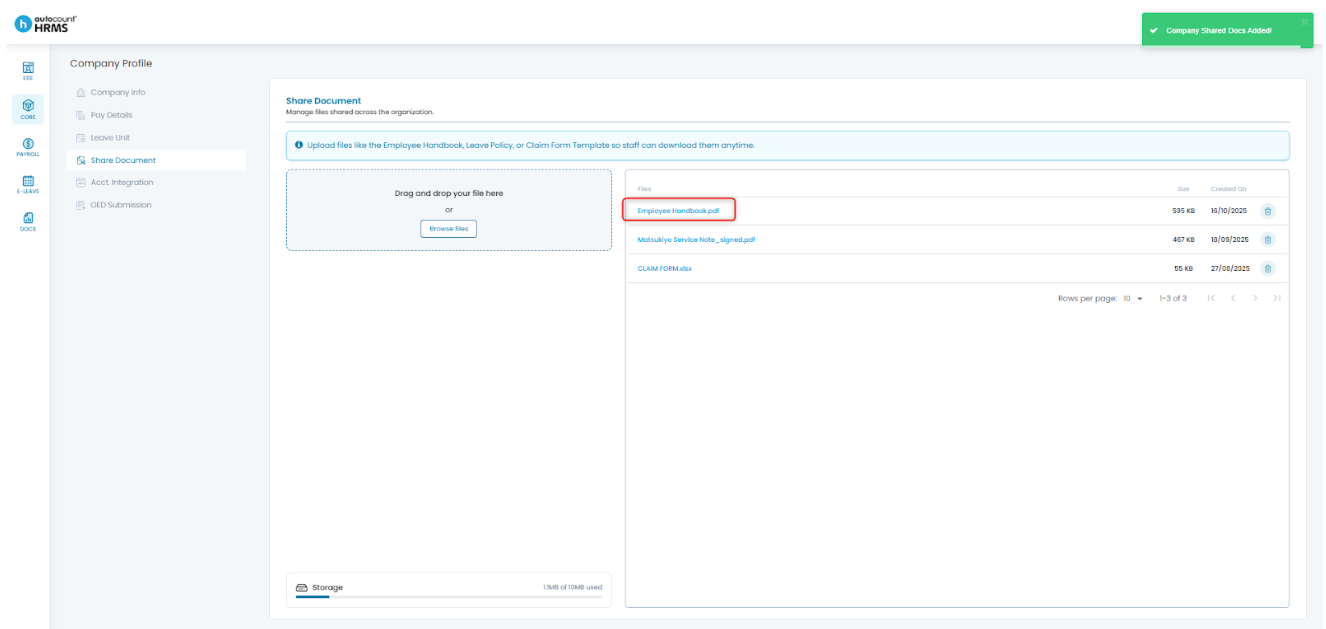
6. The document will now be uploaded and appear under ESS > Documents > Company.
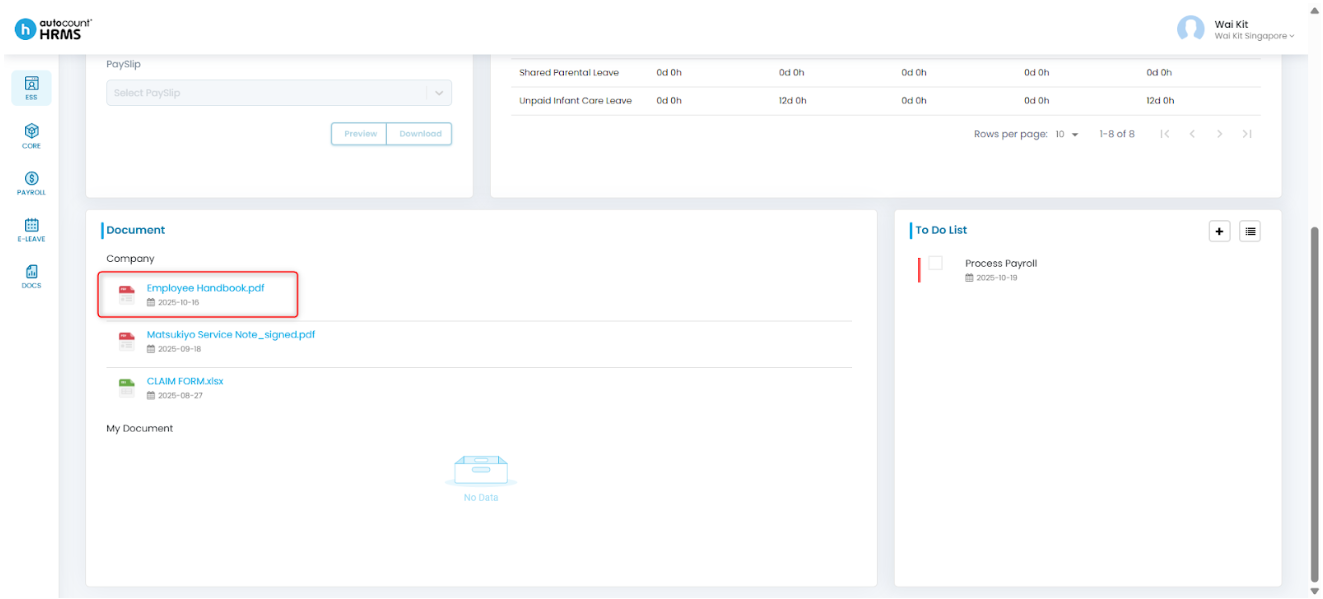
Employees can preview and download the shared documents using either method below:
- Web/Desktop: Go to Home > Documents > Company
- App (coming soon)
Written by: Giam Wai Kit (20251017)
Modified by: Teah Rui Harn (20251201)
Reviewed by: Tek Ee Lin (20251201)