
Maintaining Company Pay Details is just as important as maintaining the company’s general information.
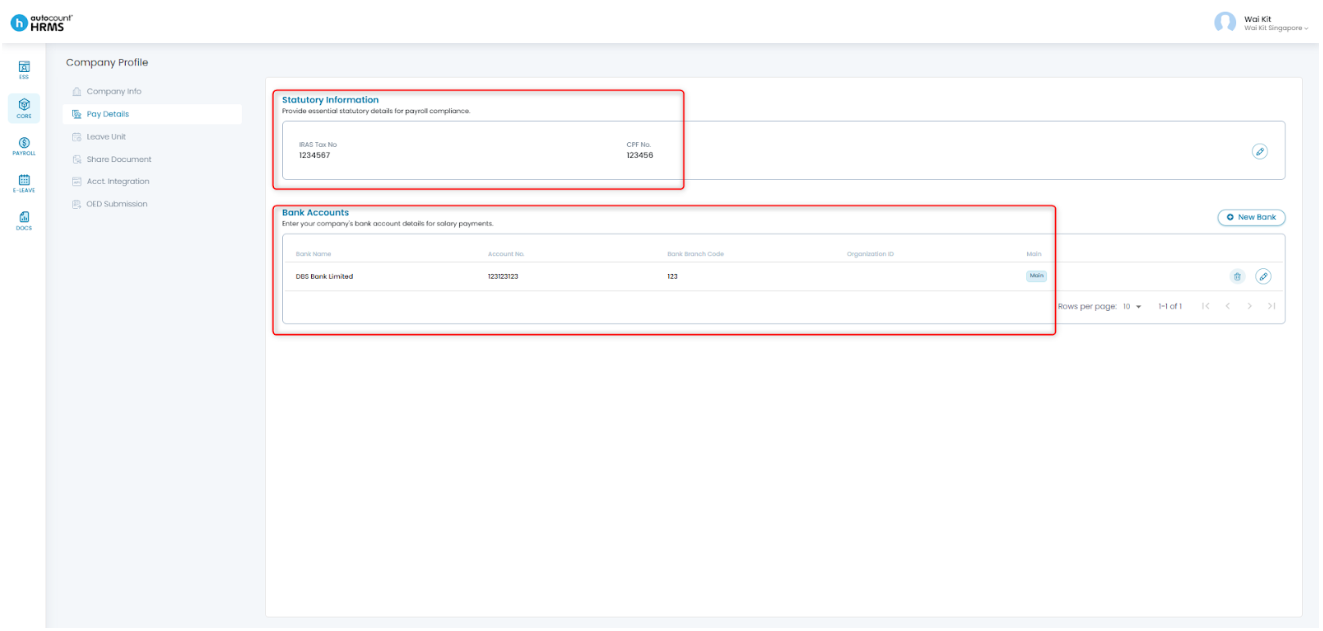
There are two key areas to maintain under Company Pay Details:
- Statutory Information – Company’s IRAS Tax No. and CPF No.
- Bank Accounts – Company’s bank account(s) used for payments
Both sections are essential for processing salary payments and statutory contributions.
Steps to Maintain Company Pay Details:
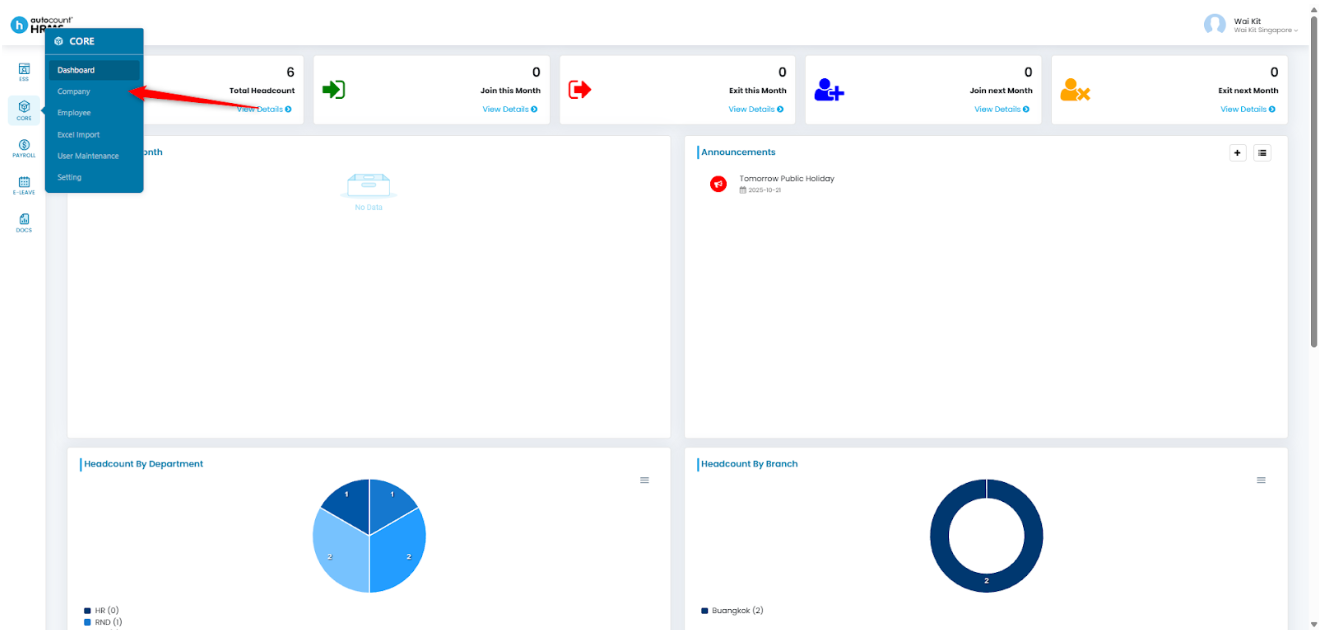
1. Go to Core > Company.
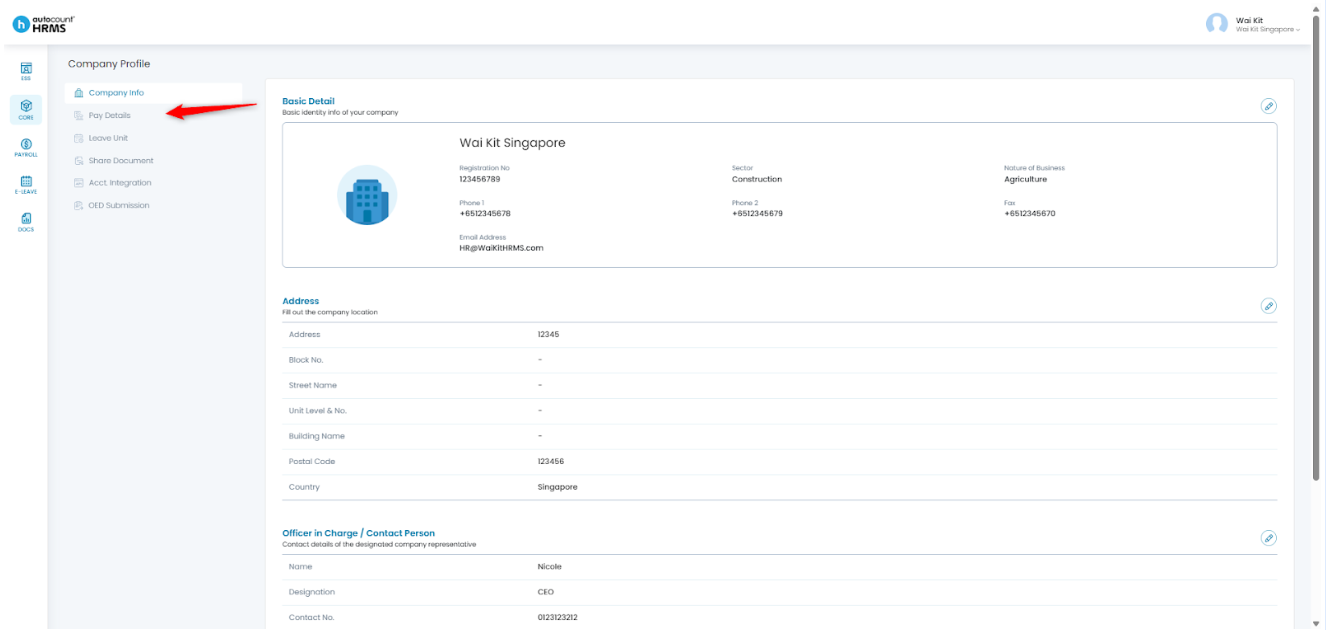
2. Select Pay Details.
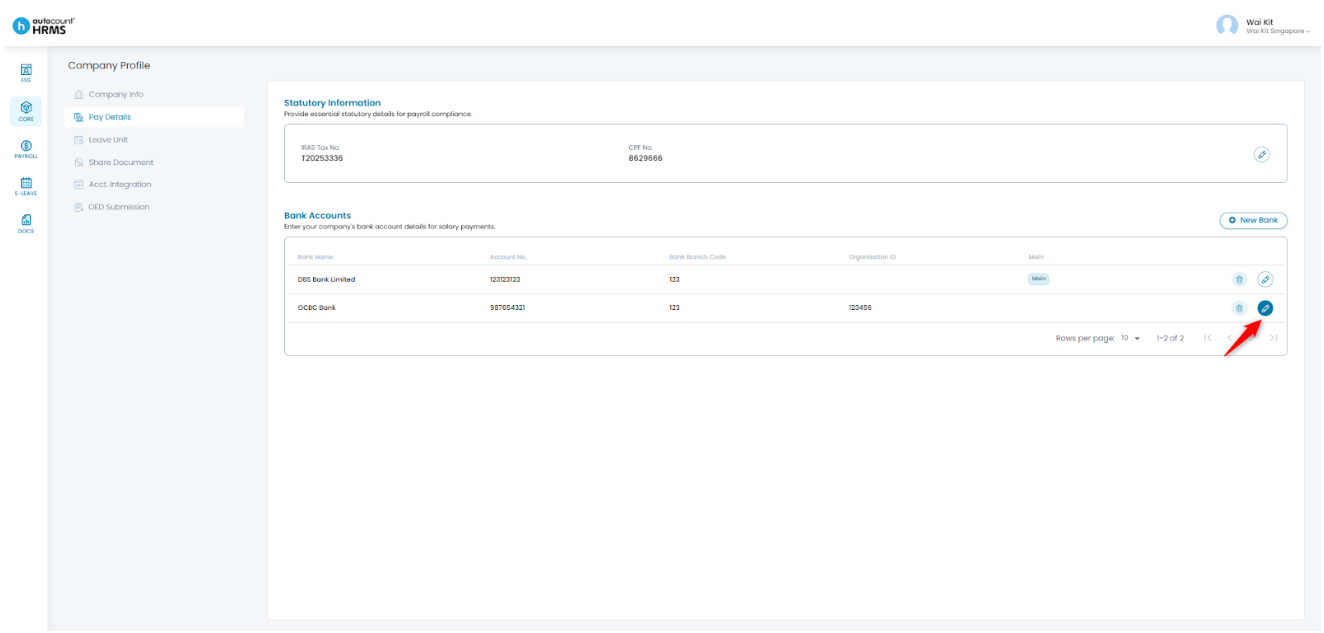
3. In this page, you can maintain the company’s Statutory Information (IRAS Tax No. & CPF No.) and Bank Accounts.
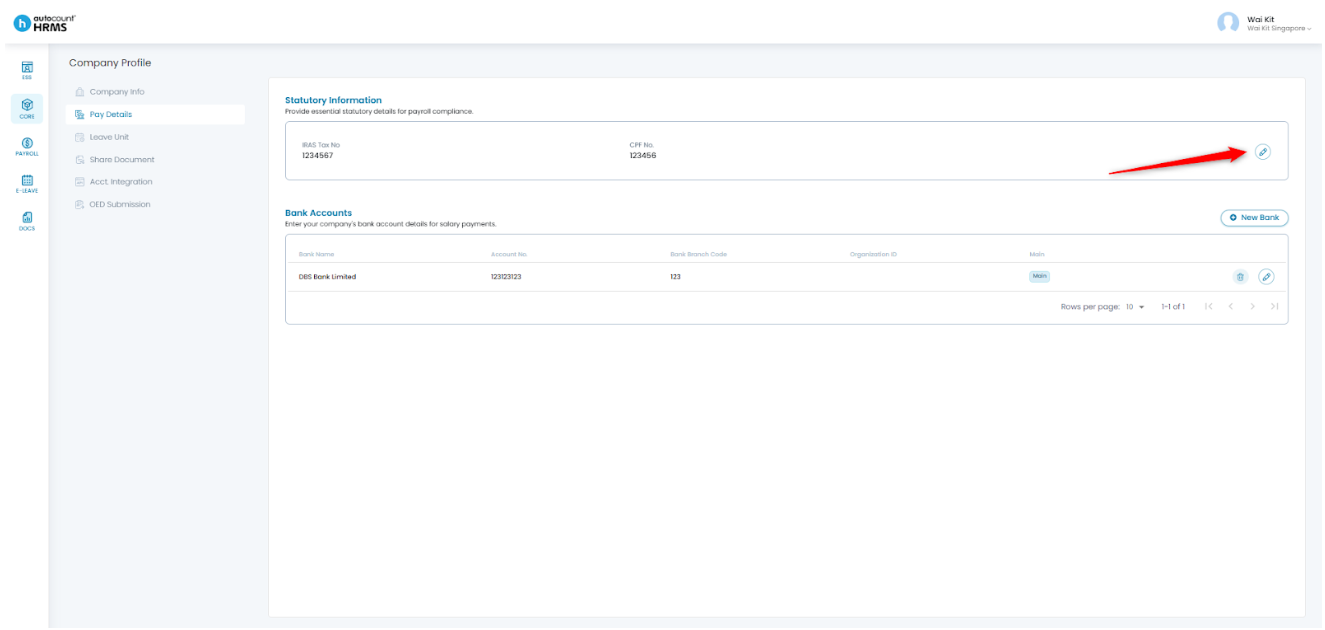
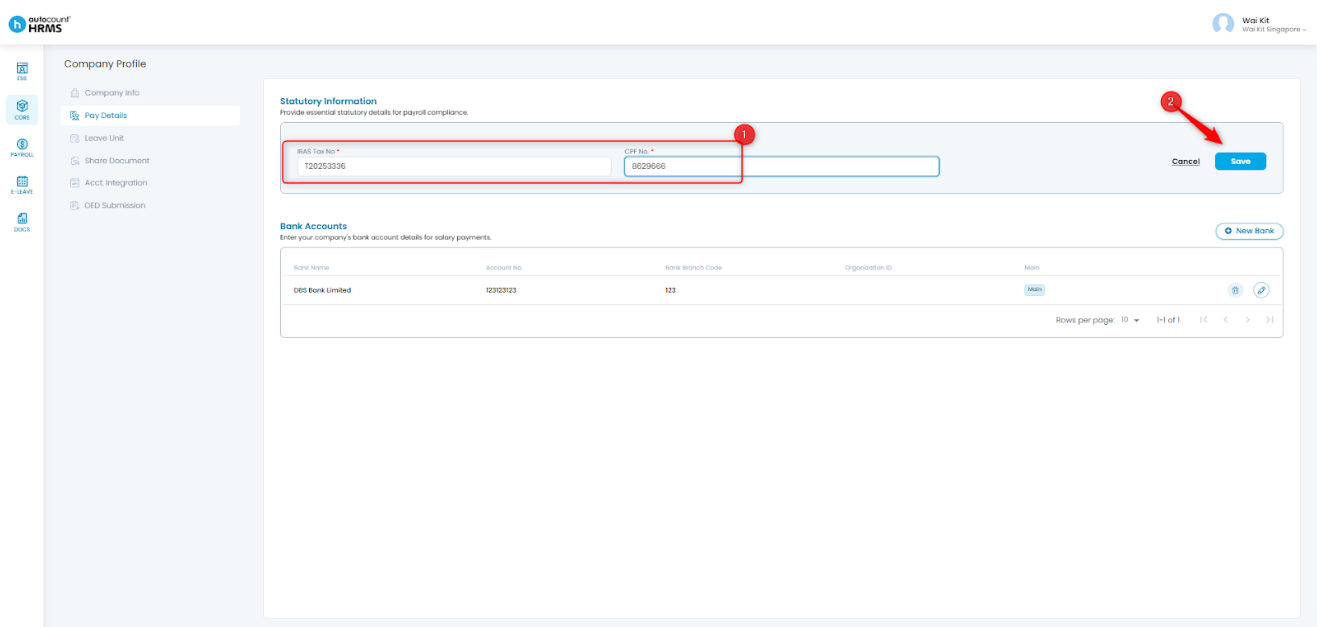
4. To update the company’s Statutory Information, click the pencil icon to edit.
5. Enter or update the IRAS Tax No. and CPF No., then click Save.
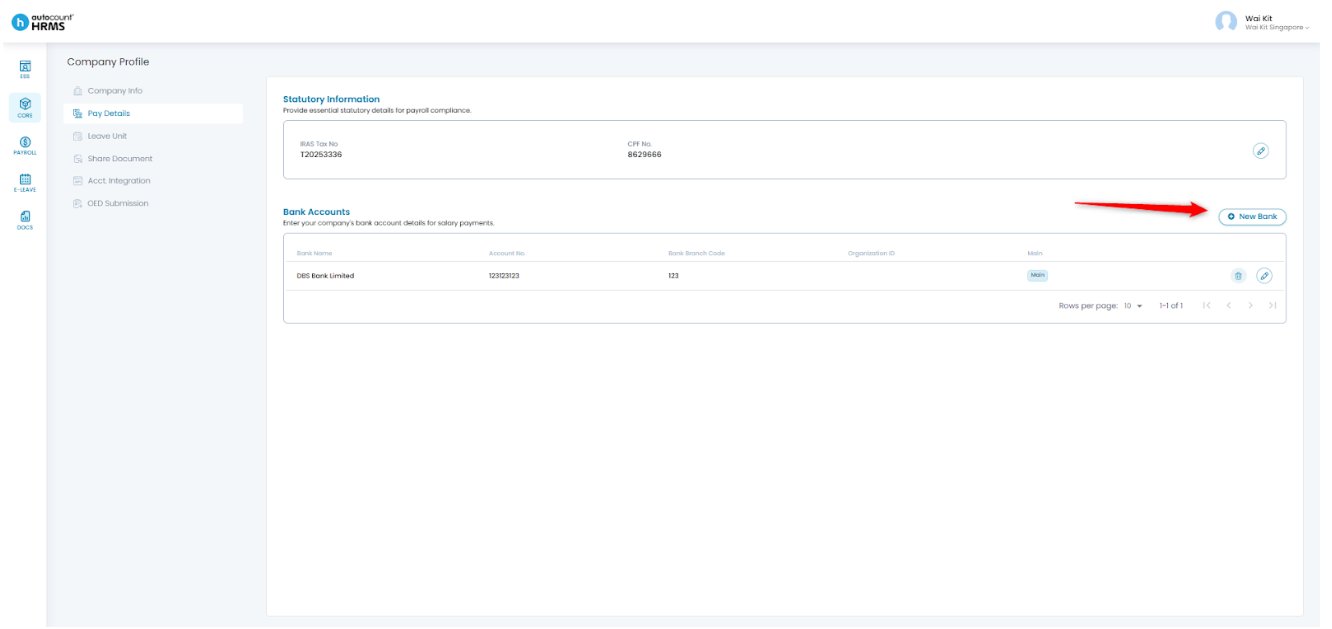
6. To add a new bank account, click New Bank.
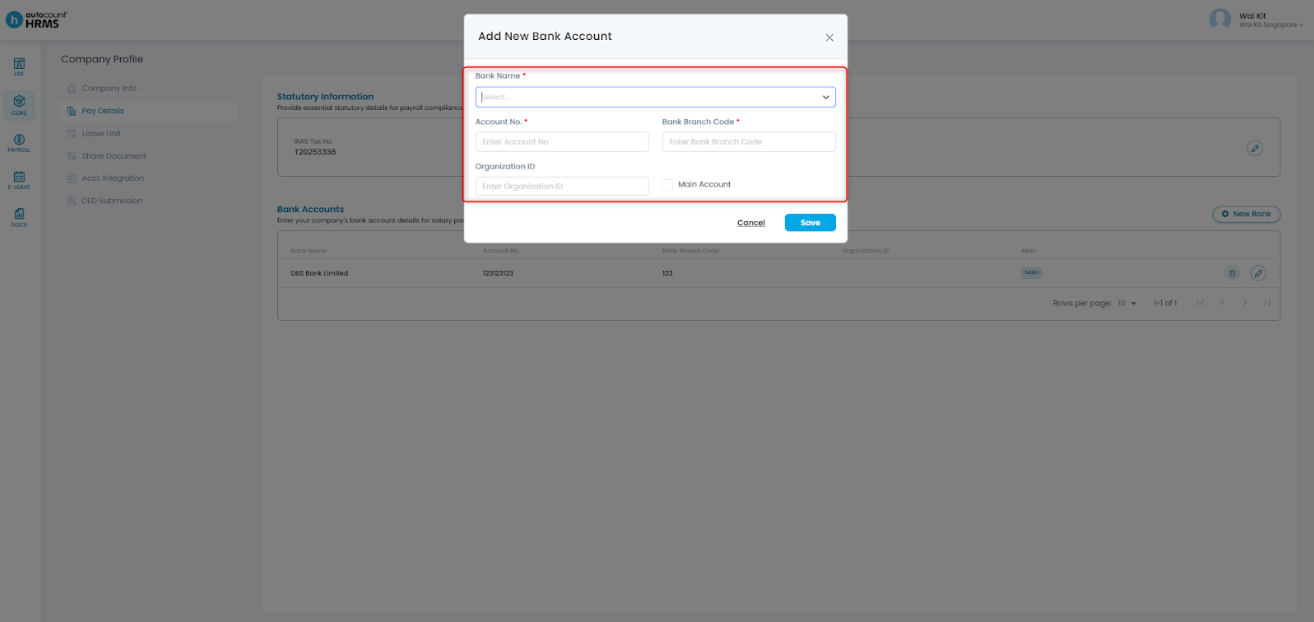
7. Fill in the required information:
- Bank Name
- Account No.
- Bank Branch Code – (Obtainable from the bank)
- Organisation ID – (Optional)
- Main Account – Tick this option if the account is the primary one used for salary or statutory payments.
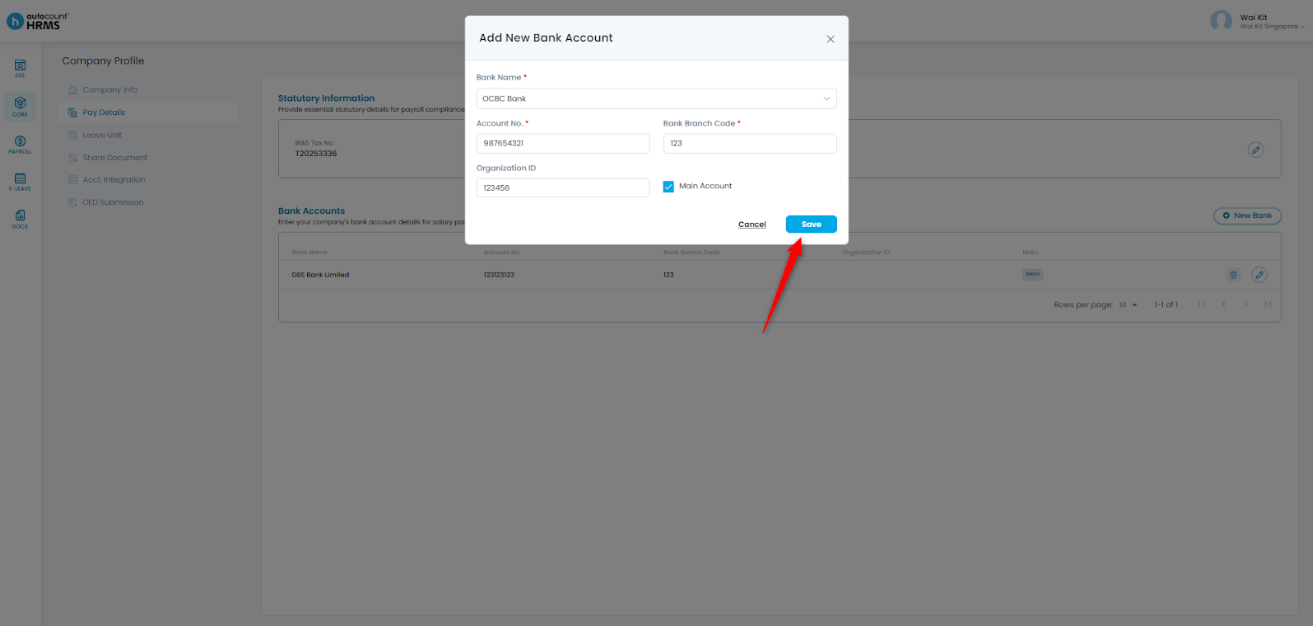
8. Click Save once completed.
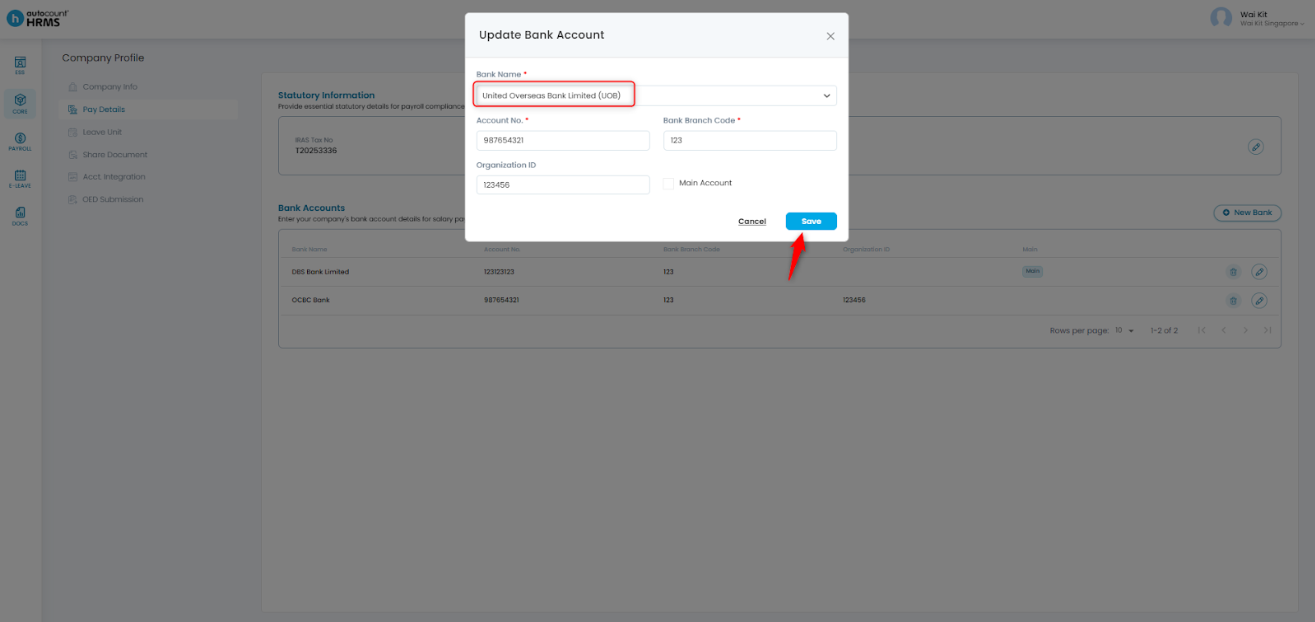
9. To edit an existing bank account, click the pencil icon, make the necessary changes, and click Save.
Written by: Giam Wai Kit (20251112)
Modified by: Teah Rui Harn (20251201)
Reviewed by: Tek Ee Lin (20251201)