
HRMS supports seamless integration with AutoCount Accounting, allowing payroll figures to be posted directly into the accounting system after each monthly payroll run. This eliminates manual data entry and reduces errors.
To enable the integration, an API Key must be generated in HRMS and then configured within AutoCount Accounting.
Steps to Generate an API Key:
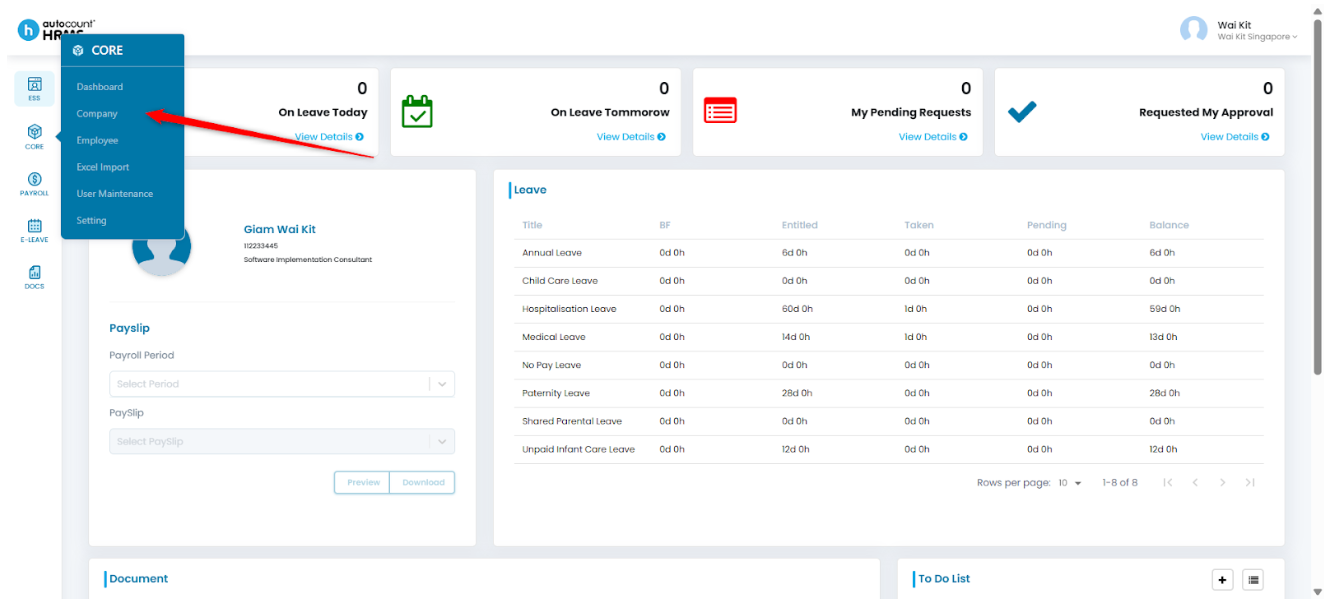
1. Go to Core > Company.
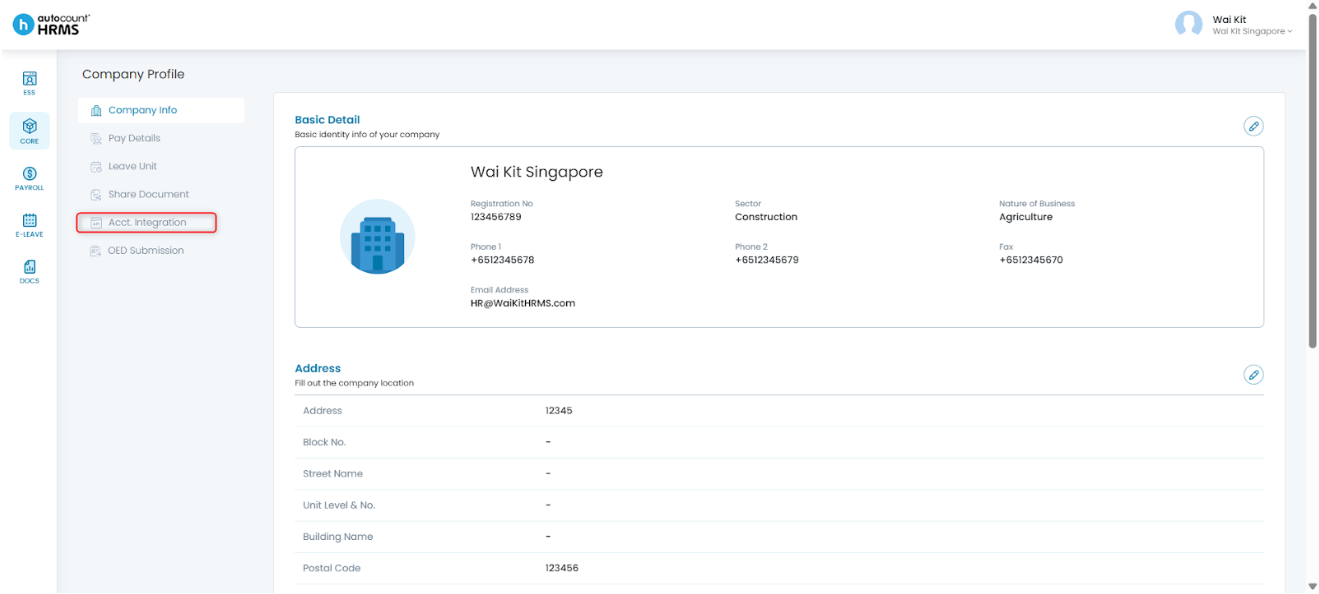
2. Under Company Profile, click Acct Integration.
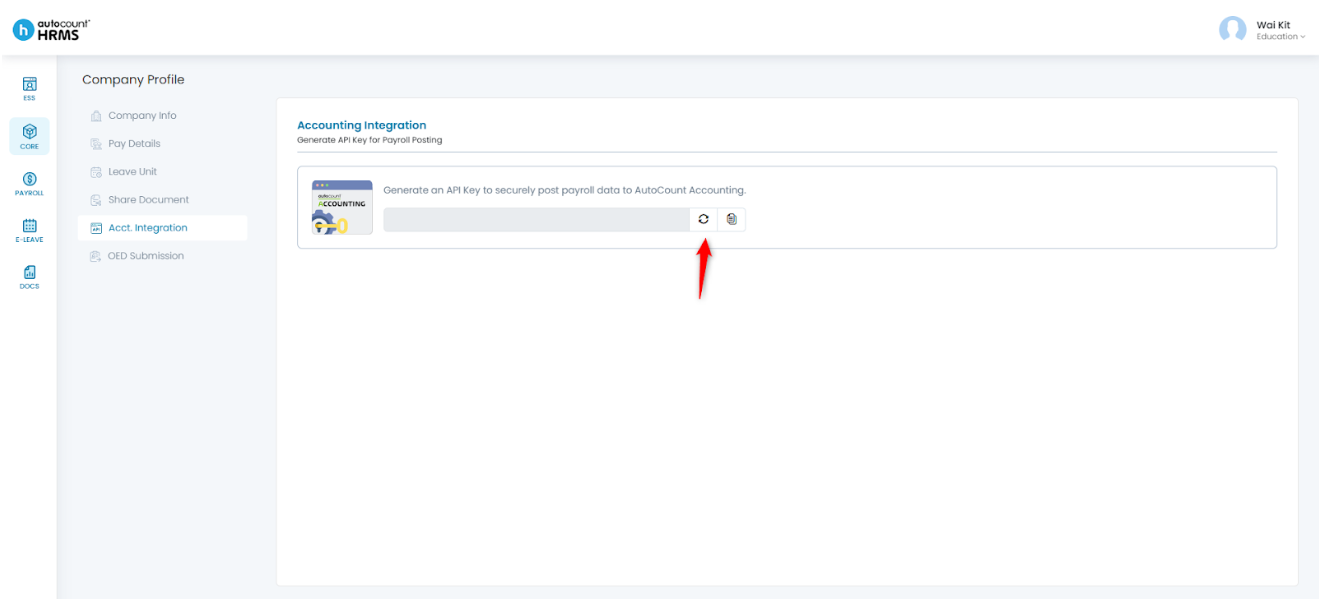
3. Click the Refresh icon to generate the API Key.
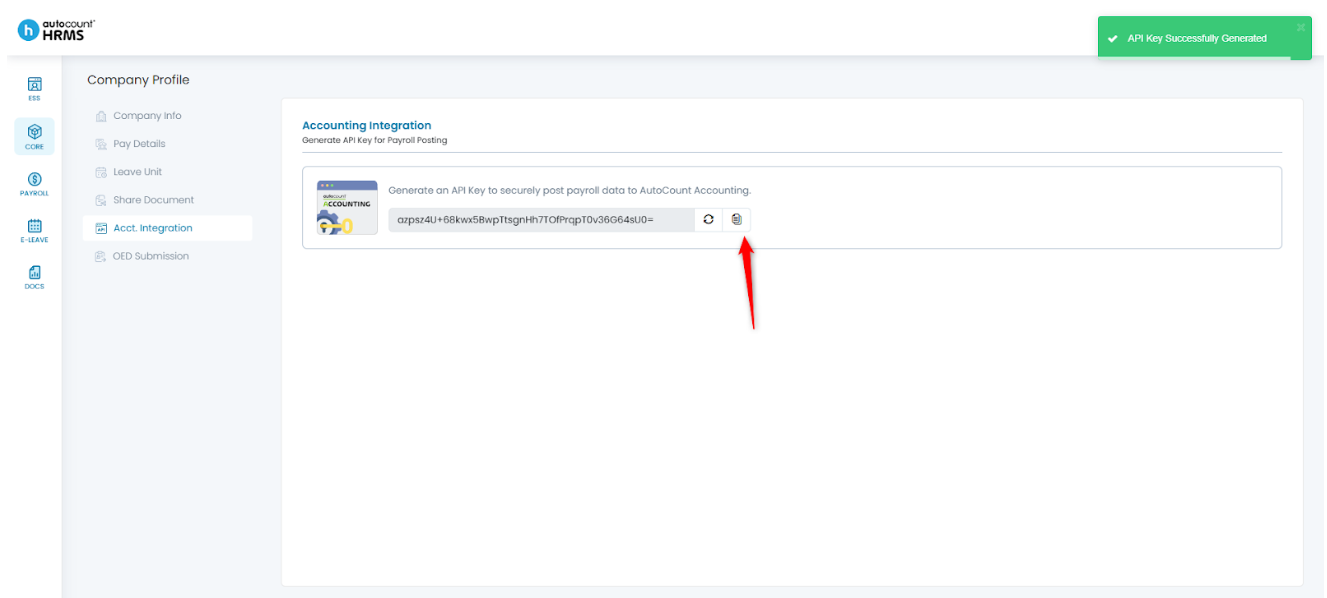
4. Once the key is generated, click the Clipboard icon to copy it, then paste it into AutoCount Accounting for posting purposes.
Written by: Giam Wai Kit (20251112)
Modified by: Teah Rui Harn (20251201)
Reviewed by: Tek Ee Lin (20251201)