
The User Access feature grants employees the access to ESS via HRMS web or mobile app.
Steps to Invite or Update an Employee’s Login Email:
1. Go to Core > Employee.
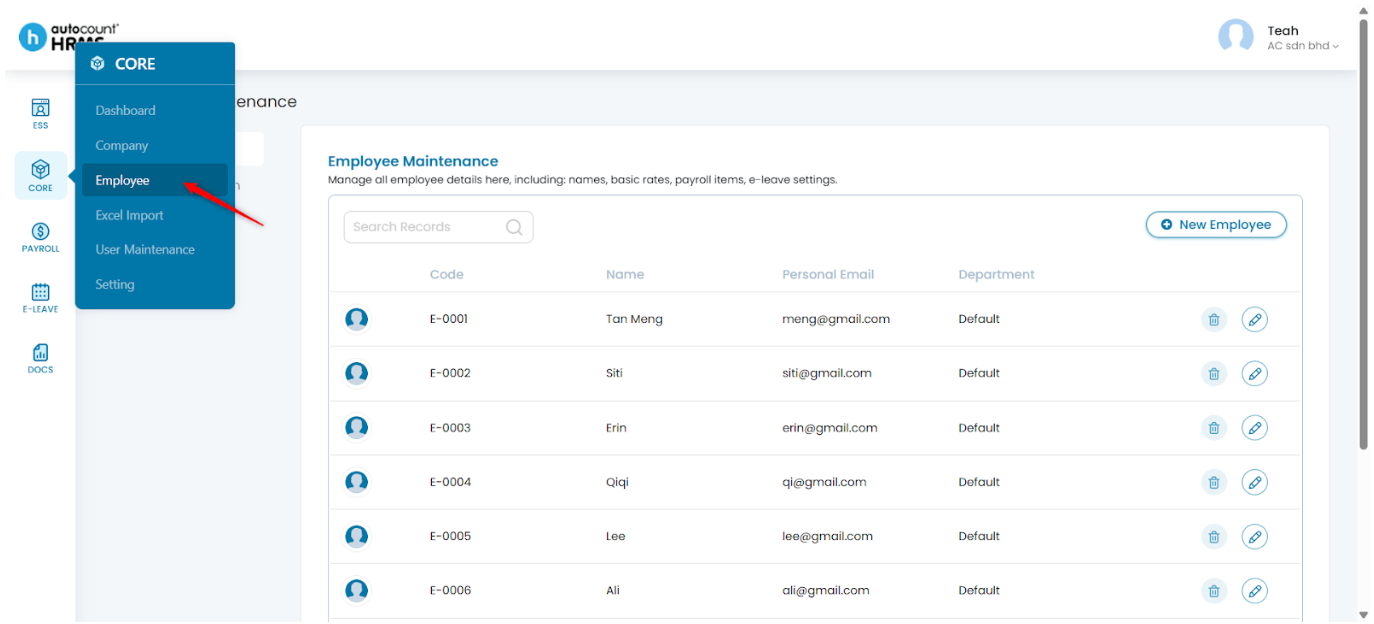
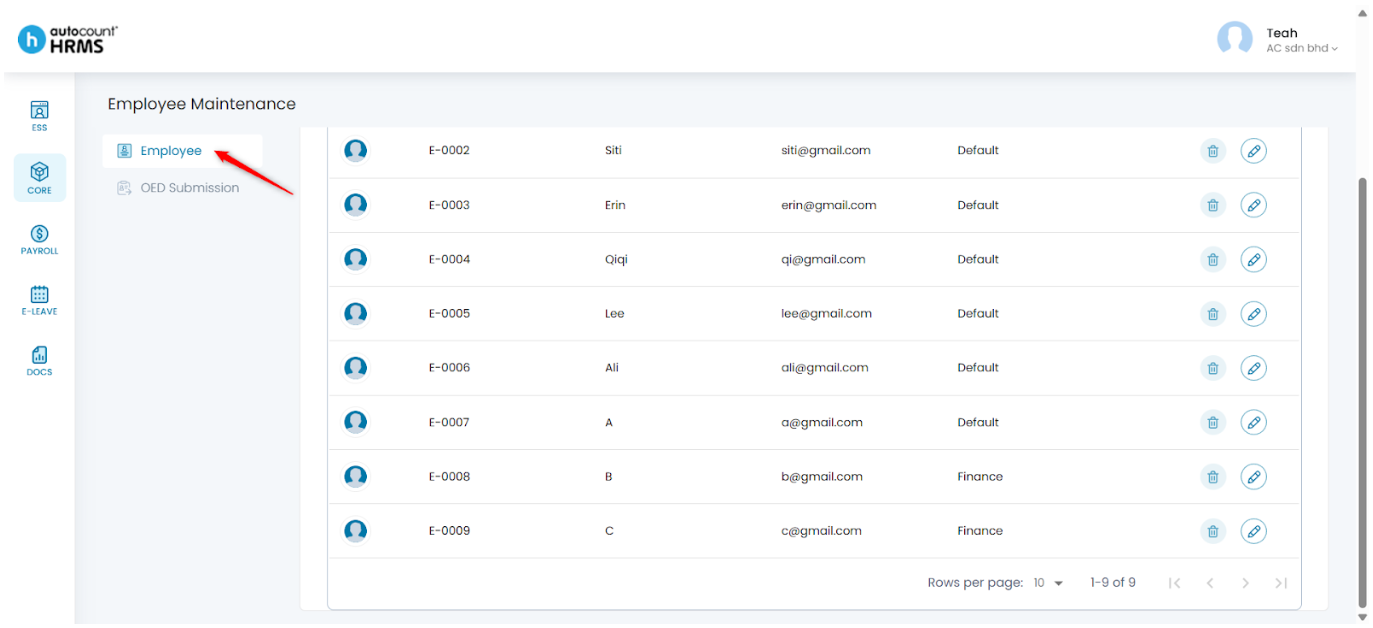
2. Under Employee Maintenance, click Employee.
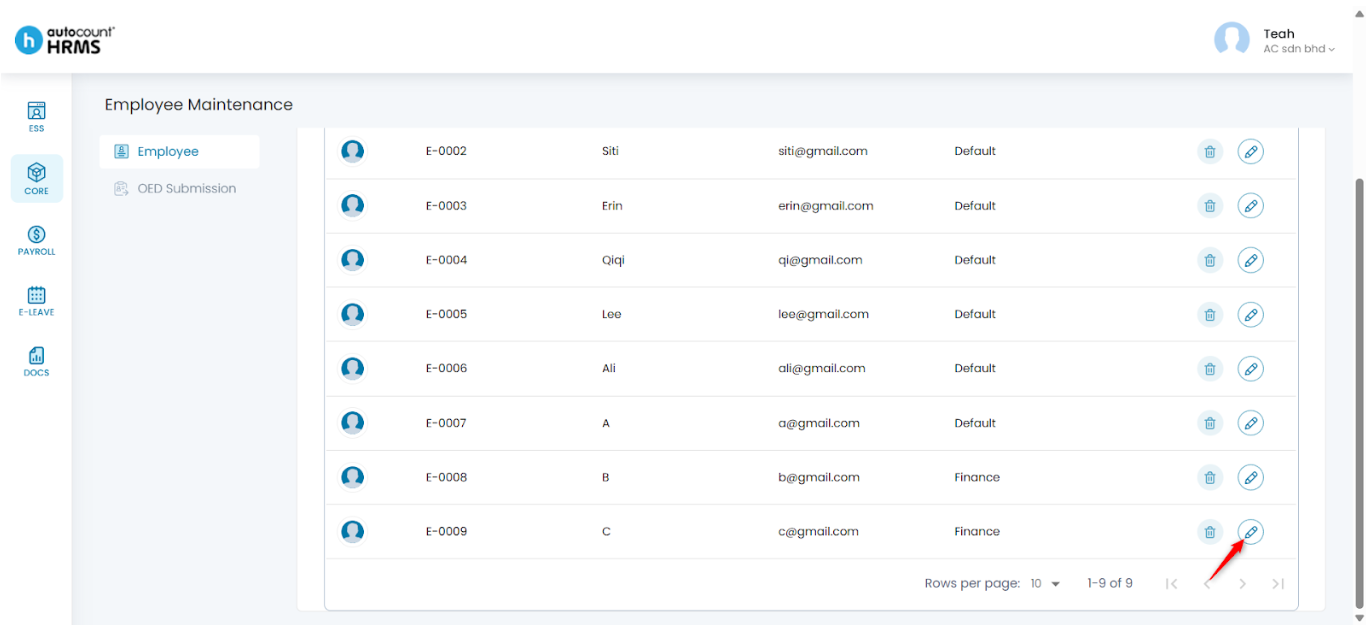
3. Locate the employee you want to update and click the pencil icon beside the employee’s name.
4. Under Employee Details, select User Access.
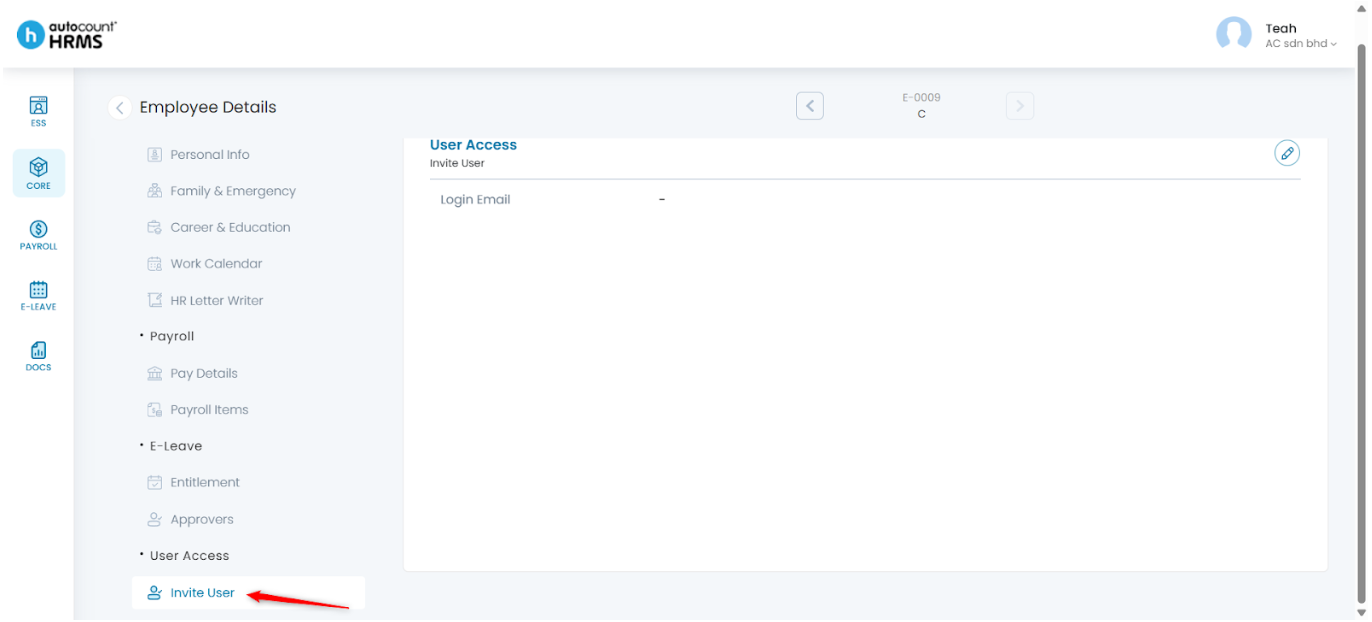
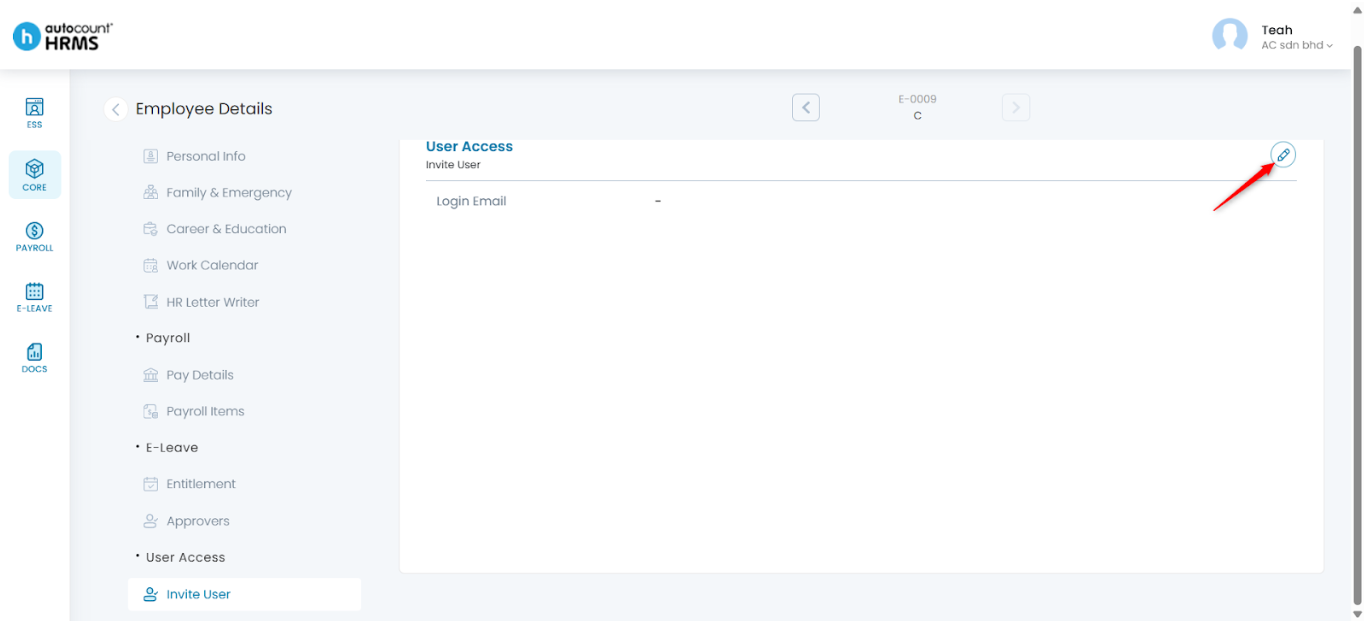
5. Click the pencil icon to edit.
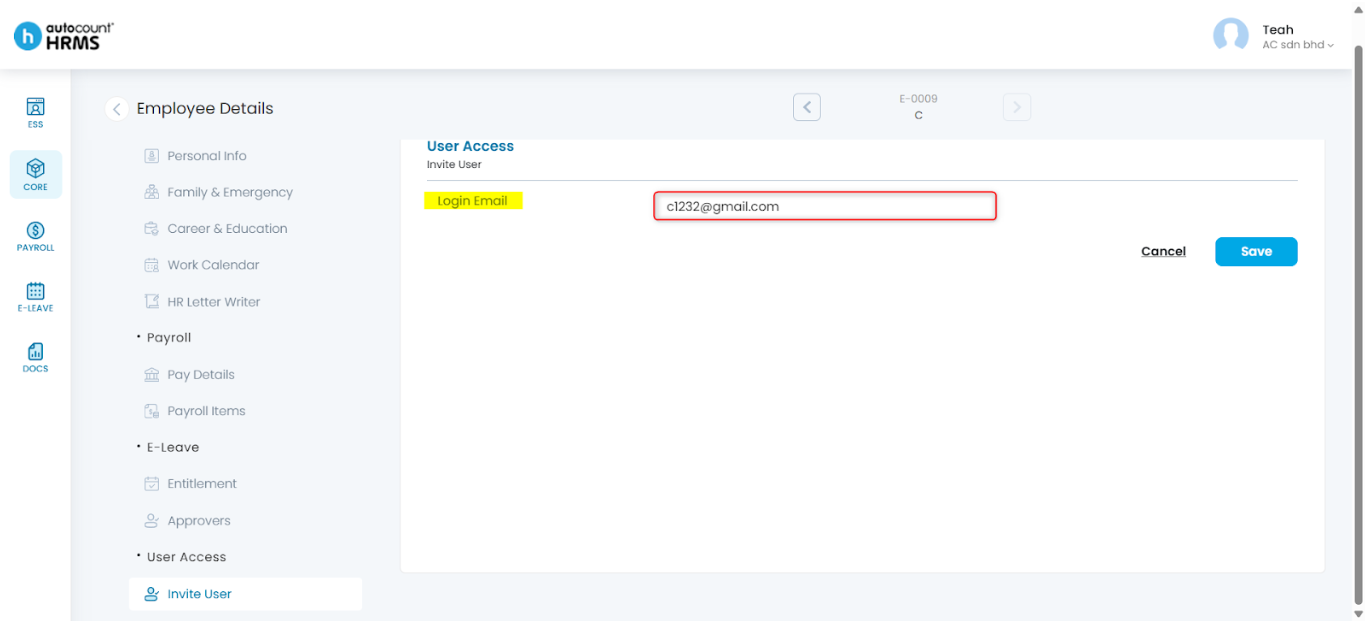
6. Enter or update the employee’s login email address.
7. Click Save.
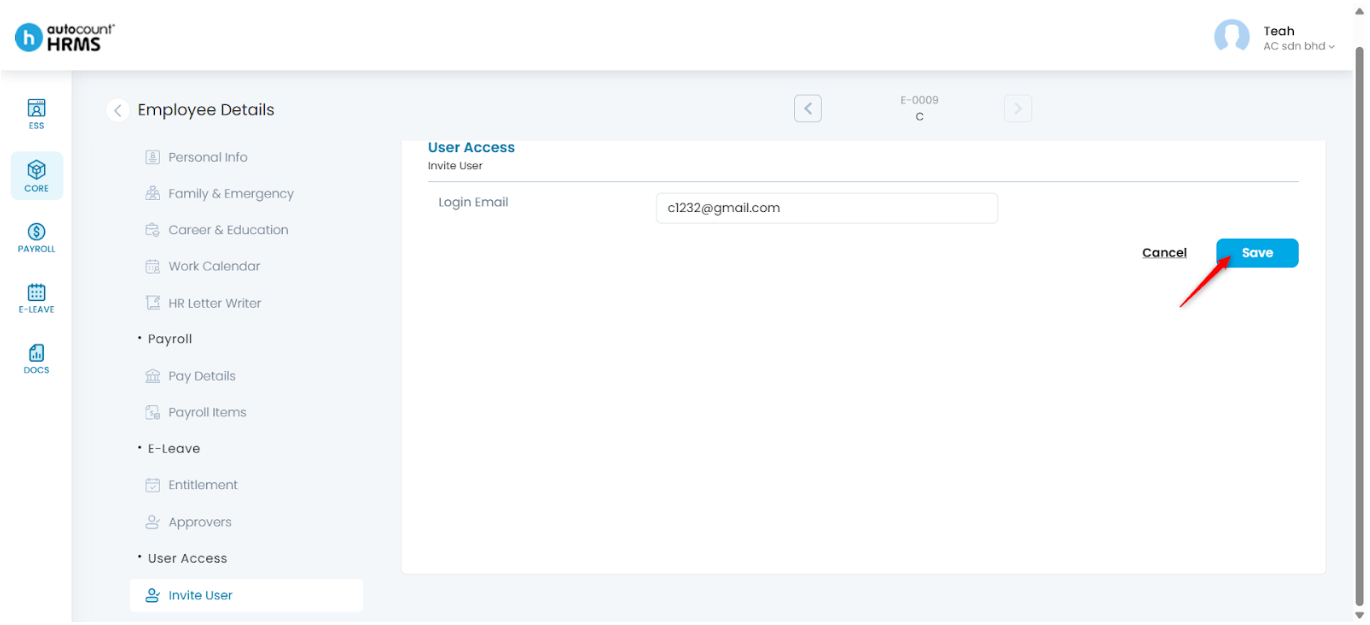
8. The employee is now able to login to HRMS using the registered email to access ESS.
Written by: Teah Rui Harn (20251226)
Reviewed by: Tek Ee Lin (20260107)