
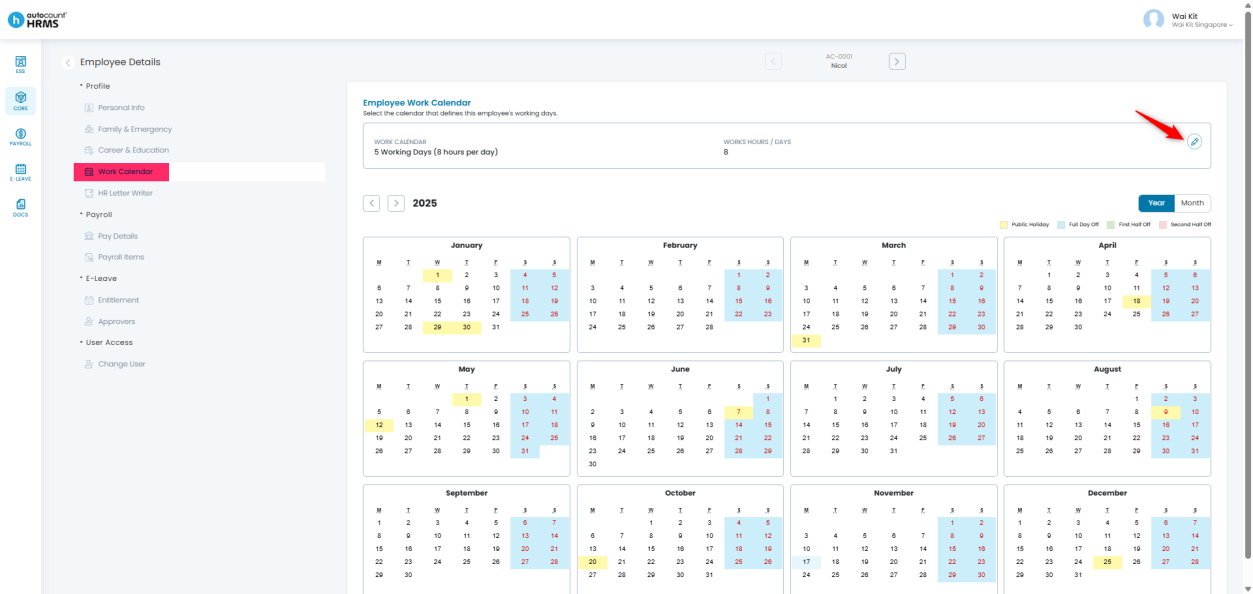
The Work Calendar helps HRMS determine an employee’s working days, rest days, public holidays, and daily working hours. Maintaining the correct Work Calendar in each employee’s profile is essential, as it ensures accurate overtime calculations— especially when employees work on rest days or public holidays.
Steps to Maintain Employees’ Work Calendar:
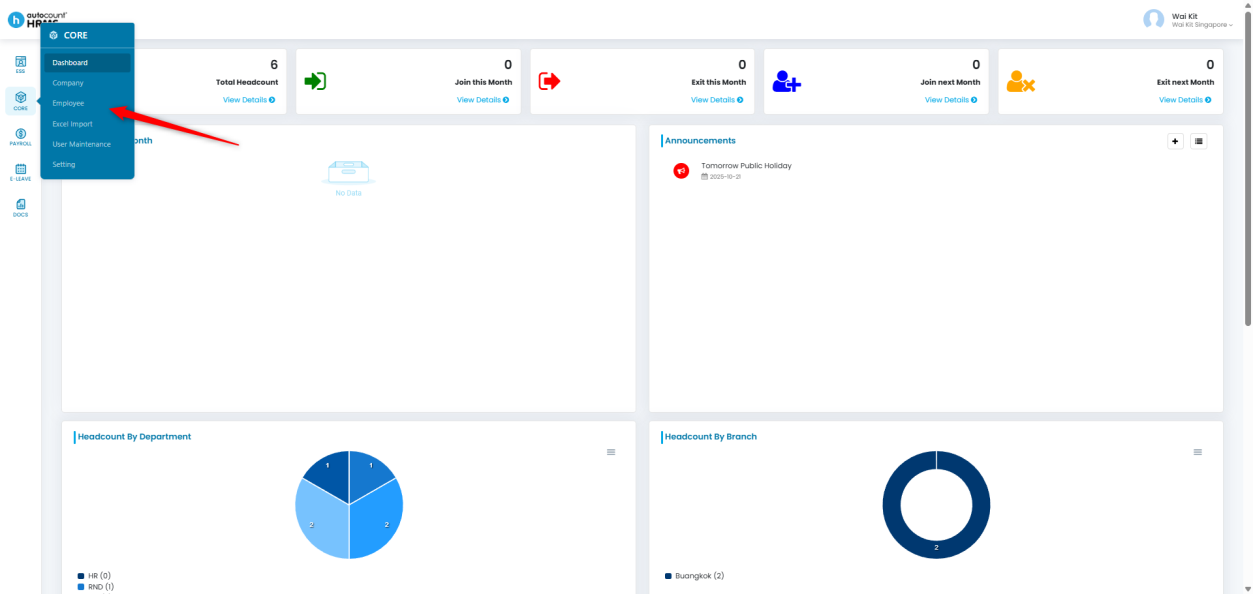
1. Go to Core > Employee.
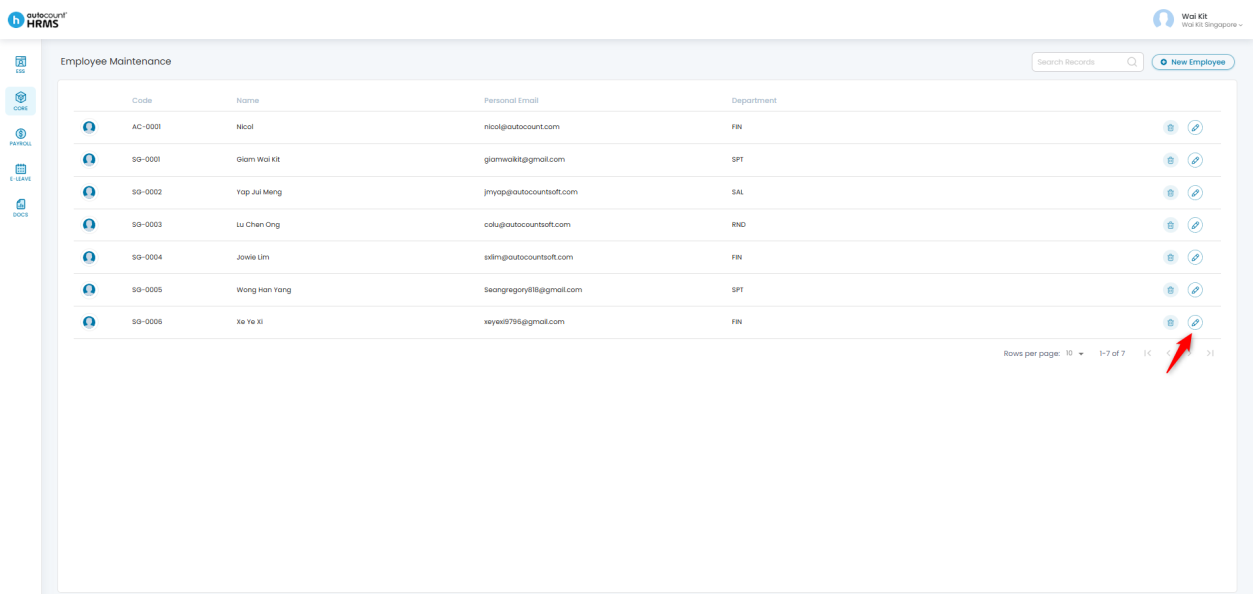
2. Locate the employee whose information you wish to update.
3. Click the pencil icon beside the employee’s name to open their Employee Profile.
4. Go to the Work Calendar section and click the pencil icon to edit.
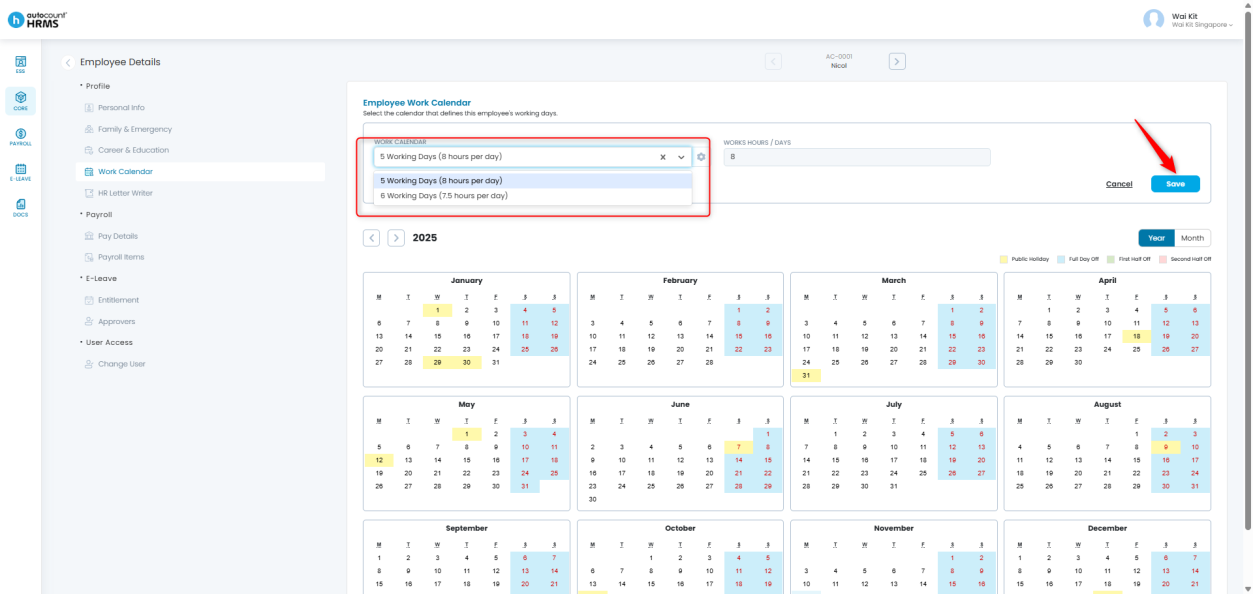
5. Select the appropriate Work Calendar for the employee.
- Workdays and work hours are pre-defined during calendar setup.
6. Click Save to apply the changes.
Written by: Giam Wai Kit (20251112)
Reviewed by: Tek Ee Lin (20251119)