
Keeping your employees’ personal information up to date in HRMS is essential and crucial as it might affect foreign levy calculations, leave entitlements, and MOM (Ministry of Manpower) submissions.
This guide walks you through the step-by-step process to maintain employee personal info in HRMS.
Steps to Maintain Employee Personal Info:
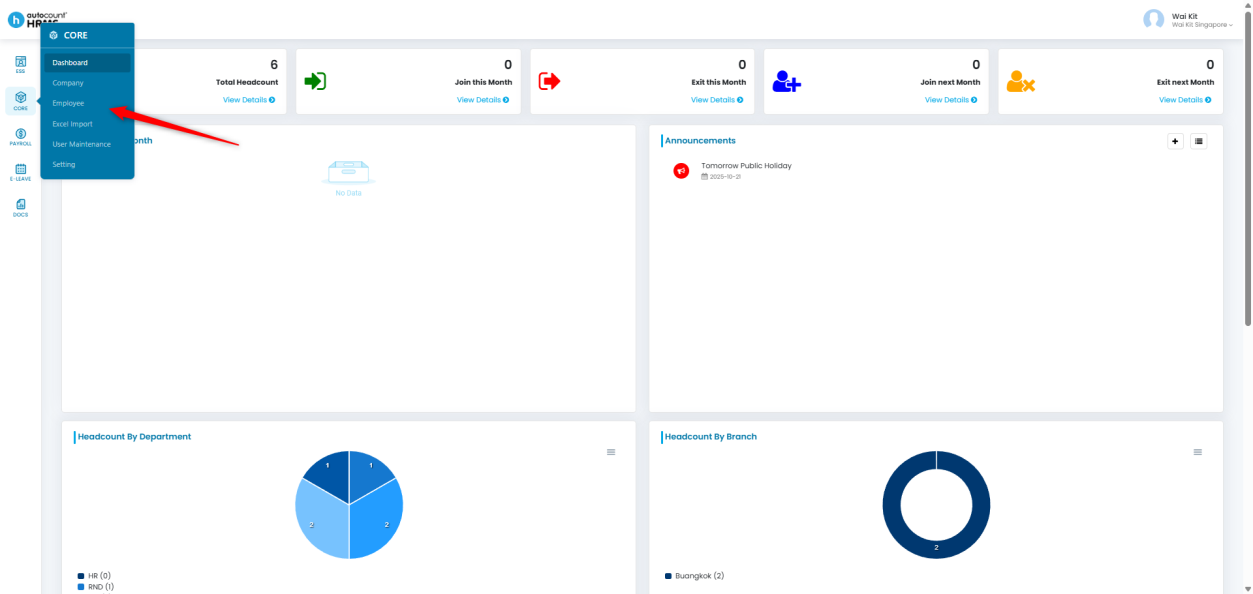
1. Go to Core > Employee.
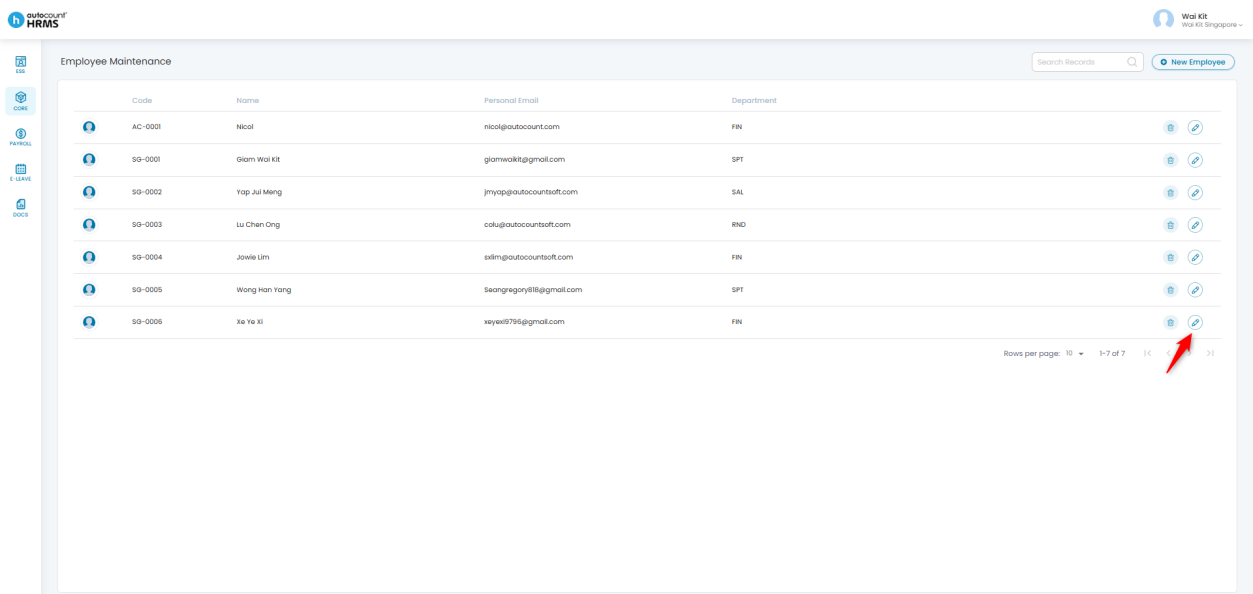
2. Locate the employee whose information you wish to update.
3. Click the pencil icon beside the employee’s name to open their Employee Profile.
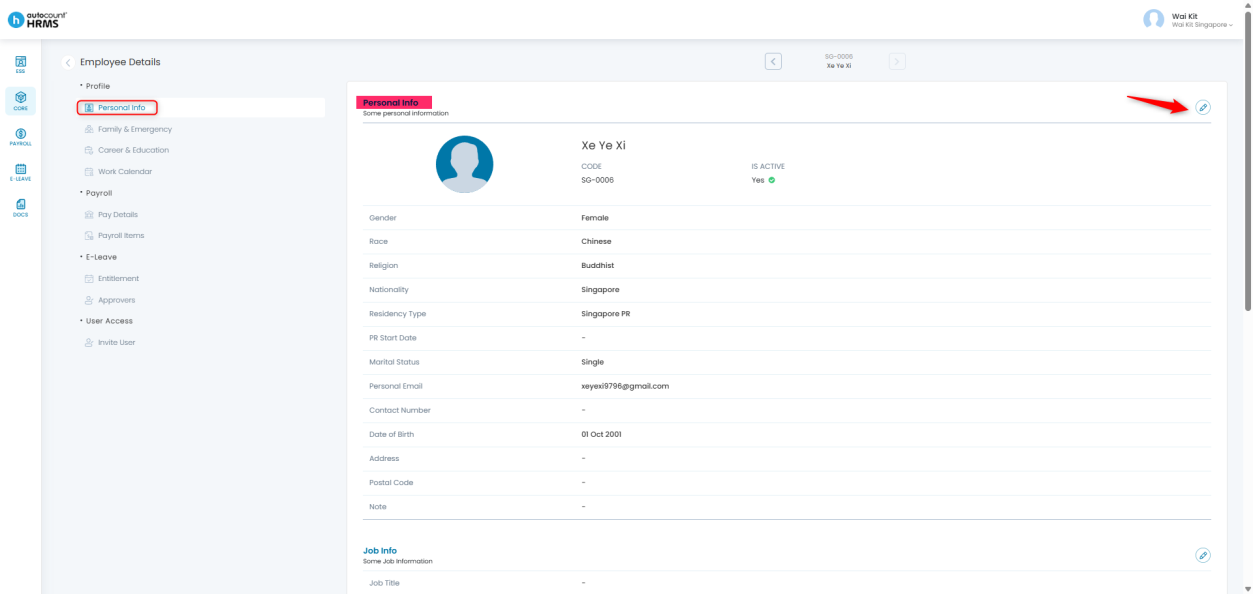
Within the employee profile, there are four sub-categories under Personal Info:
- Personal Info
- Job Info
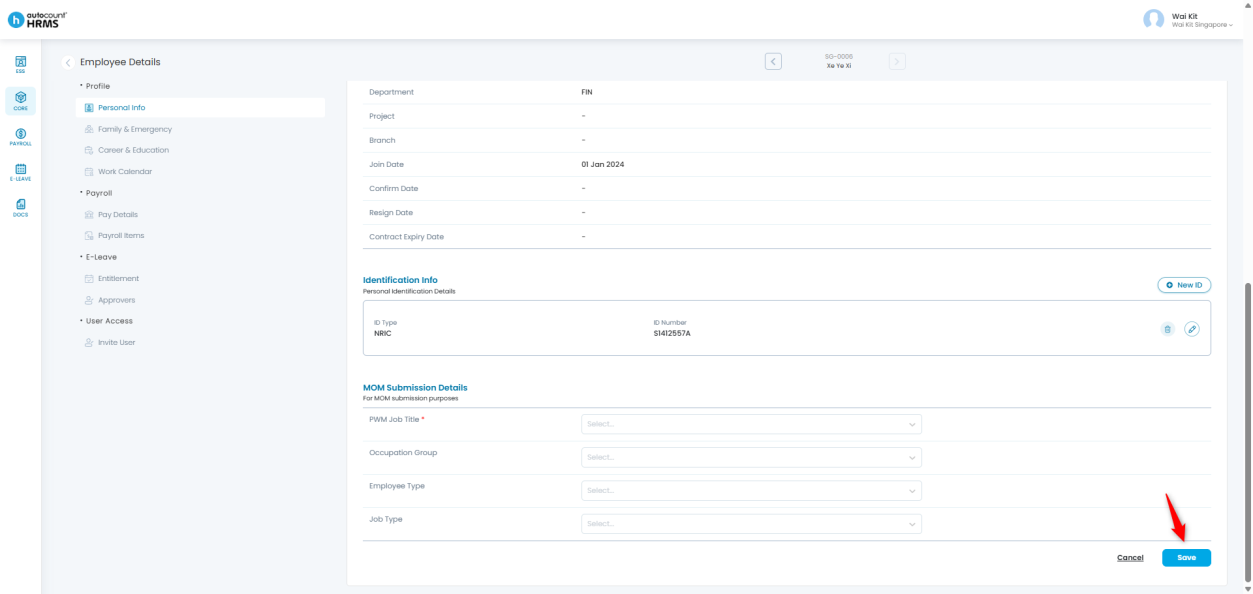
- Identification Info
- MOM Submission Details
Each sub-category serves a specific function and should be maintained to ensure data accuracy and compliance.
A. Personal Info
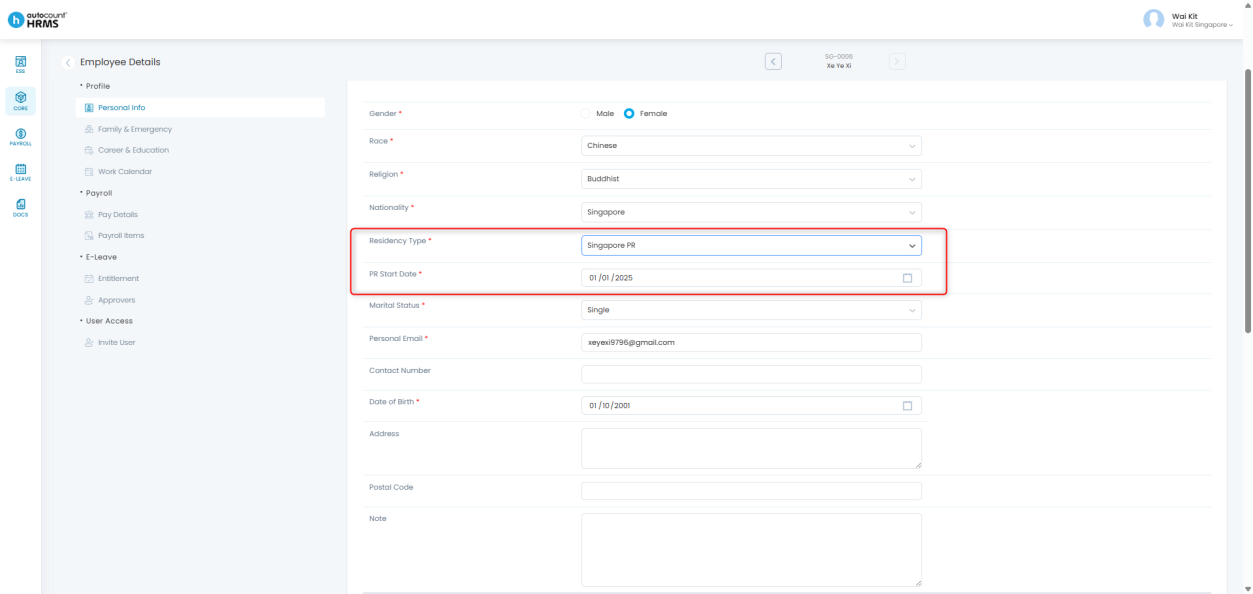
1. Go to the Personal Info section and click the pencil icon to edit.
2. Update the relevant fields.
- Fields marked with a red asterisk (*) are mandatory and cannot be left blank.
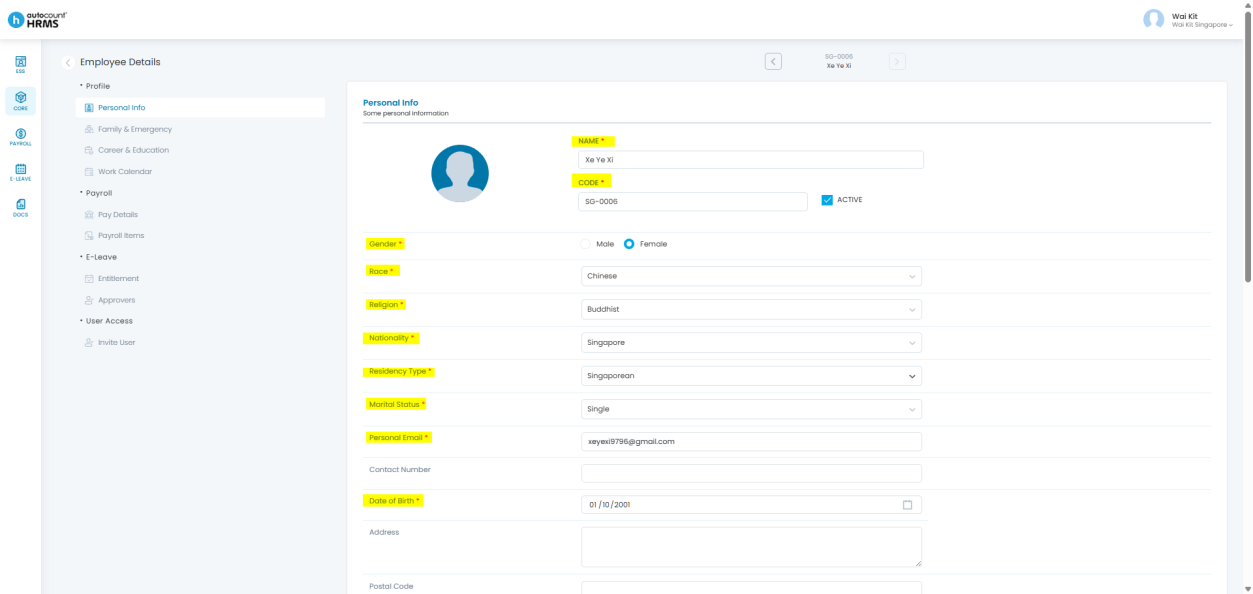
3. If the employee’s Residency Type is Singapore PR, select Singapore PR and enter the PR Start Date.
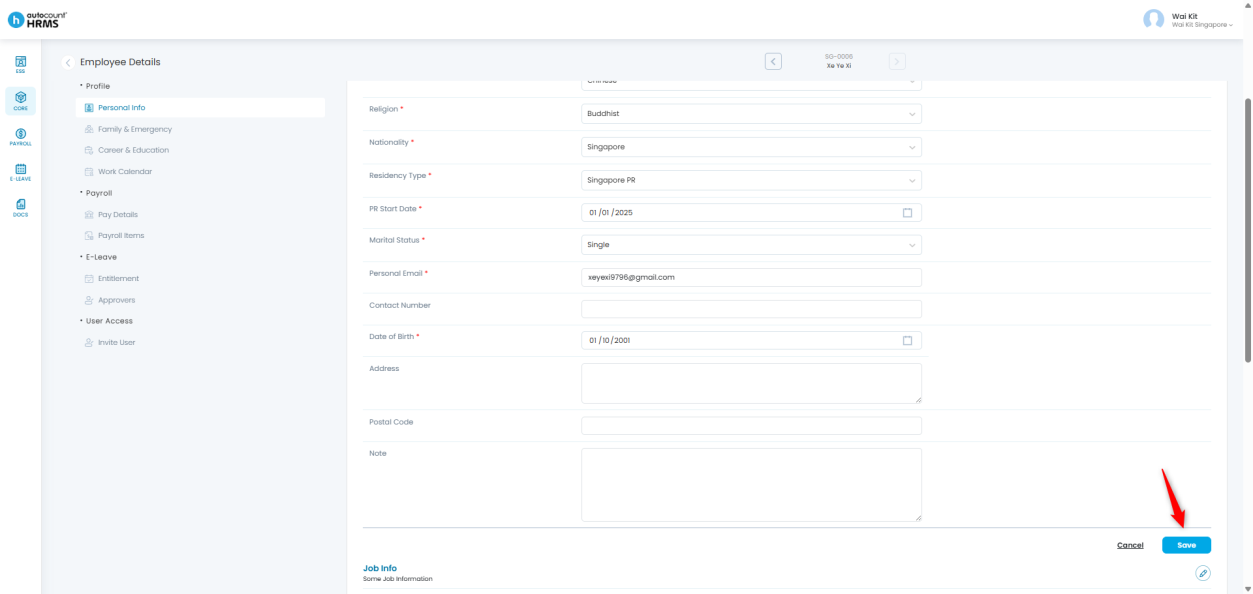
4. Click Save to confirm your changes.
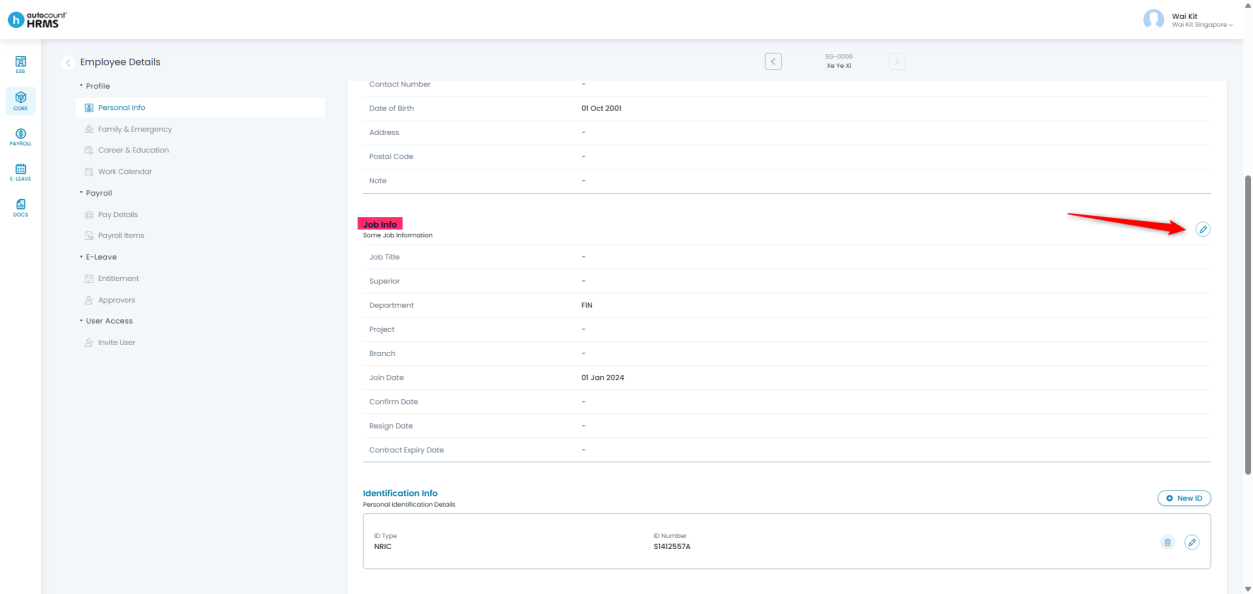
B. Job Info
1. Go to the Job Info section and click the pencil icon to edit.
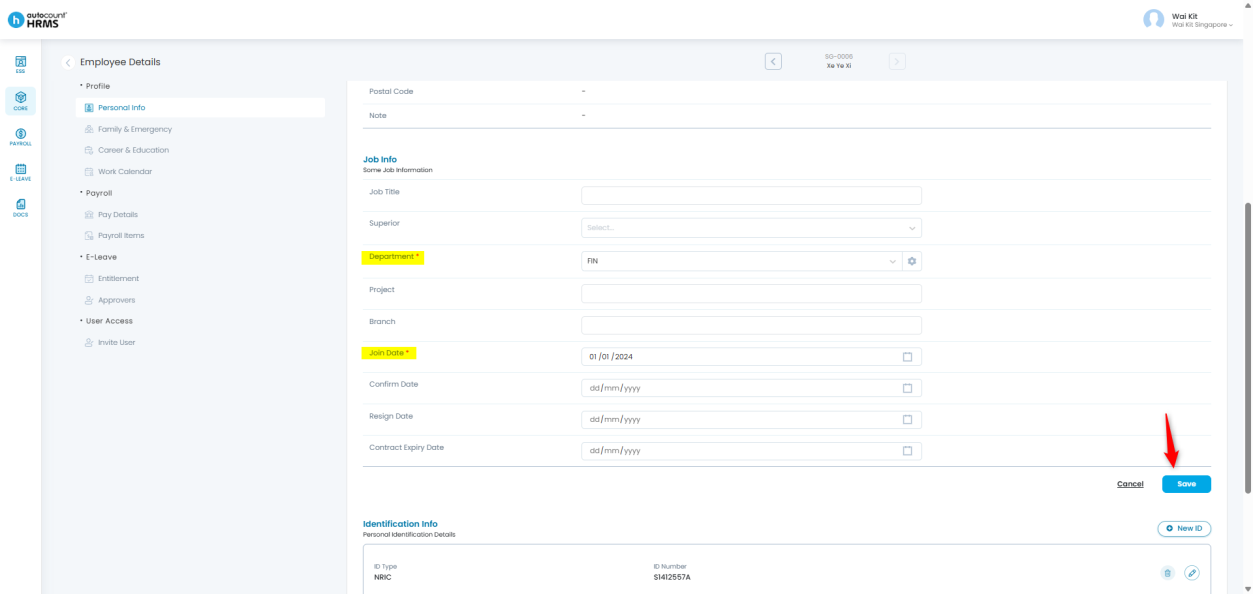
2. Enter or update the necessary job-related information.
- Fields with a red asterisk (*) are mandatory.
3. Click Save to apply the changes.
C. Identification Info
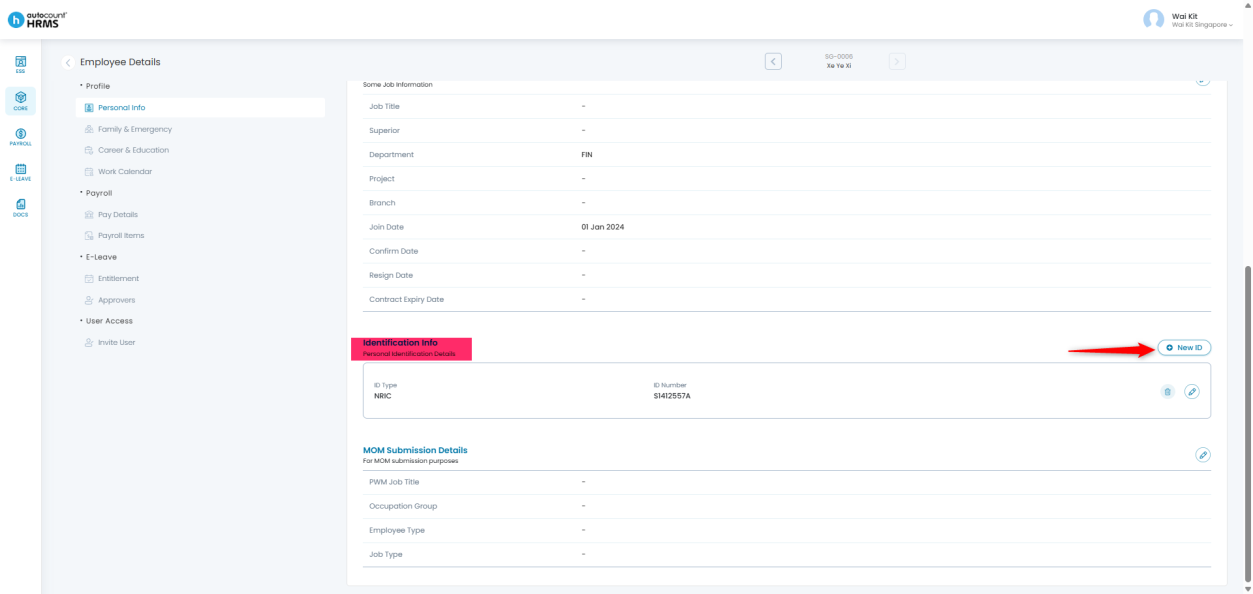
1. Go to the Identification Info section.
2. Click New ID to add a new identification record.
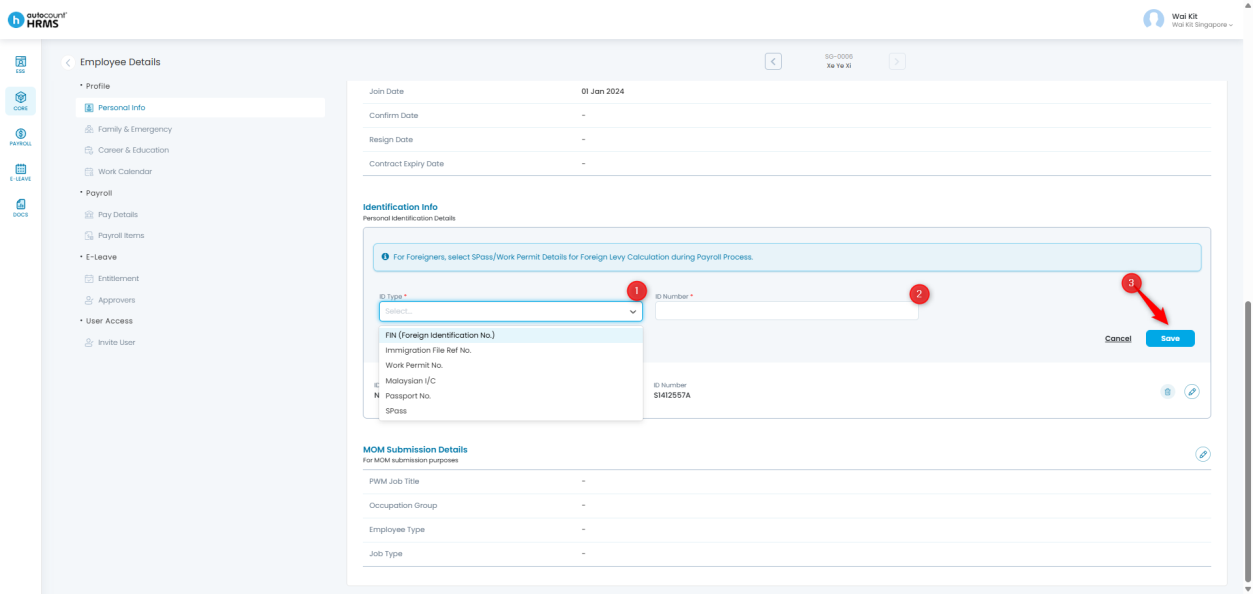
3. Complete the following fields:
- ID Type – Select from the dropdown list
- ID Number – Enter the employee’s identification number
4. Click Save to store the information.
D. MOM Submission Details
1. Go to the MOM Submission Details section and click the pencil icon to edit.
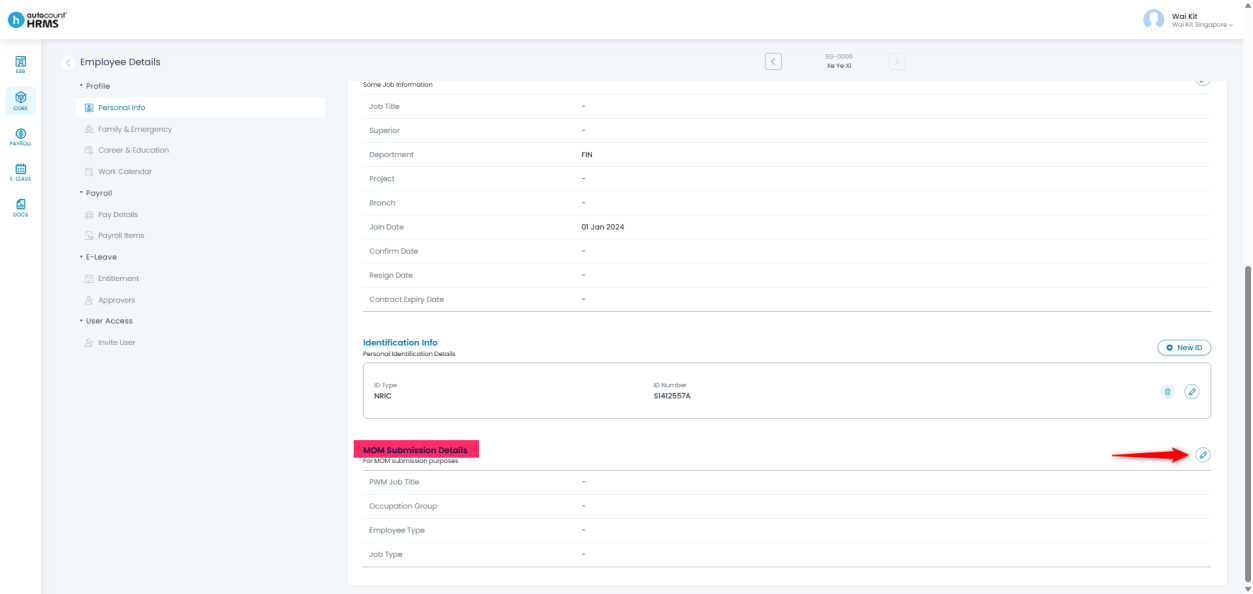
2. Maintain the following fields to ensure accurate MOM reporting:
- PWM Job Title
- Occupation Group
- Employee Type
- Job Type
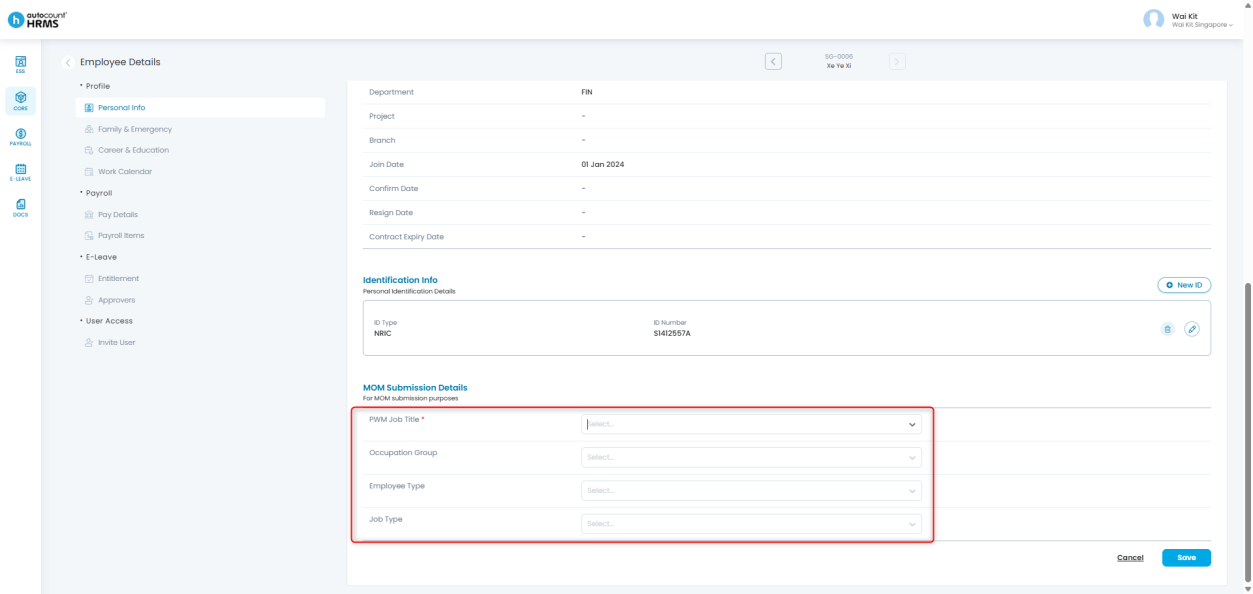
3. Click Save once all information has been verified.
Written by: Giam Wai Kit (20251112)
Reviewed by: Tek Ee Lin (20251119)