
Employees can submit leave applications through their own ESS (Employee Self-Service) accounts once User Access is set up and E-Leave access is enabled in User Maintenance.
There are two ways to enable this, depending on whether the employee’s login email has already been set up.
Method 1: Employee email is already set up in User Access
Steps to Enable Leave Application via ESS:
1. Ensure the employee’s login email has been invited.
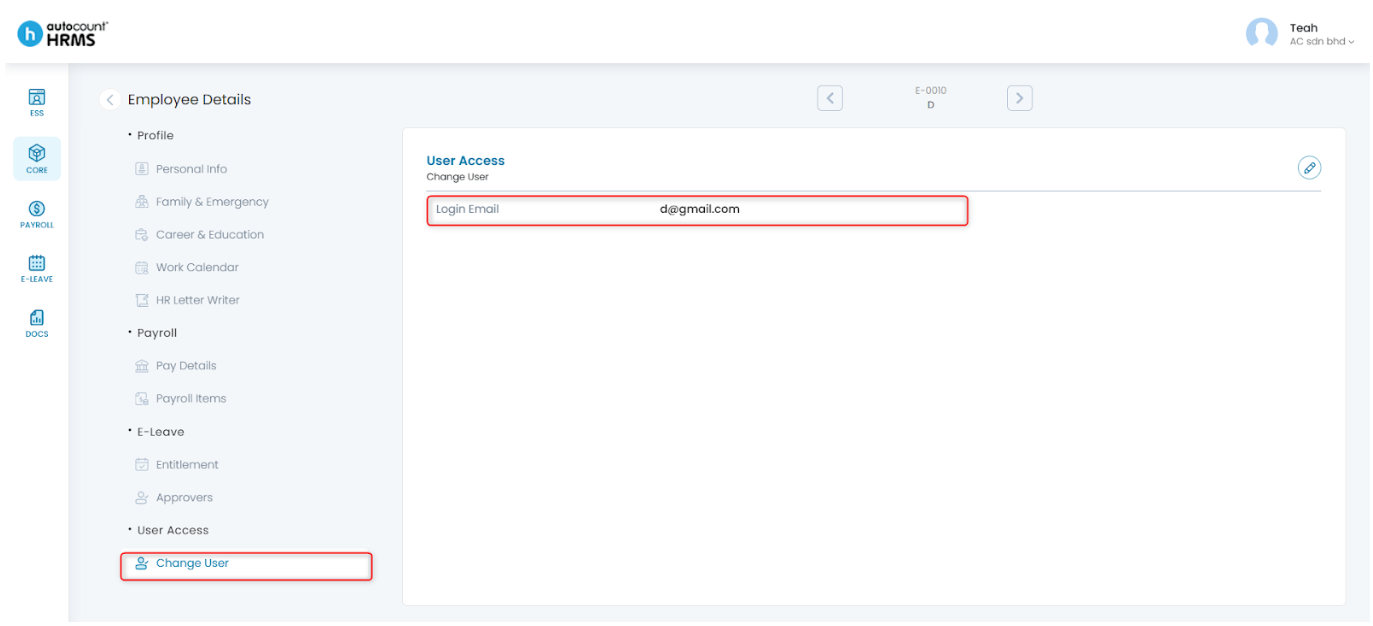
2. Go to Core > User Maintenance.
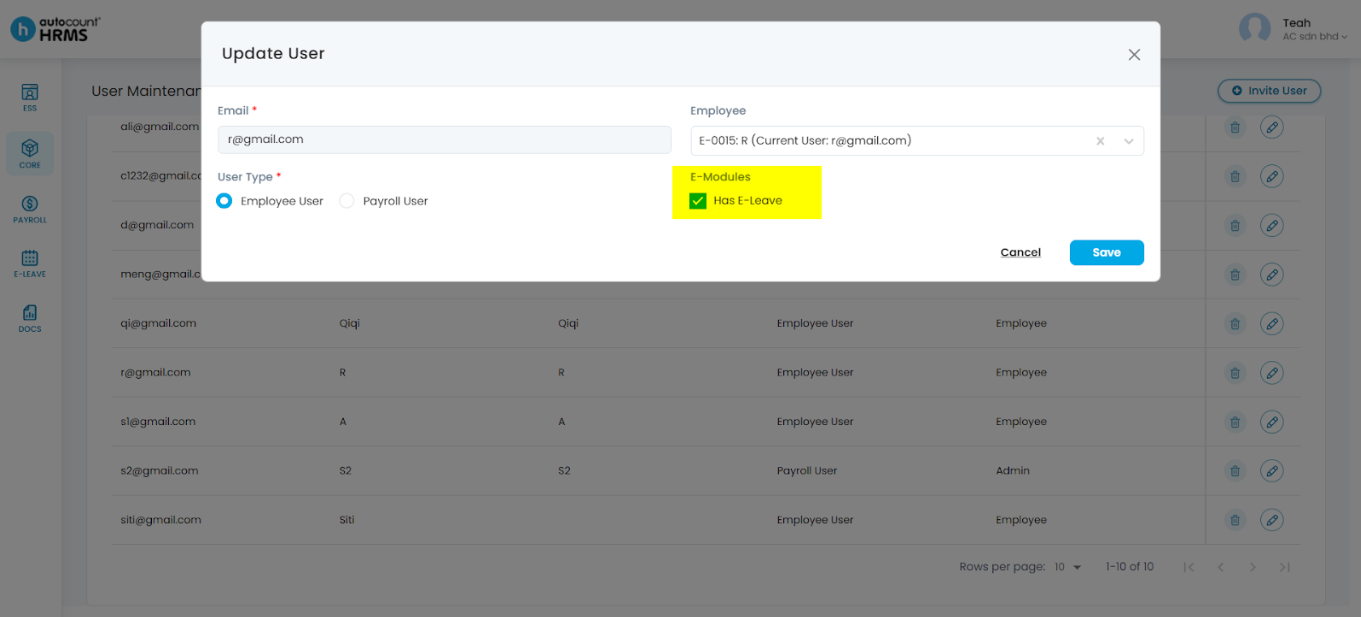
3. Locate the employee and click the pencil icon to edit.
4. Tick Has E-Leave to enable leave application access. You may also update the employee’s email, name, or user role if required.
5. Click Save.
Method 2: Employee email has not been set up previously
Steps to Enable Leave Application via ESS:
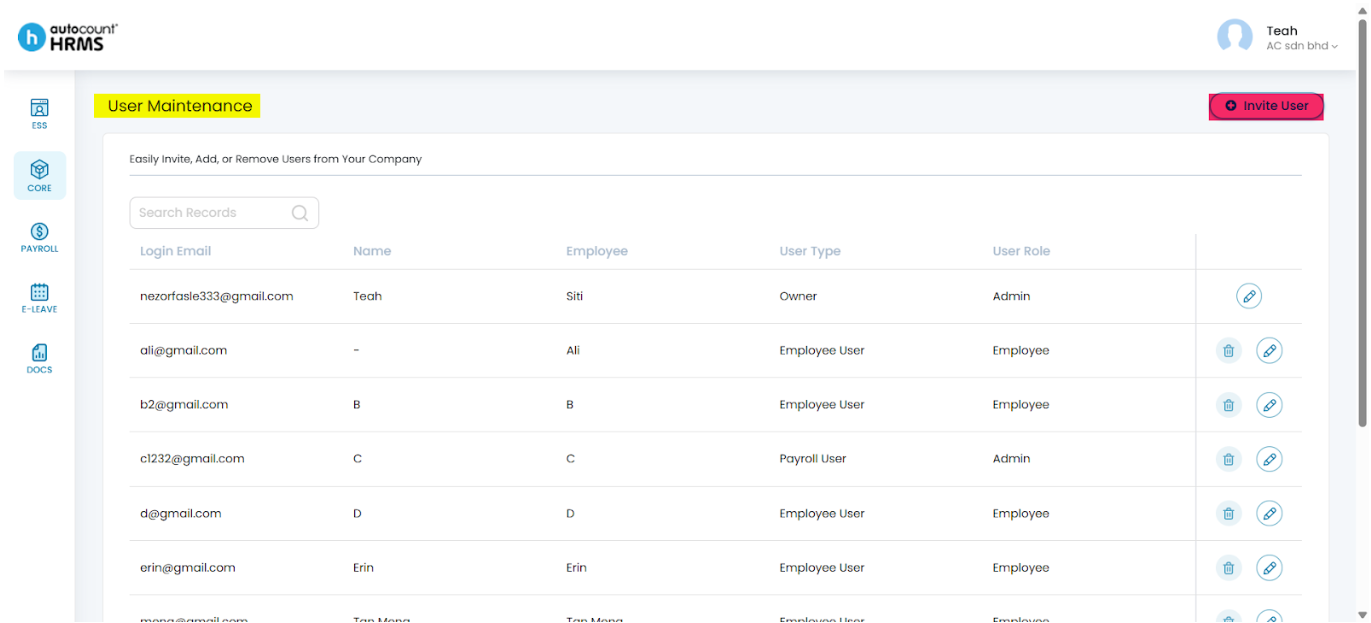
1. Go to Core > User Maintenance.
2. Click Invite User.
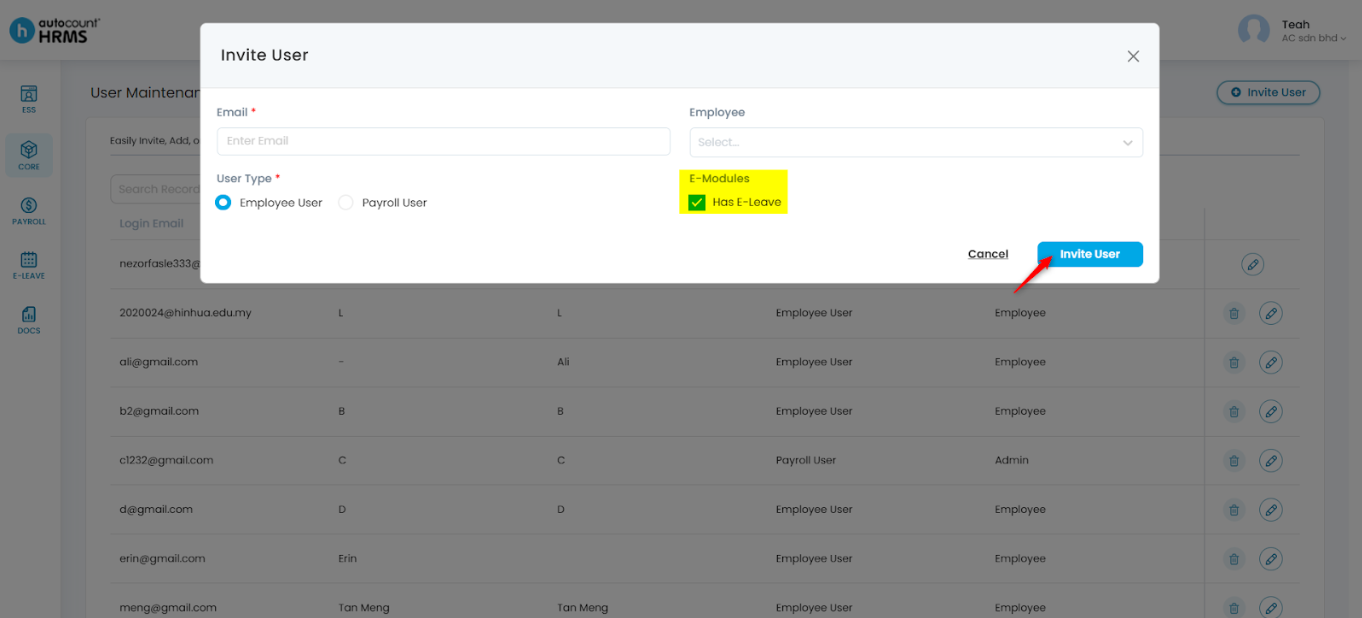
3. Enter the required user details and tick Has E-Leave.
4. Click Save.
Note: The login email under Core > Employee > Employee Maintenance > User Access will be updated automatically if the employee record is selected.
For more detailed instructions, refer to:
- User Access – Set up and manage employees’ login emails.
- User Maintenance – Invite and manage users.
Written by: Teah Rui Harn (20251231)
Reviewed by: Tek Ee Lin (20260112)