
The Entitlement feature allows employers to assign employees to specific Leave Entitlement Groups, ensuring that each employee can only apply for the leave types they are entitled to under company policy.
Steps to Set an Entitlement Group for an Employee:
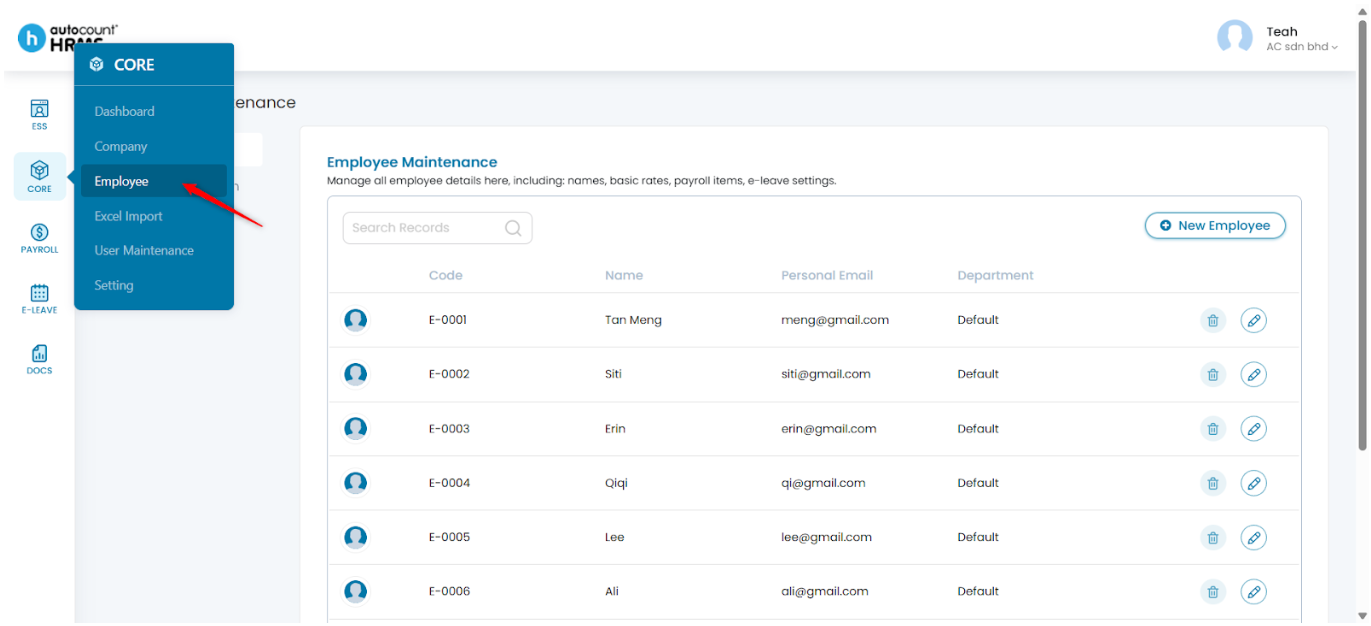
1. Go to Core > Employee.
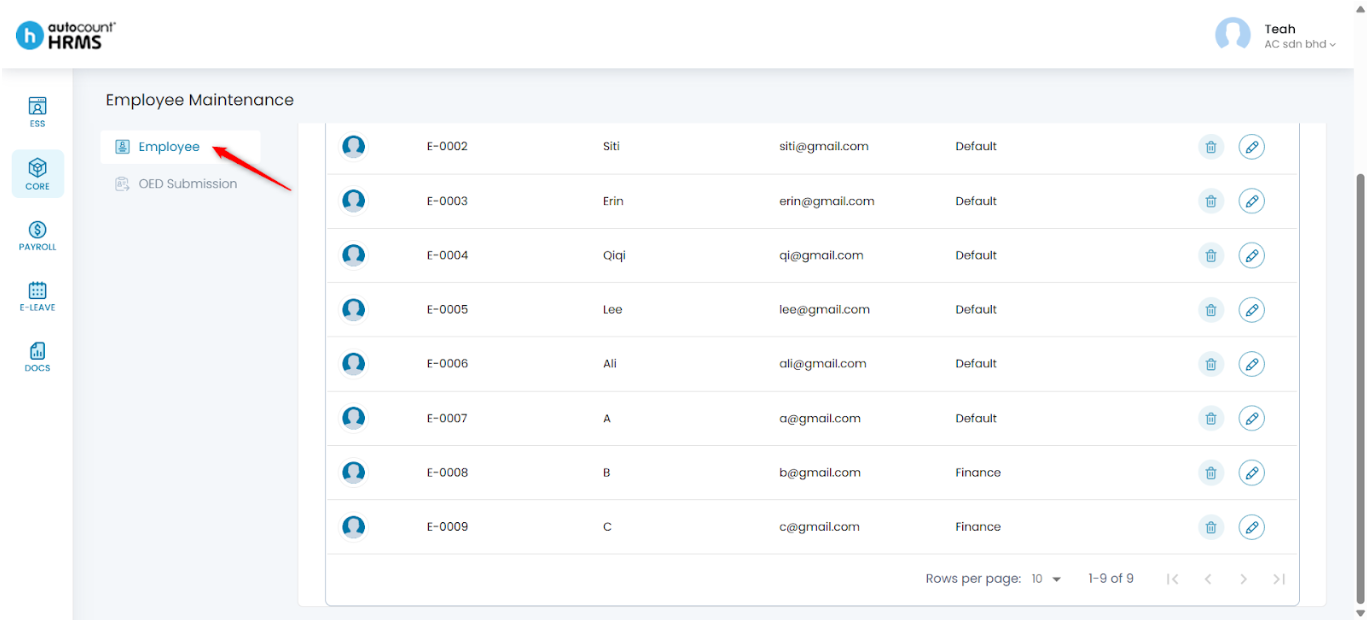
2. Under Employee Maintenance, click Employee.
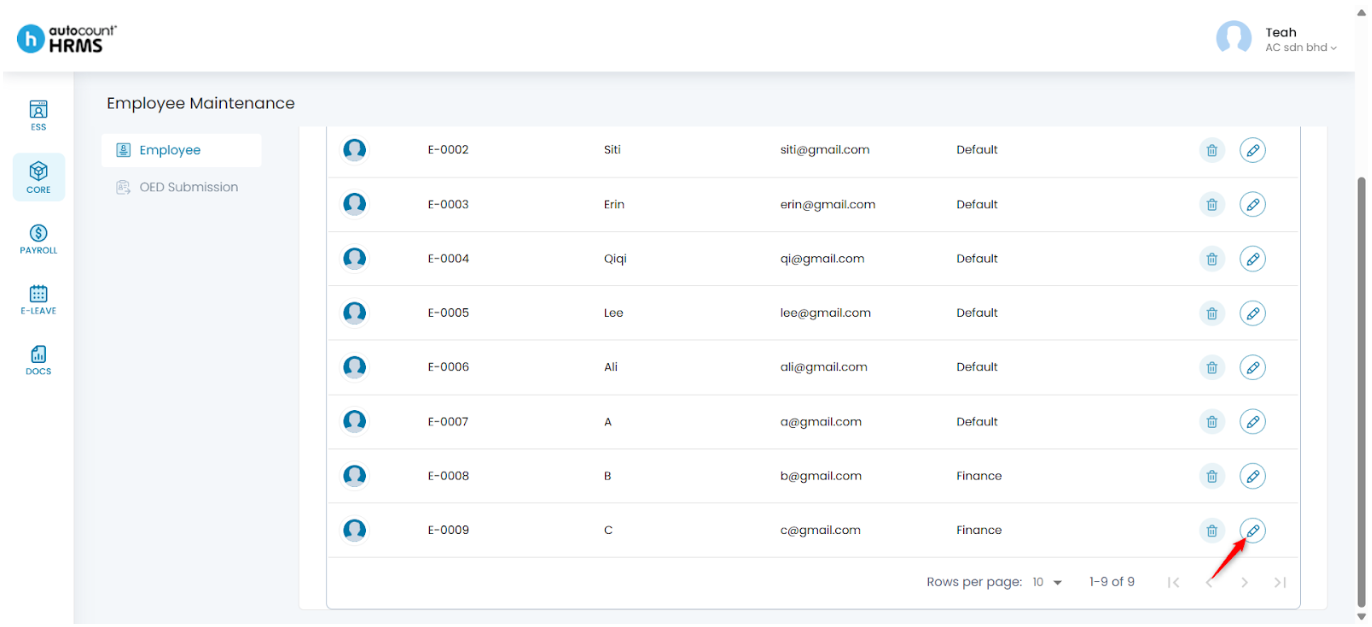
3. Locate the employee you want to update and click the pencil icon beside the employee’s name.
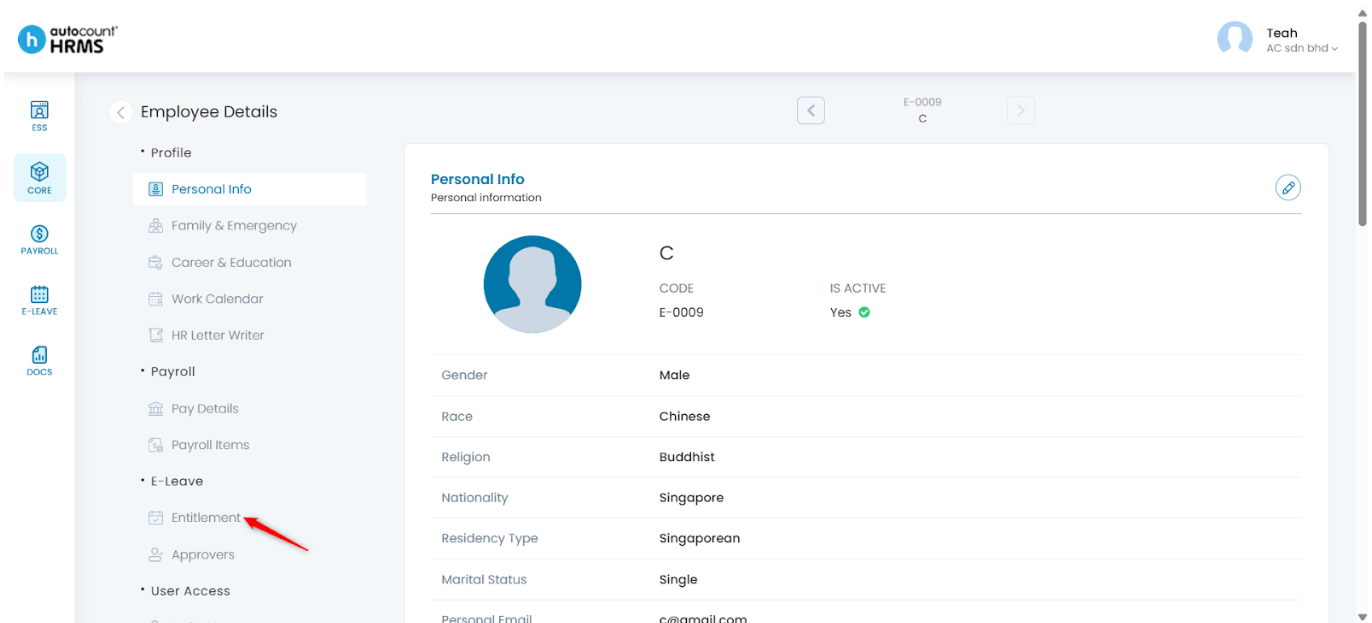
4. Under Employee Details, select Entitlement.
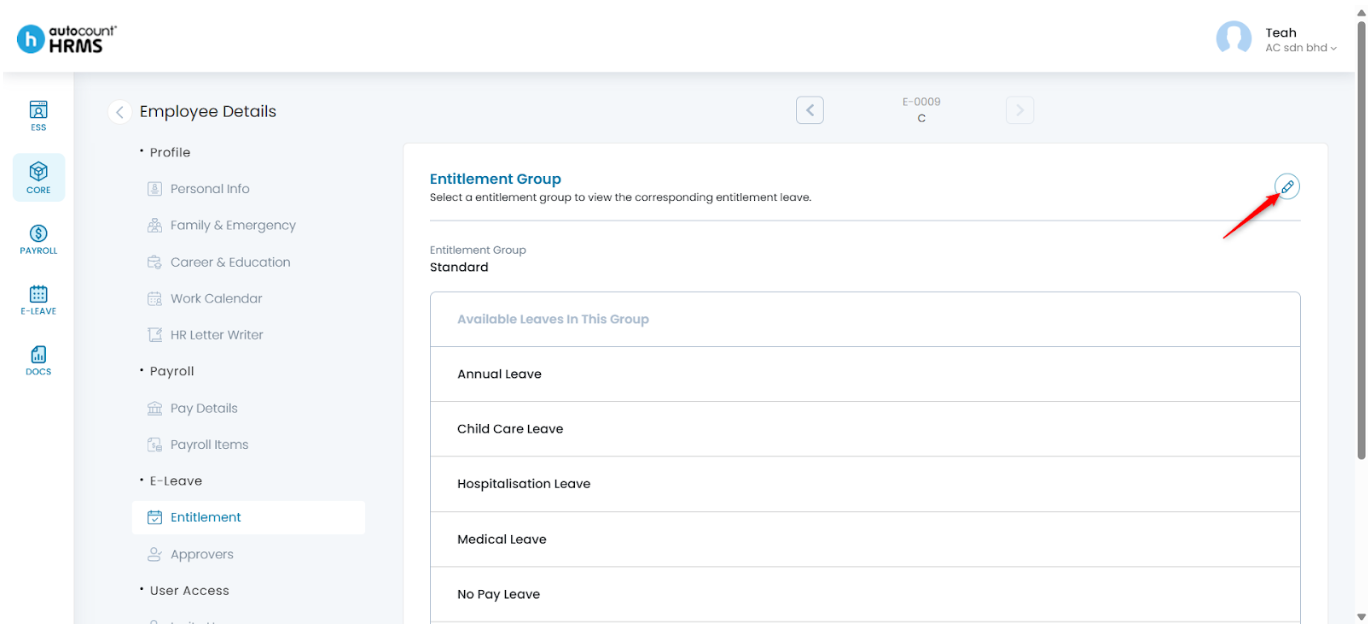
5. Click the pencil icon to edit entitlement details.
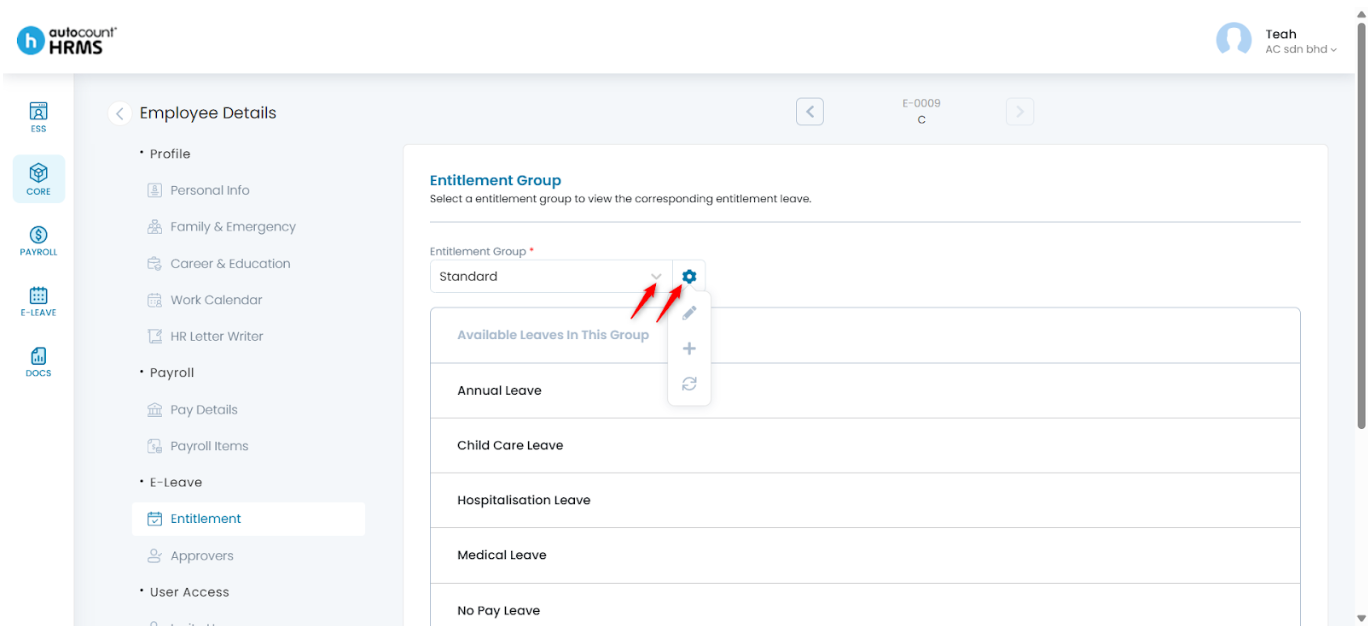
6. Select the appropriate Entitlement Group from the drop-down list. Click the setting icon to manage entitlement group options.
- Edit selected group – Click the pencil icon. You will be redirected to E-Leave > Setting > Entitlement Group.
- Create a new group – Click the add (+) icon. You will be redirected to E-Leave > Setting > Entitlement Group.
- Refresh the dropdown list – Click the refresh icon.
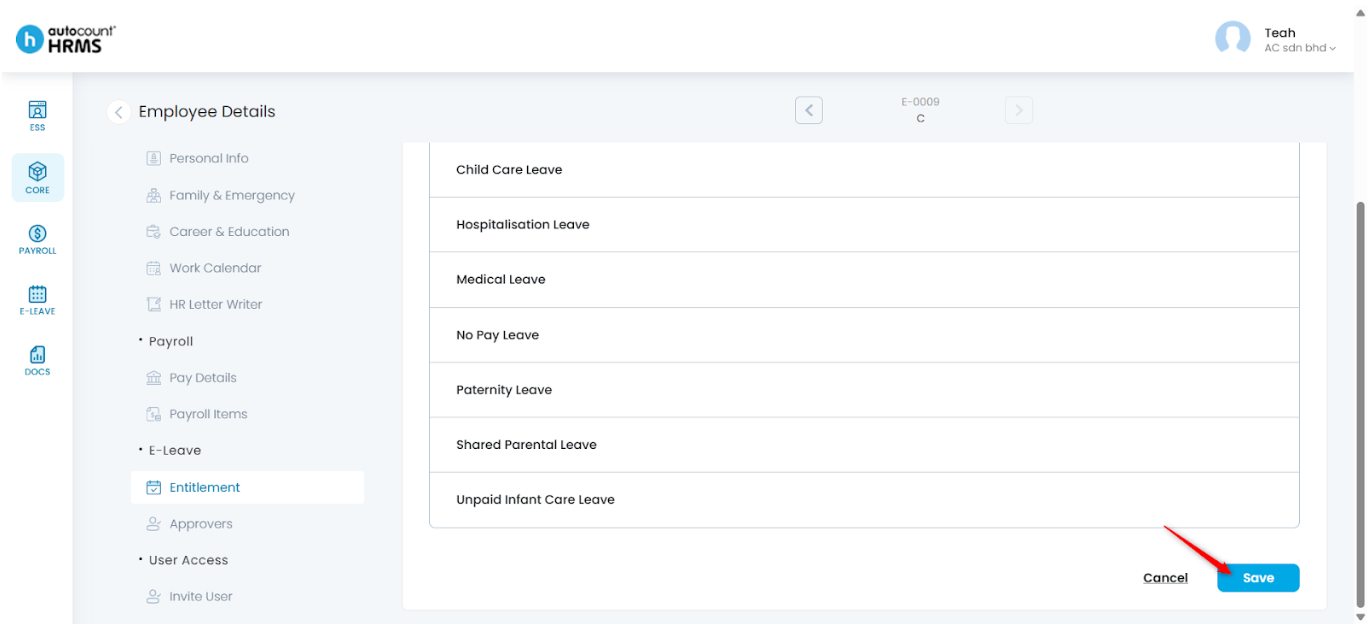
7. Click Save to apply the changes.
Written by: Teah Rui Harn (20251226)
Reviewed by: Tek Ee Lin (20260107)