
Maximum Brought Forward (Max BF) refers to the number of unused leave days an employee is allowed to carry forward into the following year.
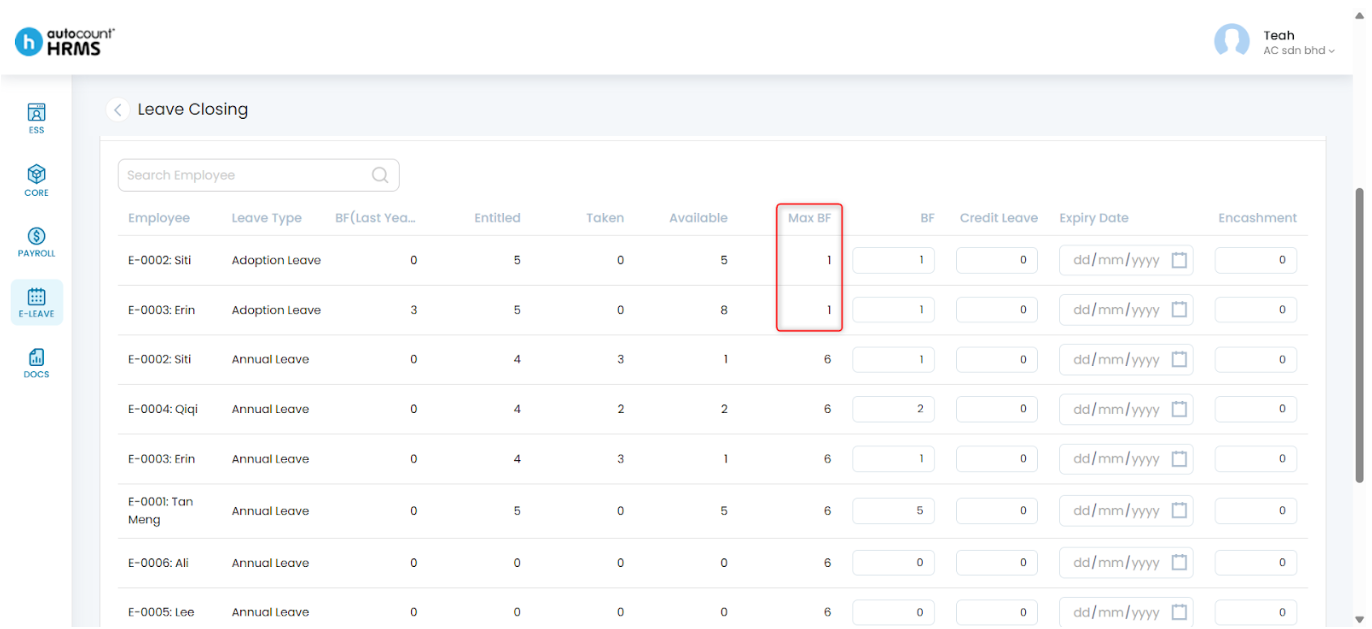
When performing Leave Closing, the Brought Forward (BF) amount cannot exceed the Max BF limit set in the Entitlement Group. If you need to allow more or fewer BF days during Leave Closing, you must update the Max BF setting.
Steps to Edit a Leave Type’s Maximum Brought Forward Value:
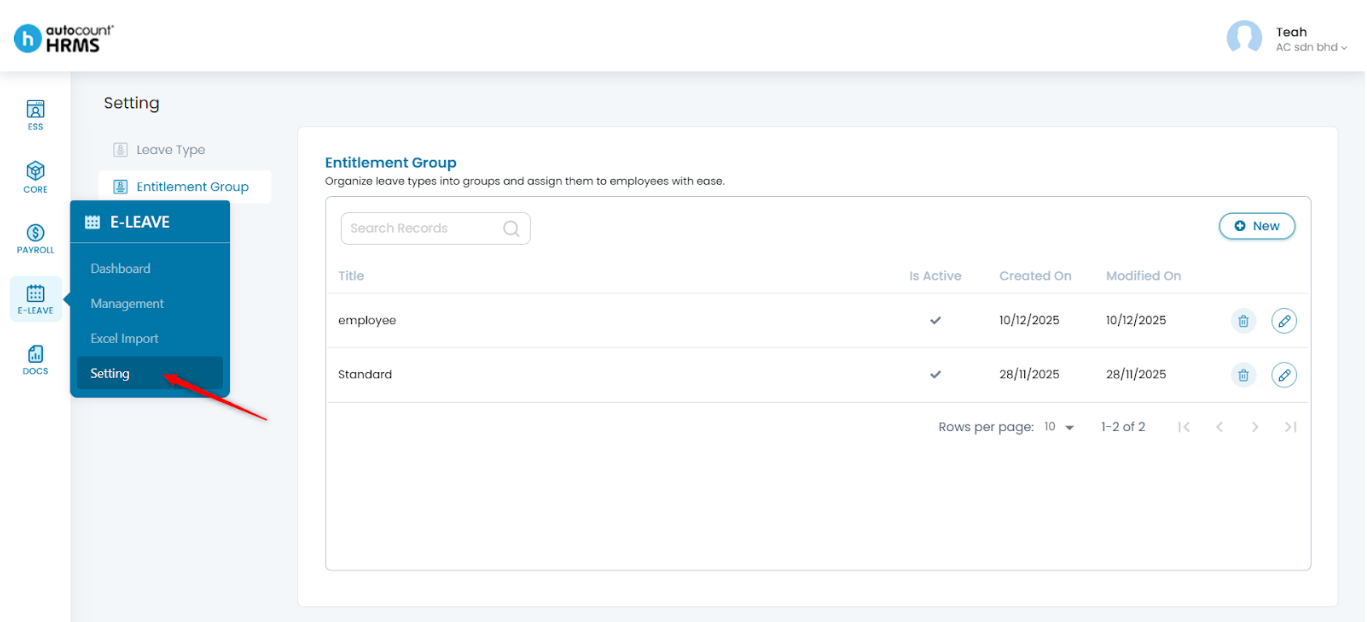
1. Go to E-Leave > Setting.
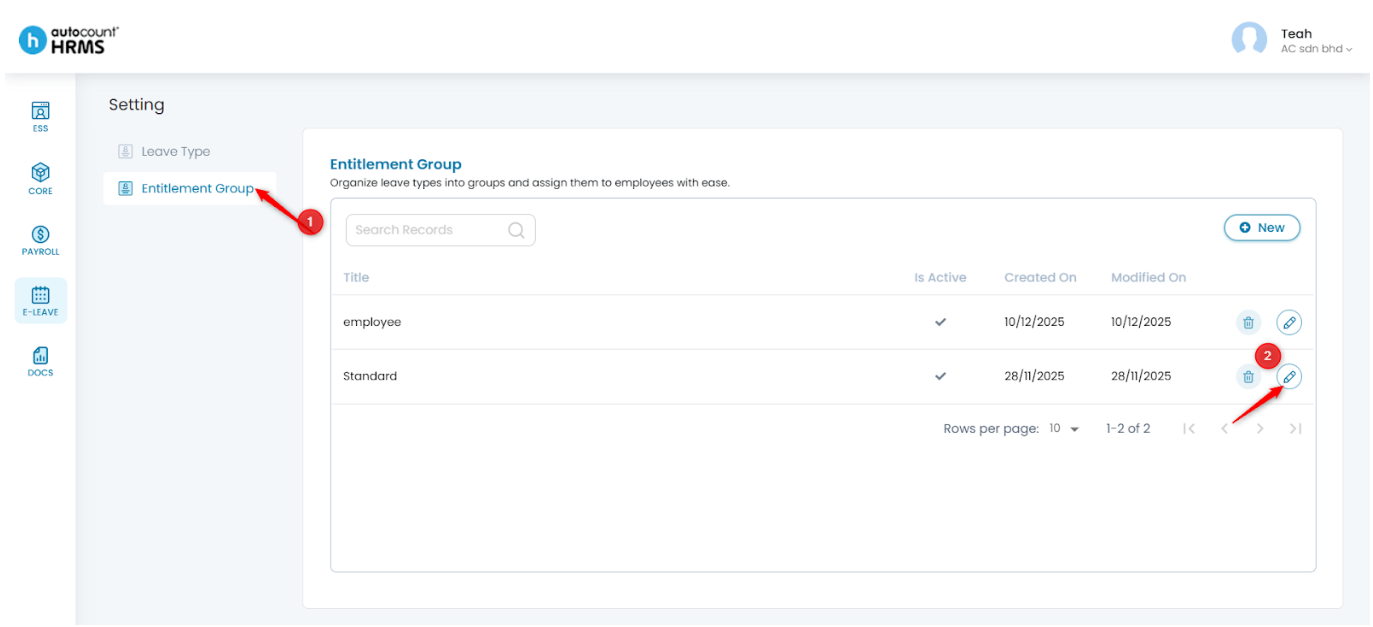
2. Under Setting, select Entitlement Group, then click the pencil icon to edit the group.
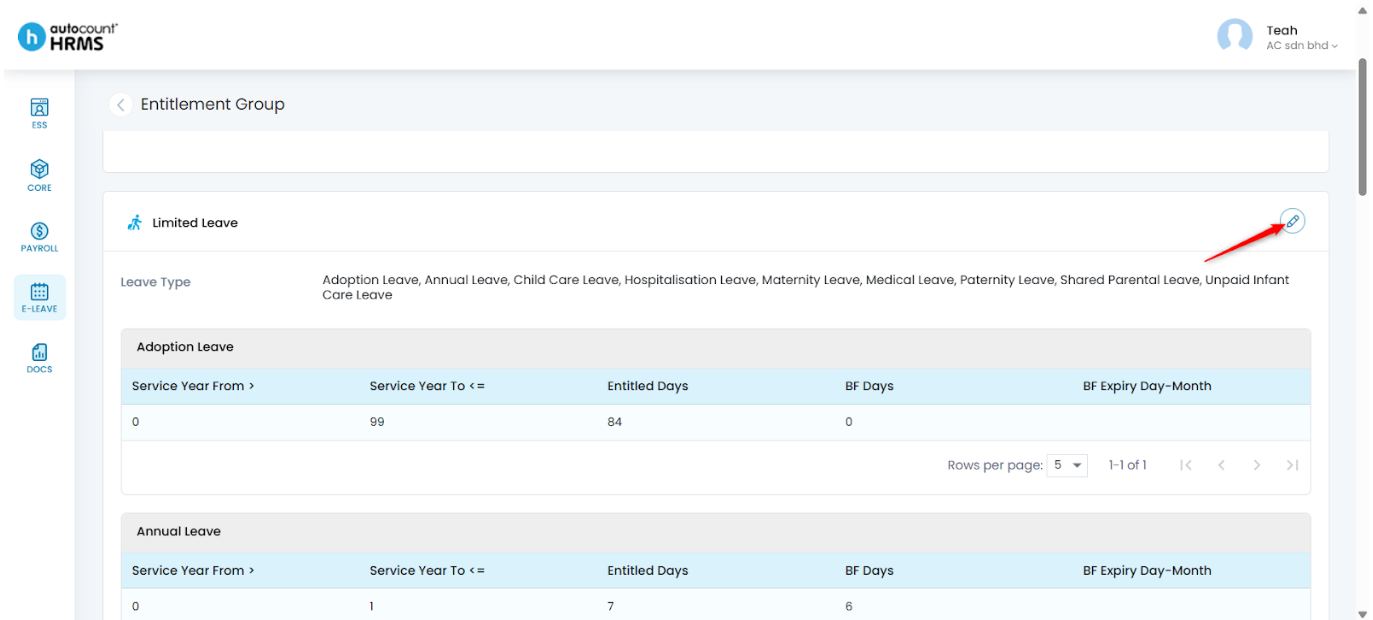
3. Click the pencil icon next to Limited Leave.
4. Click the pencil icon beside the Leave Type you want to modify.
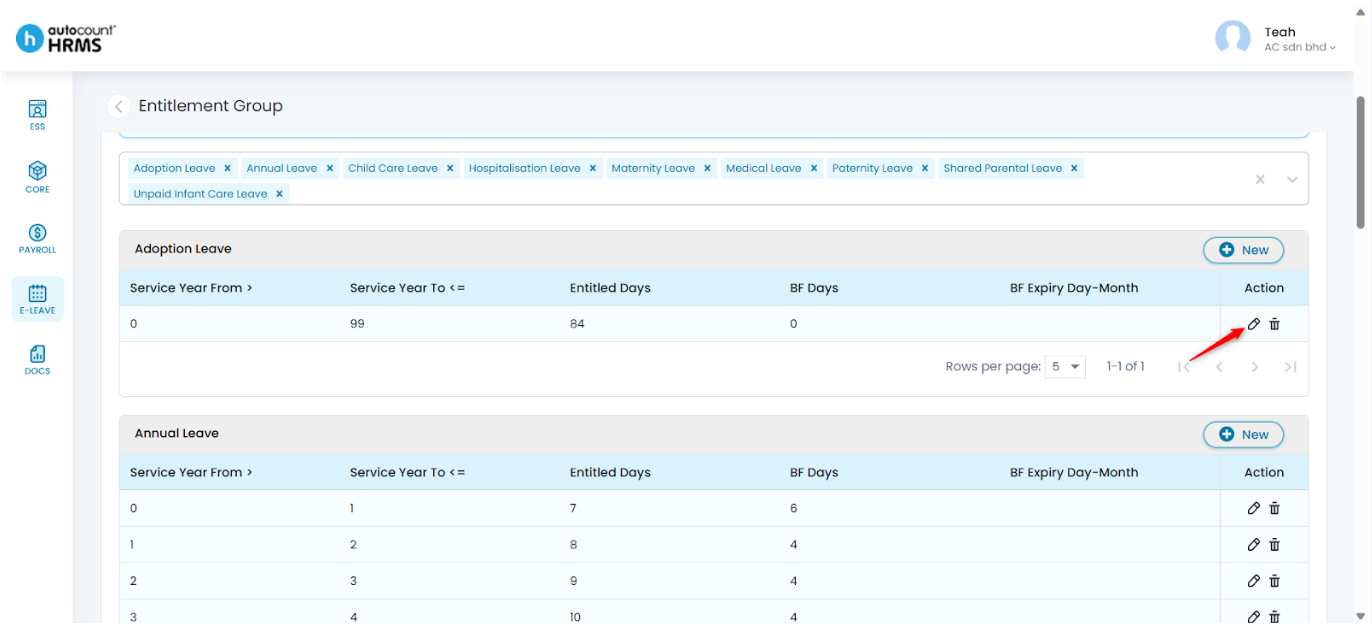
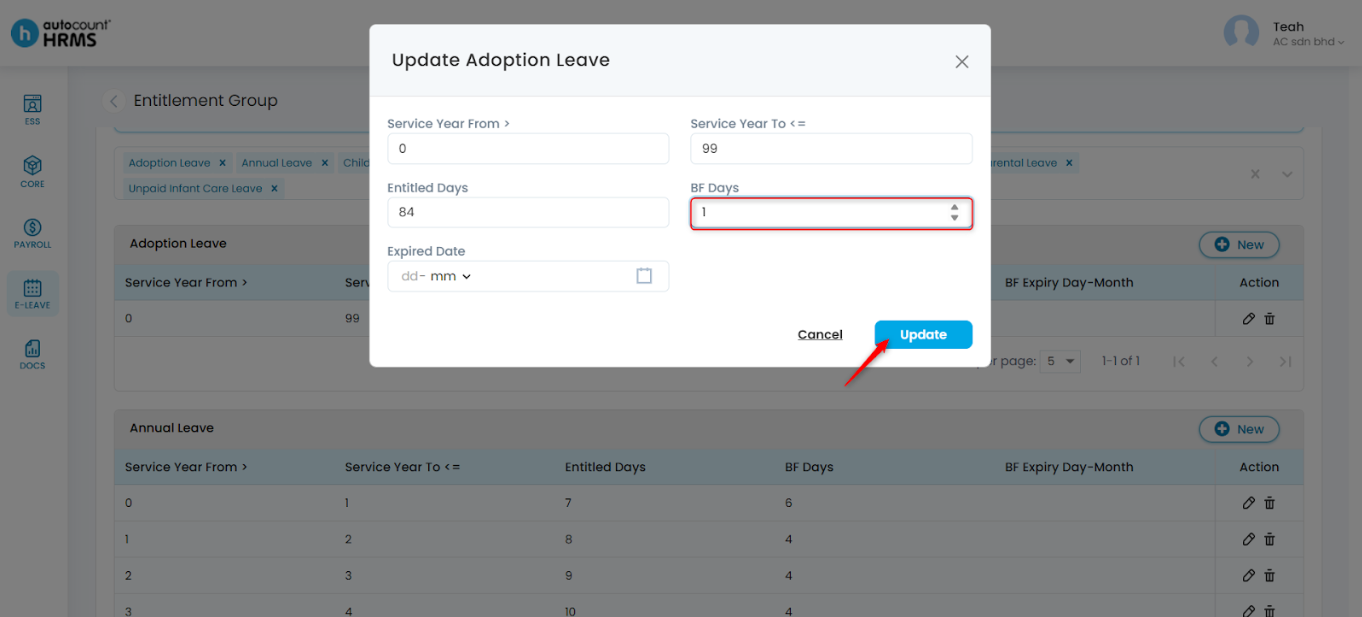
5. Update the BF Days under the leave type settings, then click Update.
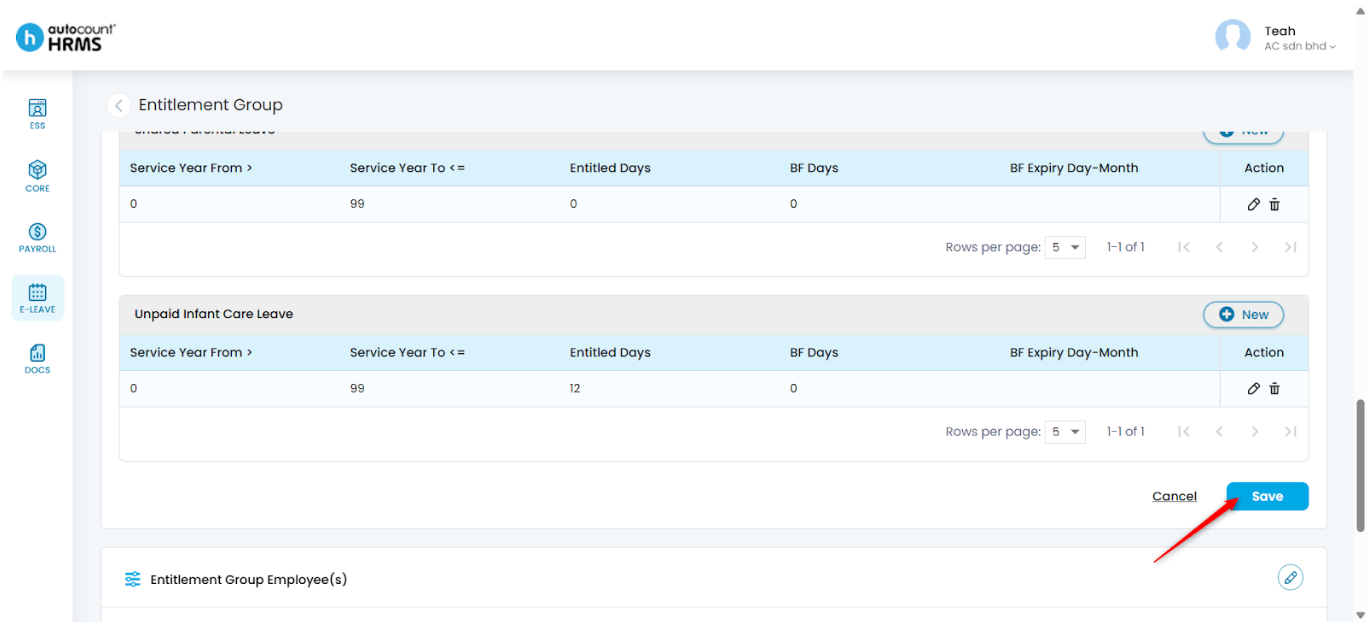
6. Click Save once all changes are made.
7. You may view the updated Max BF values at E-Leave > Setting > Leave Closing.
Written by: Teah Rui Harn (20251216)
Reviewed by: Tek Ee Lin (20251222)