
You can bring forward an employee’s remaining leave balance to the following year during the Leave Closing process.
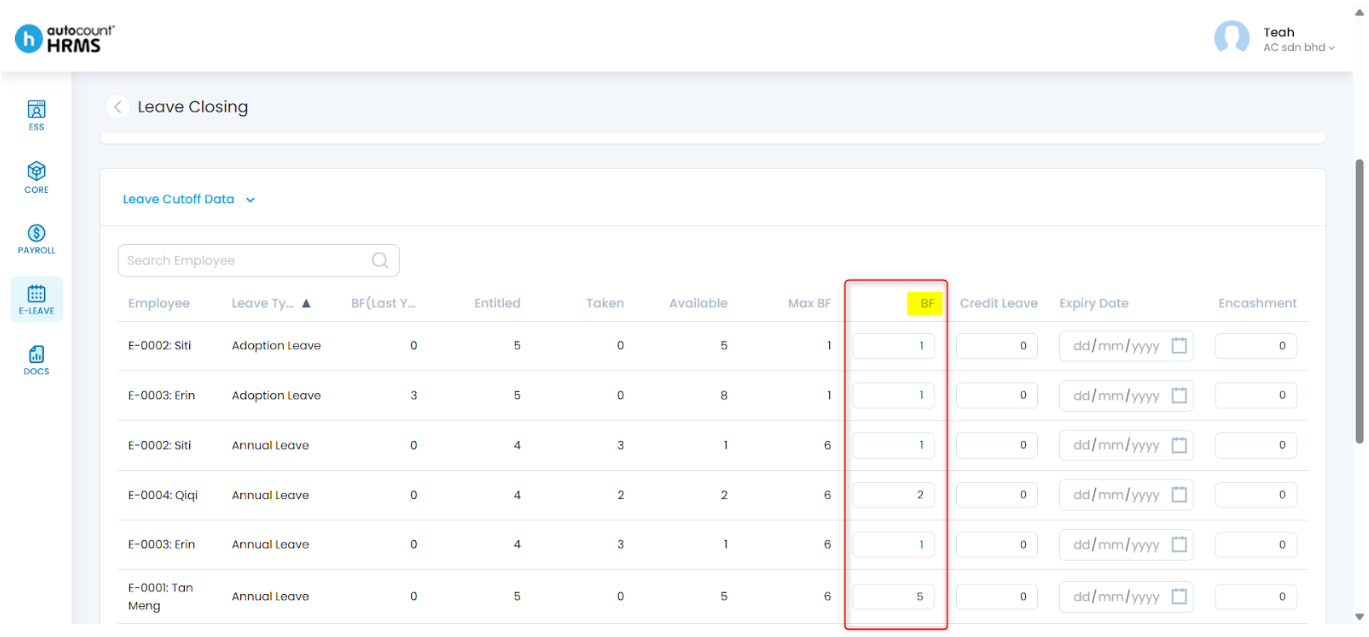
Steps to Bring Forward Leave Balance:
- Go to E-Leave > Management.
- Under Leave Management, select Leave Closing, then click New.
- Select the Year and enter a Description.
- Clear off any Pending Leave(s).
- At the Leave Cutoff Data, enter the amount of BF leave.
- Click Save.
For detailed explanations, refer to Leave Closing.
Written by: Teah Rui Harn (20251231)
Reviewed by: Tek Ee Lin (20260112)