
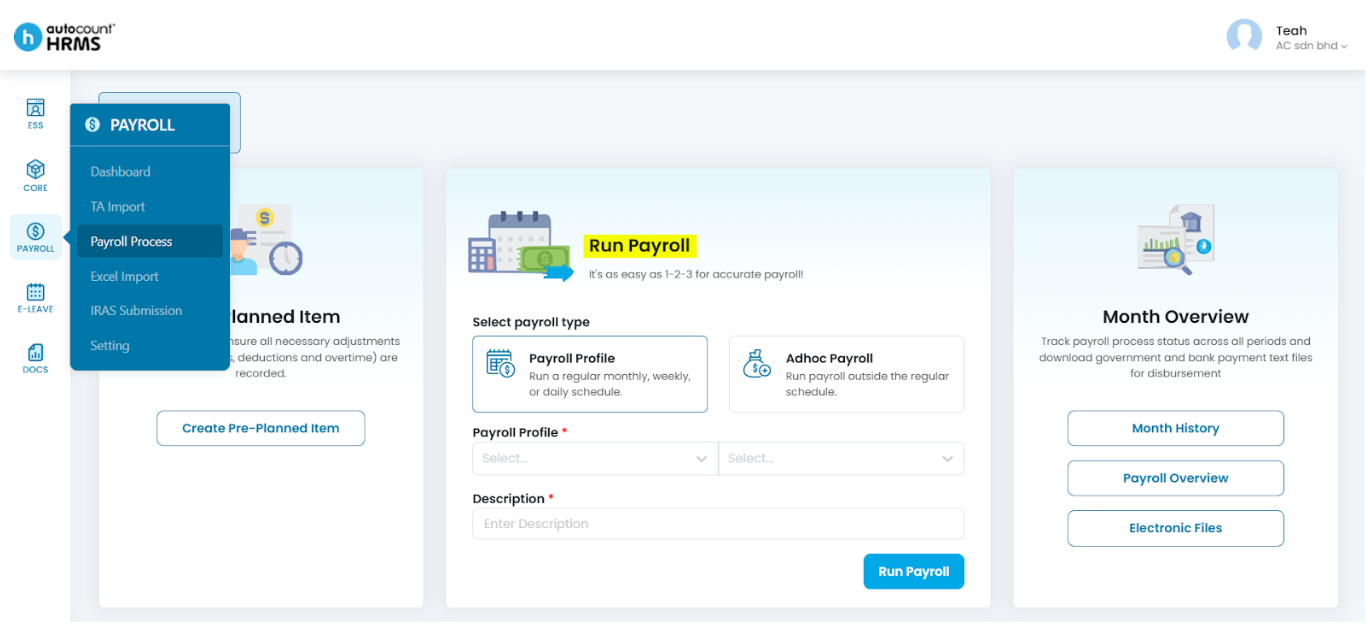
You can run regular or adhoc payroll at Payroll > Payroll Process.
For regular payroll,
- Create Payroll Profile (i.e. payroll schedule) at Payroll > Setting > Payroll Profile, refer Create a new Payroll Profile.
- Create payroll items such as Additions, Deduction and Overtime items in advance (optional), refer Create Pre-Planned Item.
- Run payroll using Payroll Profile method (predefined schedule), refer Payroll Run with Predefined Schedule.
For adhoc payroll, you may create payroll items in advance and run payroll using Adhoc Payroll Pre-Planned mode or run payroll using Adhoc Payroll On Demand mode to create payroll items from scratch, refer Payroll Run with Adhoc Payroll (Pre-Planned and On Demand).
Written by: Teah Rui Harn (20251231)
Reviewed by: Tek Ee Lin (20260108)