
You can send payslips to employees after completing a payroll run from the Payroll Process details page or via Docs >Reports.
Method 1: Send Payslips to Employees via Payroll Process:
Use this method to release payslips immediately after each payroll run.
- If both Payroll Profile and Adhoc Payroll are processed, payslips must be sent separately from each payroll process page.
- Payslips can only be sent once. The action cannot be reversed after release.
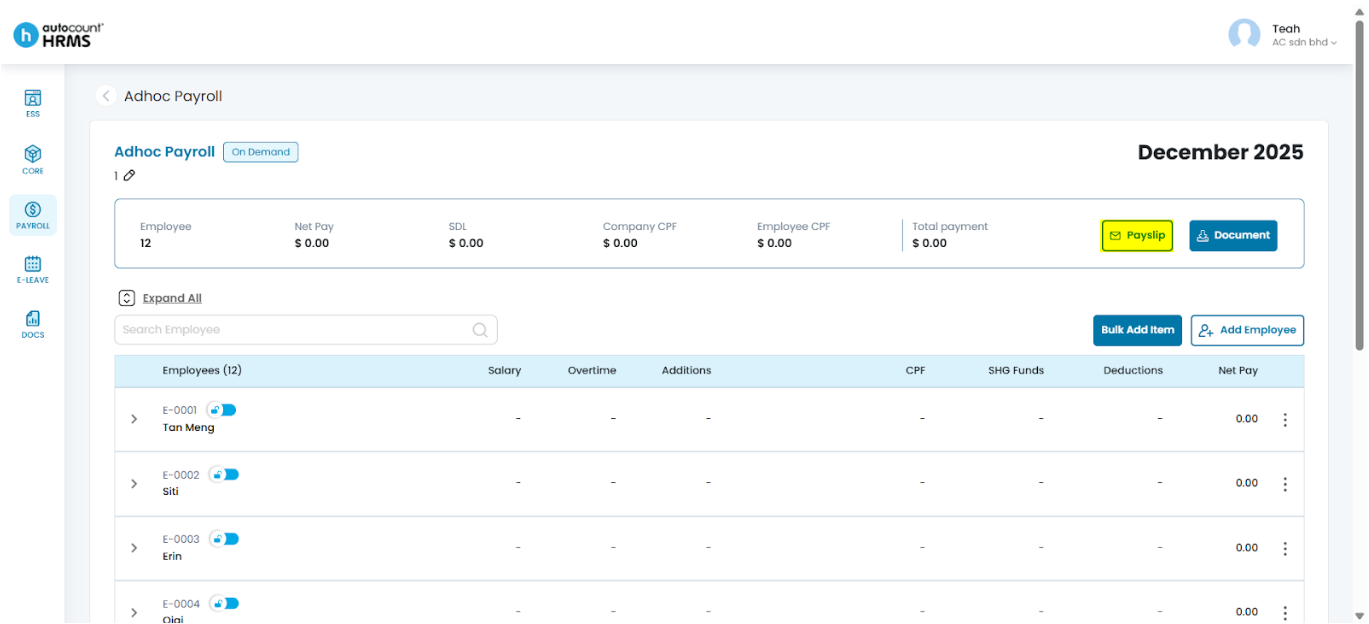
If you are sending payslips immediately after processing payroll, stay on the Payroll Process Details page and continue from Step 4.
If releasing at a later time, follow from Step 1.
- Go to Payroll > Payroll Process.
- Click the Payroll Month, select the required month and year, and open Month History.
- Click the pencil icon next to the payroll run to open the Payroll Process Details page.
- Click Payslip, choose one or more delivery methods (Email, Notification, or Both), then click Send.
- Click Yes to confirm the payslip release.
For more detailed guidance, refer to Send or Release Payslips.
Method 2: Send Payslips to Employees via Docs:
Use this method to send a single consolidated payslip per employee. The generated payslip includes all payroll runs (Payroll Profile and Adhoc Payroll) within the selected period.
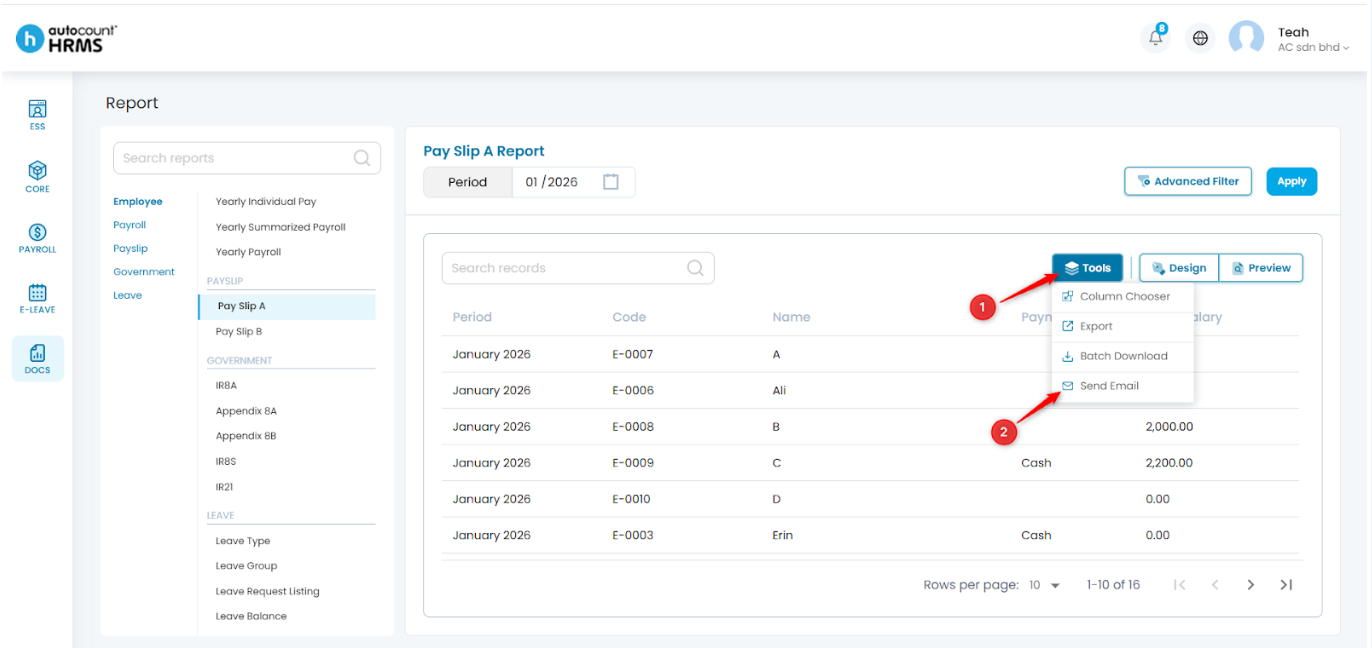
- Go to Docs > Report.
- Select the required Payslip template (e.g. Pay Slip A or Pay Slip B).
- Select the Year Period using the calendar icon.
- Click Apply to generate the payslip report.
- Apply filters if applicable.
- Click Tools, then select Send Email.
- Tick the employees required to send payslip.
- Click Send Email, then click Yes to confirm.
For more detailed guidance, refer to Send Payslips to Employee(s).
Written by: Teah Rui Harn (20251231)
Reviewed by: Tek Ee Lin (20260108)