
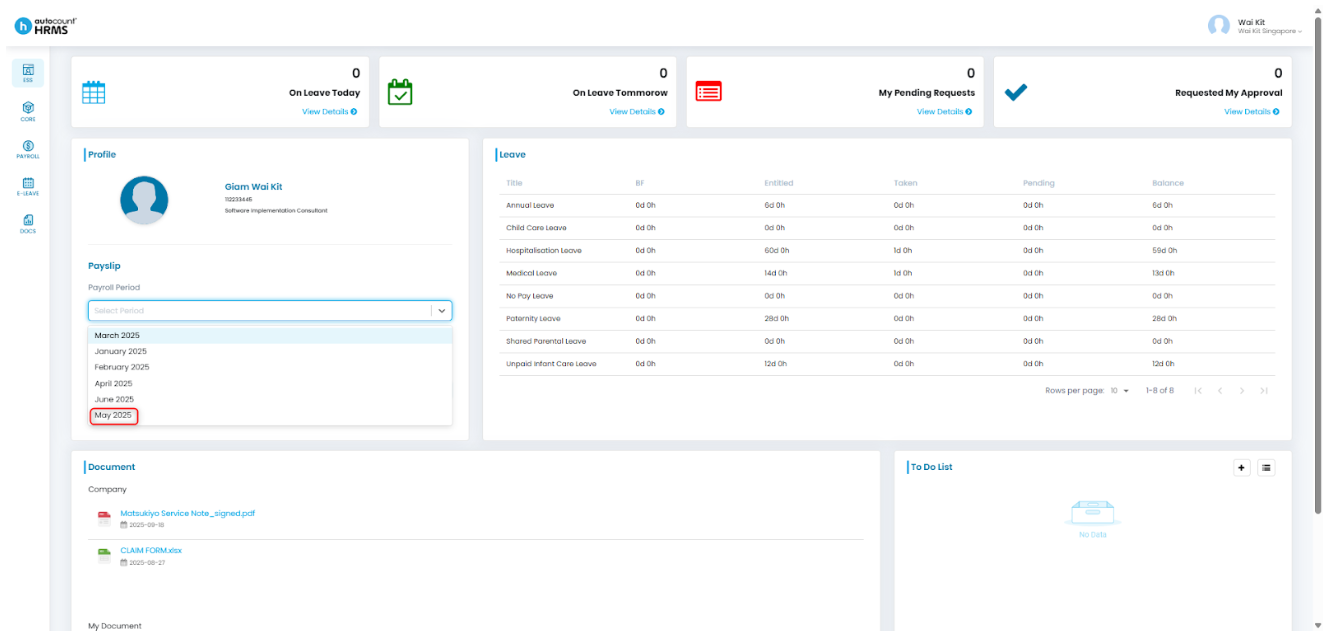
Companies are required to issue payslips to employees as official records of salary payments. Once the payroll run is completed and payslips are released, employees can preview and download them through the Employee Self-Service (ESS) portal.
Steps to Send or Release Payslips:
If sending payslips immediately after processing payroll, stay on the Payroll Process Details page and continue from Step 4.
If releasing at a later time, follow from Step 1.
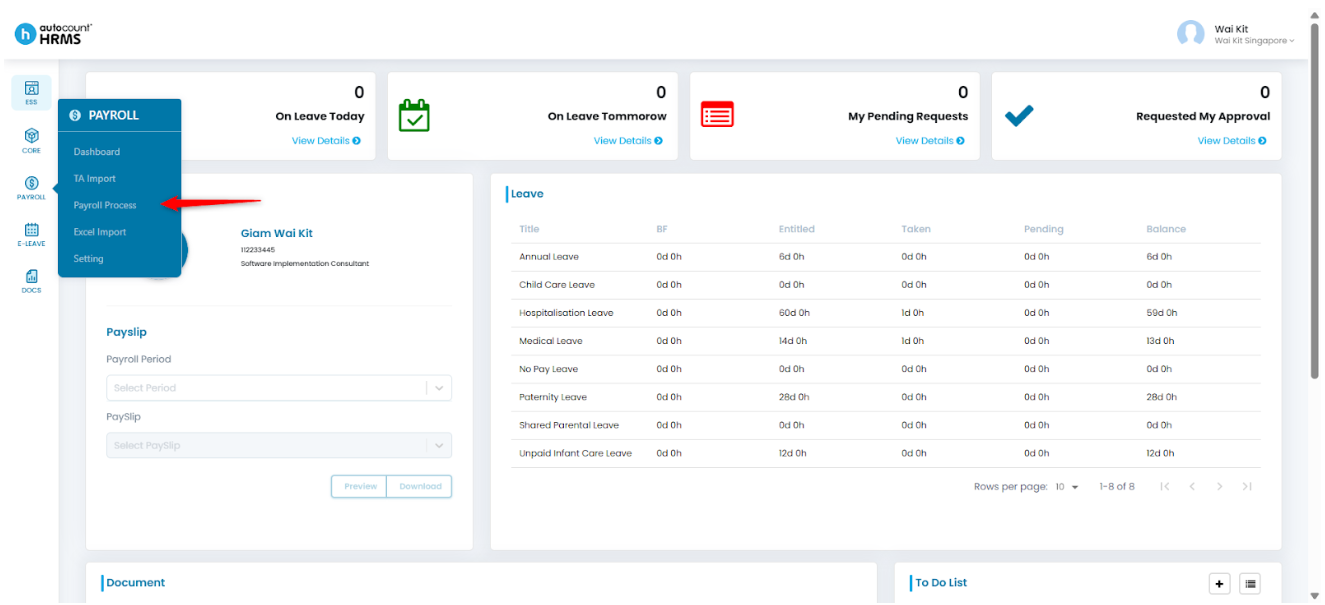
1. Go to Payroll > Payroll Process.
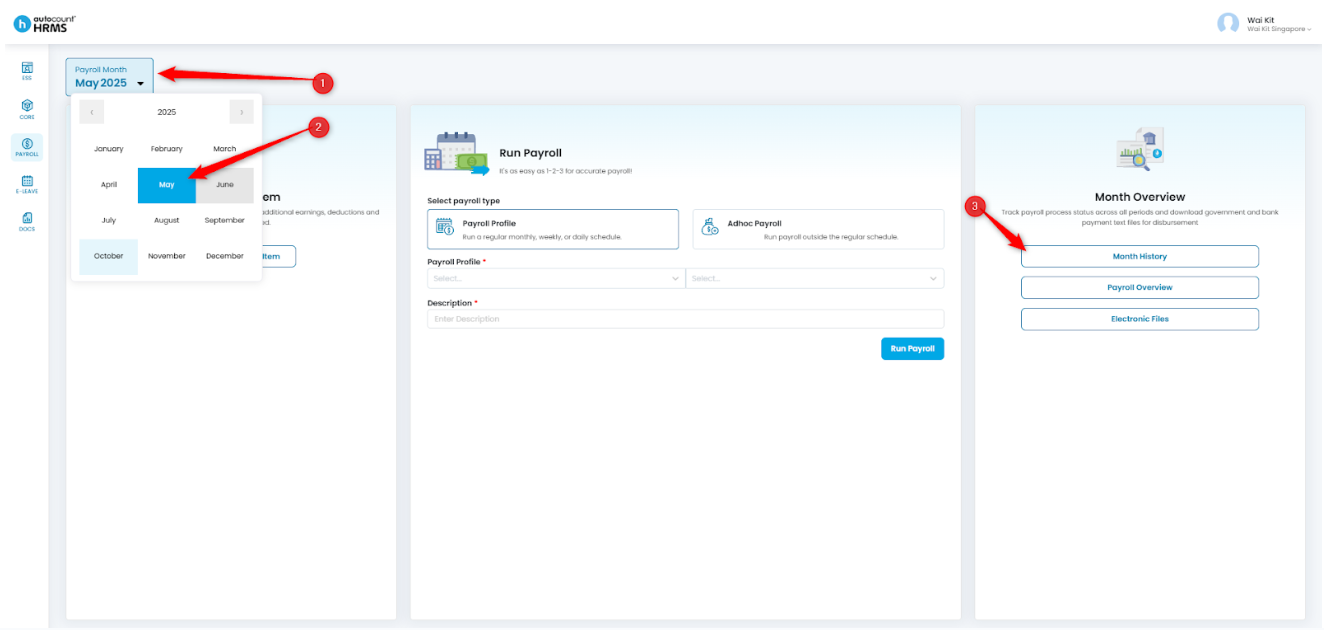
2. Click the Payroll Month, select the required month and year, and open Month History.
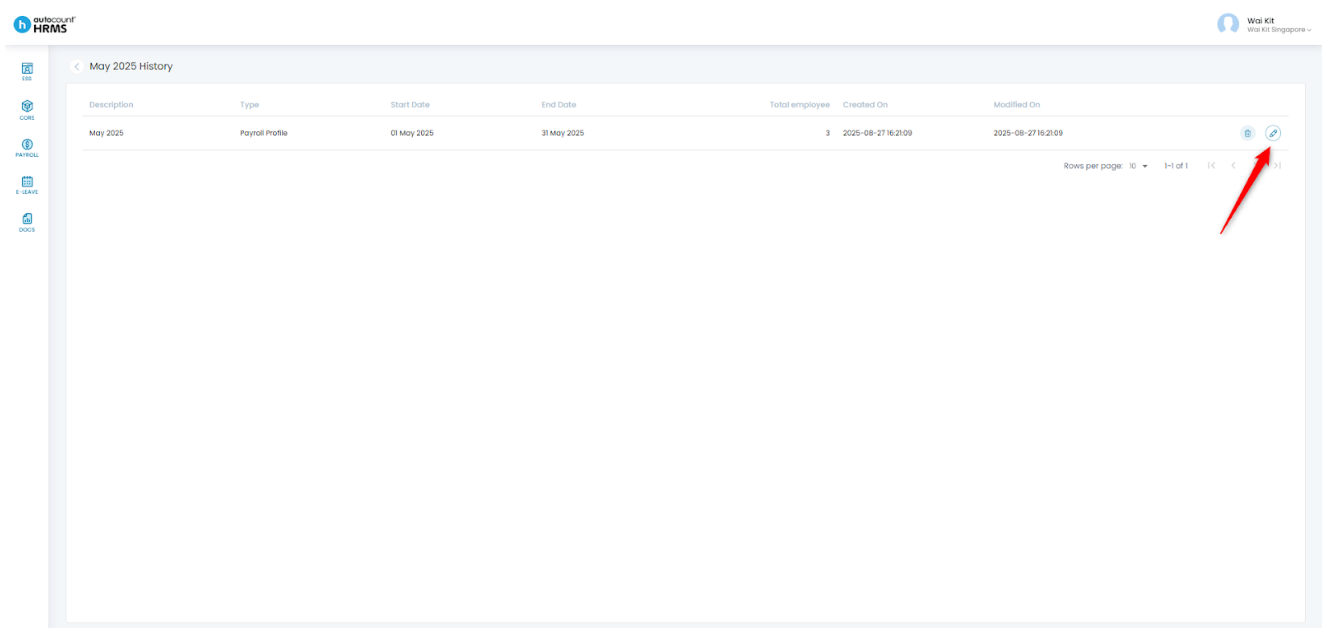
3. Click the pencil icon next to the payroll you want to release to open the Payroll Process Details page.
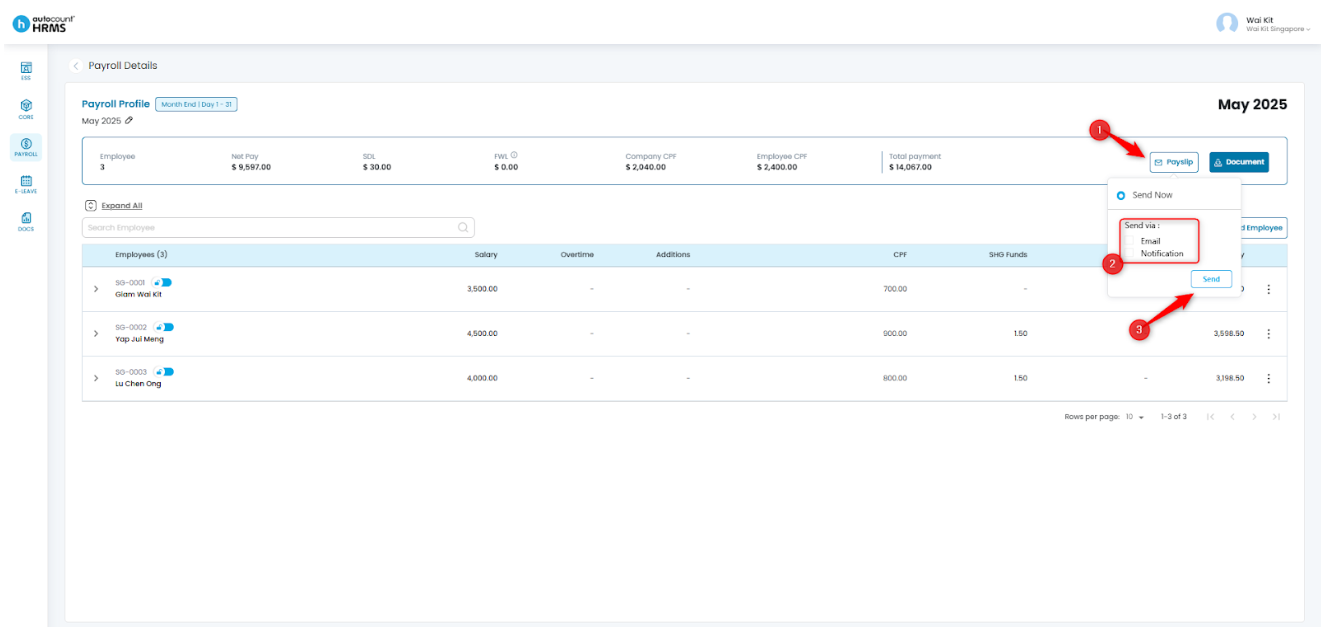
4. Click Payslip, choose one or more notification methods for the release, then click Send.
5. Click Yes to confirm releasing the payslip.
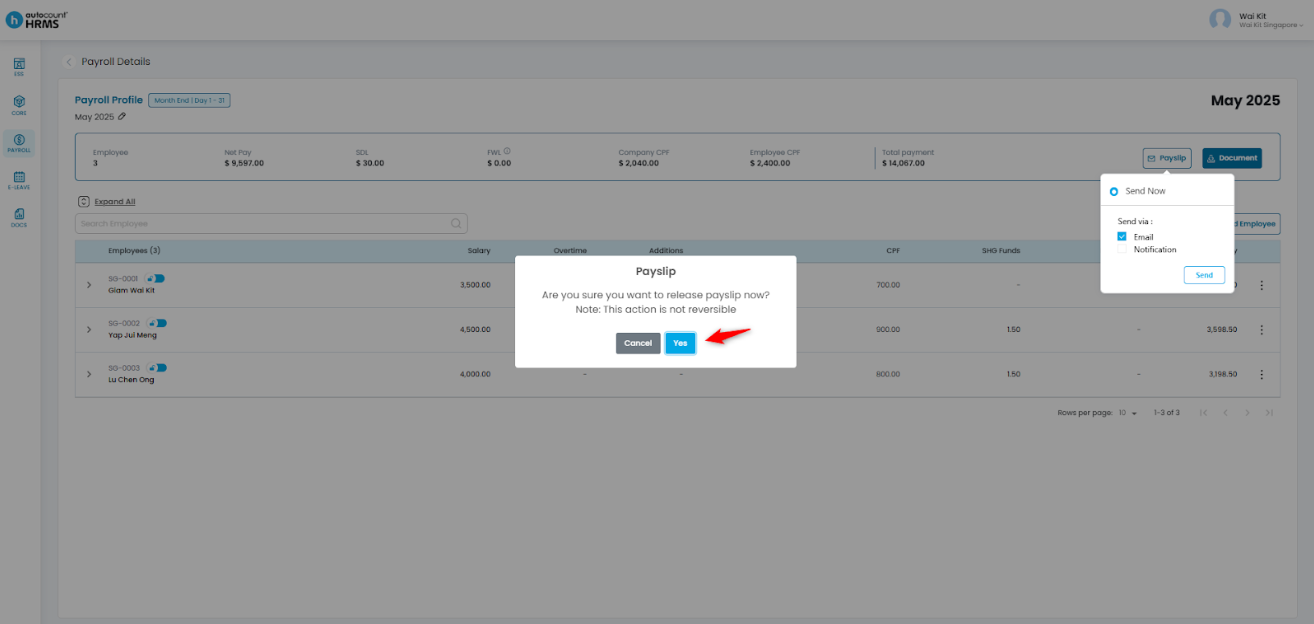
Note: Payslips sent cannot be reversed.
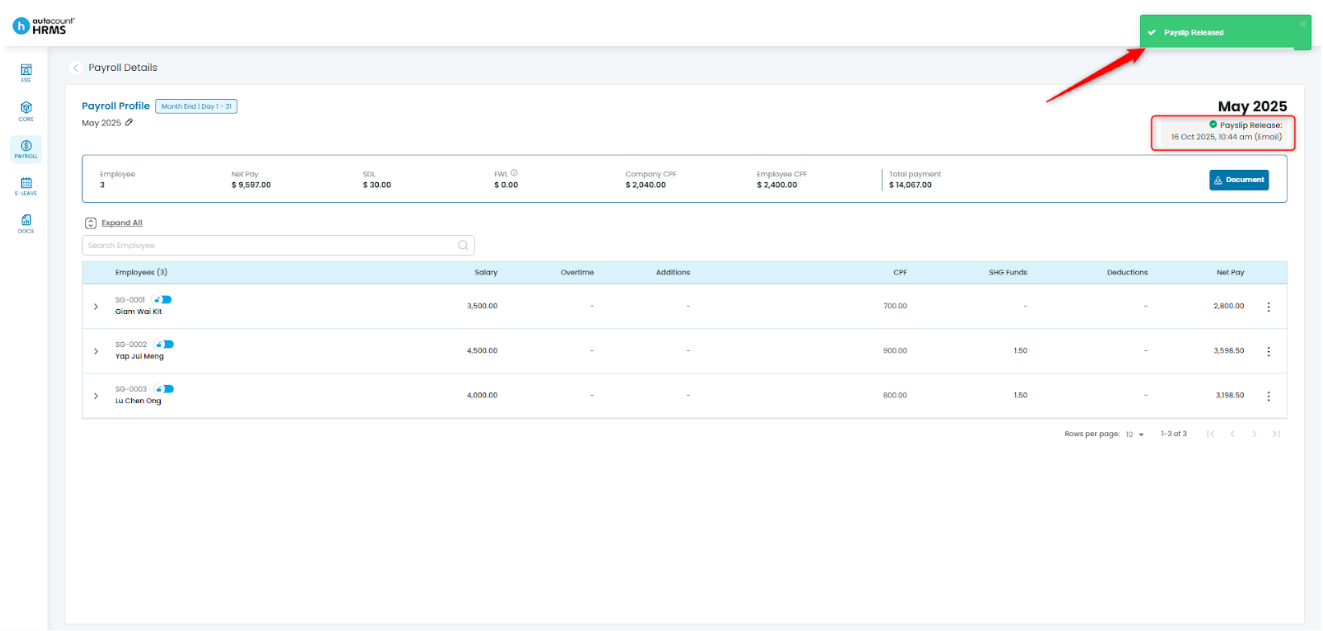
6. The Payslip has now been released and will appear in the ESS for employees to preview and download.
Written by: Giam Wai Kit (20251017)
Modified by: Teah Rui Harn (20251208)
Reviewed by: Tek Ee Lin (20251209)