
You may manage employees’ confirmation and/or resignation date details at Employee Details > Personal Info > Job Info.
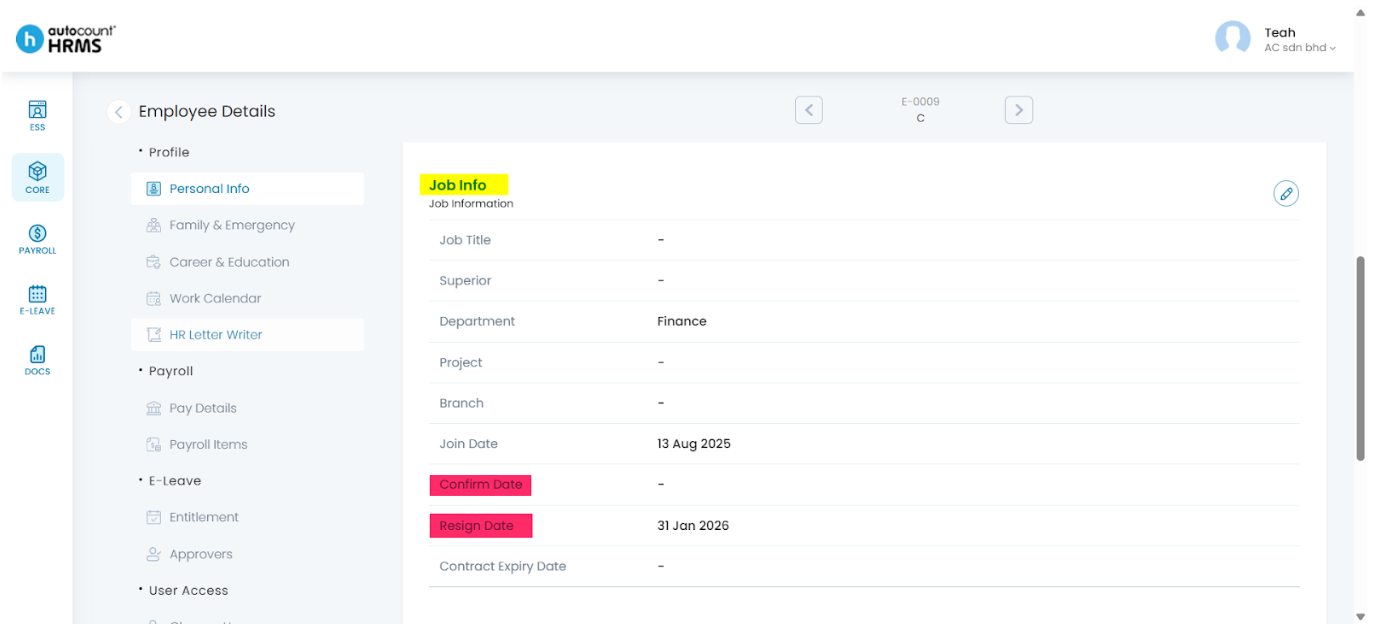
Steps to Update an Employees’ Confirmation or Resignation Date:
- Go to Core > Employee.
- Under Employee Maintenance, select Employee.
- Locate the employee and click the pencil icon next to their name to open the Employee Profile.
- Navigate to Personal Info and scroll down to the Job Info section.
- Click the pencil icon next to Job Info.
- Select the Confirmation Date and/or Resignation Date using the calendar icon.
- Click Save to apply the changes.
For full instructions and other Personal Info settings, refer to Personal Info.
Written by: Teah Rui Harn (20251231)
Reviewed by: Tek Ee Lin (20260107)