
This feature allows leave approvers, such as managers or supervisors, to approve or reject leave applications submitted by their subordinates anytime and anywhere. You can only view leave requests assigned to you for approval.
Steps to Approve or Reject Leave via Mobile App:
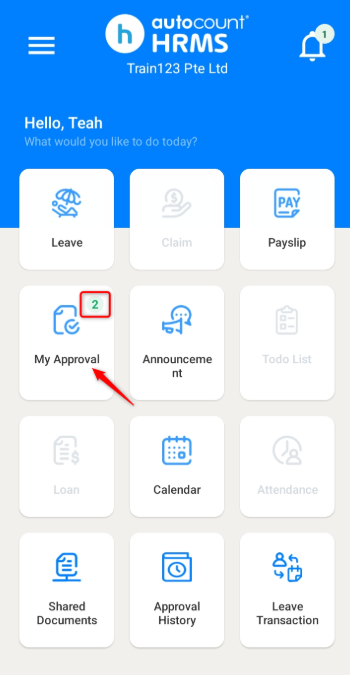
1. Go to My Approval. The number above the button indicates the amount of leaves that require your approval.
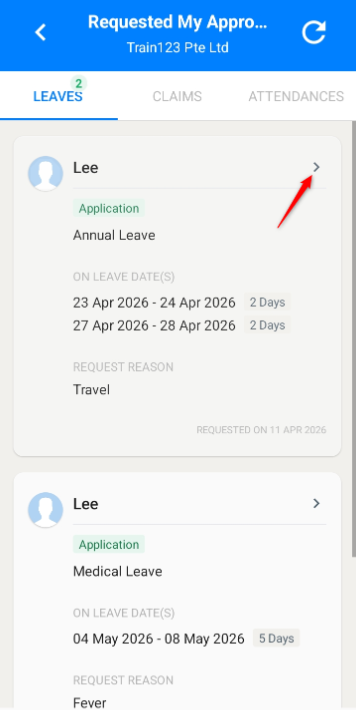
2. Click into the leave request to view the application.
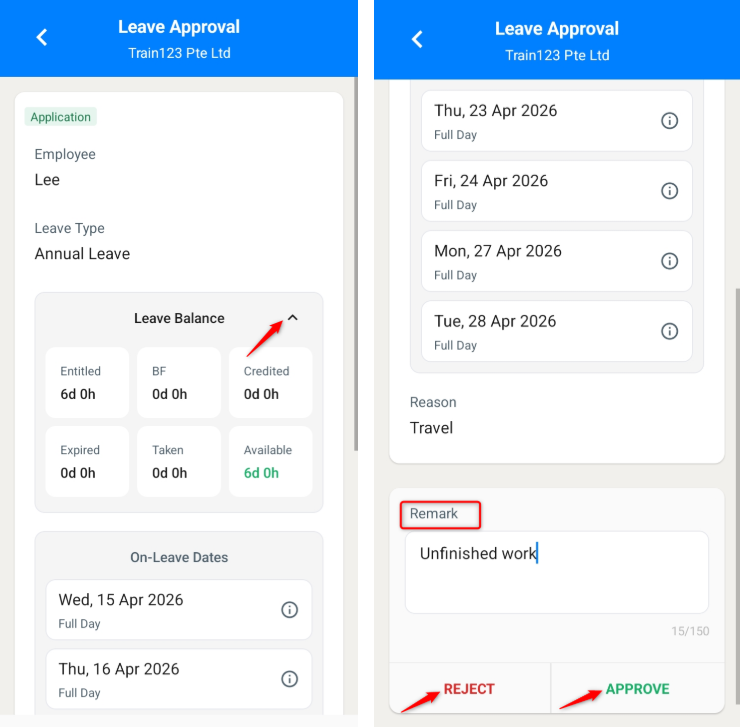
3. Enter a Remark if applicable.
ℹ️Note: Expand the Leave Balance section to view the employee’s leave balance.
4. Click APPROVE or REJECT.
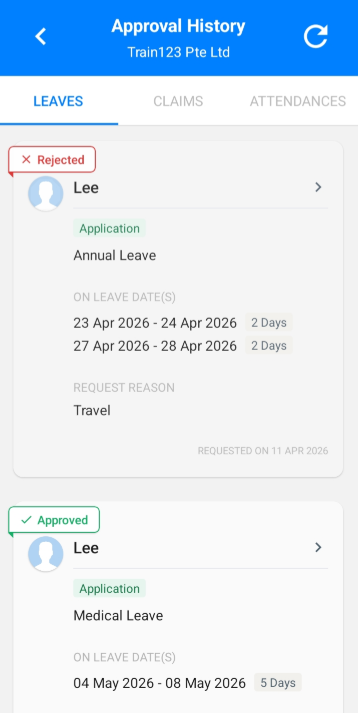
5. The leave will be successfully processed and recorded in Approval History.
Written by: Teah Rui Harn (20260411)
Reviewed by: Tek Ee Lin (20260417)